Technical guide · US & Canada
Android Scene Viewer for Restaurant Menus: Chrome WebAR and 3D Dish Preview in 2026
Android Scene Viewer food menu guide for US and Canada restaurants: Chrome WebAR, 3D dish preview, BeforeTable USD pricing, no guest app download.
2026-08-15 · 8 min read · BeforeTable
What Android Scene Viewer means for restaurant menus
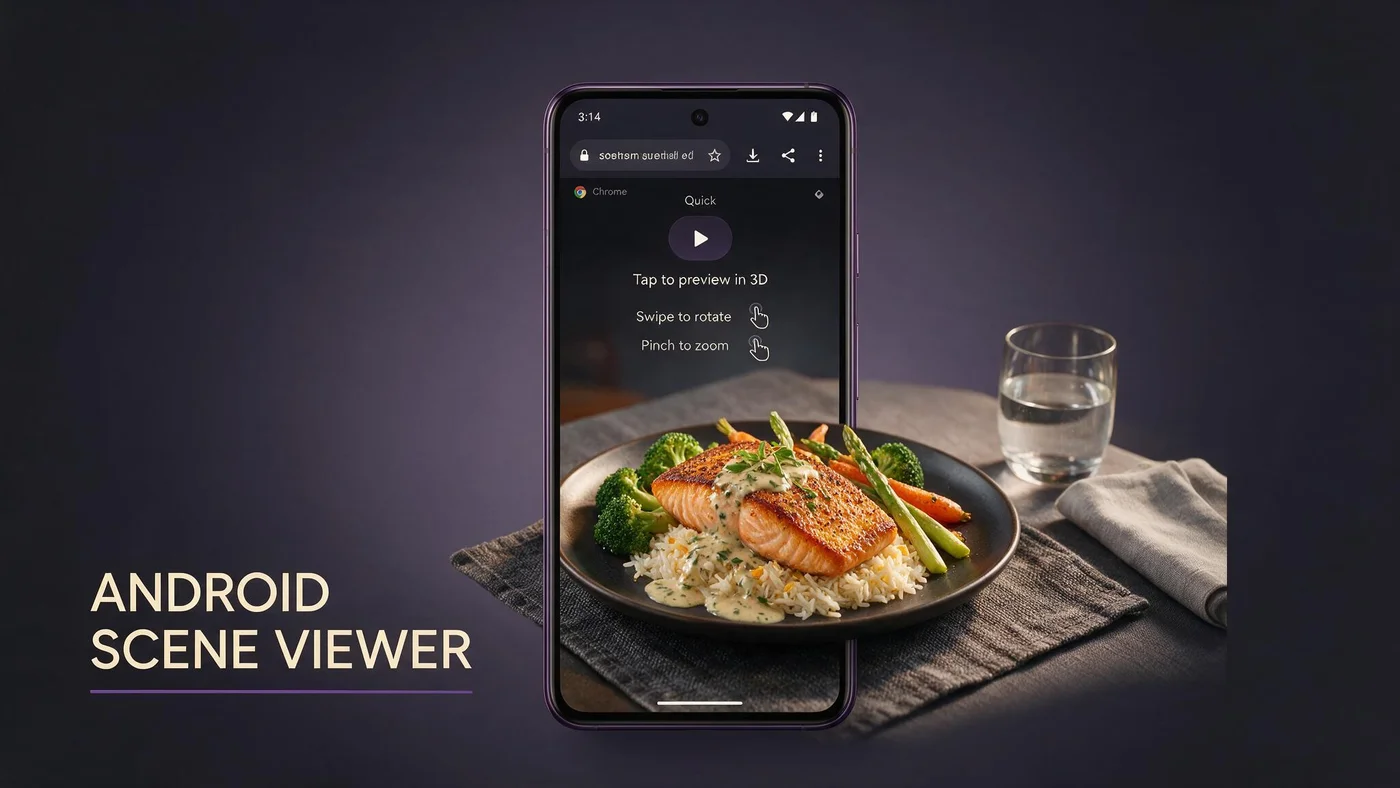
Android Scene Viewer food menu preview is the native AR handoff many Chrome users see when they tap a 3D dish on a WebAR menu. The guest stays on your menu URL, but Chrome may open Google Scene Viewer for smoother placement on the table surface.
For US and Canada independents, Scene Viewer matters because Android holds a large share of dine-in phone traffic. When your menu platform supports the handoff, guests get a familiar Google AR shell instead of a clunky in-page experiment.
Scene Viewer is not a separate restaurant app. It is a system viewer that loads your glTF model from the menu link. Full vocabulary for staff cards lives at beforetable.com/blog/what-is-an-ar-restaurant-menu.
Viewer handoff versus guest app install
Guests never download BeforeTable from an app store. Scene Viewer is part of the Chrome WebAR path, similar to Quick Look on iPhone Safari.
Why owners search this phrase
Operators hear Scene Viewer from tech consultants or from guests who saw AR on Android and want the same on their menu. This post maps that term to a practical table QR workflow.
Why Chrome WebAR matters on Android in 2026
Chrome is the default browser most Android guests use after a table QR scan. WebAR menus must load fast on venue LTE, render text prices clearly, and only pull 3D assets when a guest taps a hero dish.
BeforeTable optimizes for iPhone Safari and Android Chrome as the test pair. Scene Viewer appears on supported Android builds when the menu triggers model-viewer or equivalent WebAR markup correctly.
Browser path details for both platforms: beforetable.com/blog/webar-menu-safari-chrome. No guest app requirement: beforetable.com/blog/do-customers-need-app-ar-menu.
Chrome version and device reality
Test on a mid-range Android phone your servers carry, not only a flagship demo unit. Scene Viewer behavior varies by Chrome version and ARCore support.
Fallback when Scene Viewer does not open
On-screen 3D rotation still sets portion expectations when table placement is unavailable. A honest preview beats hiding the feature.
How Scene Viewer fits the no-app guest path
The guest path stays browser-first: scan table QR, tap banner, browse text menu in Chrome, tap a dish with a 3D badge, preview in Scene Viewer or inline WebAR, return to menu, order with staff.
No App Store or Play Store step sits between scan and browse. That is the objection you remove when hosts say scan for the menu, no download needed.
Groups share one scan or each open the same link from Google Business. Either path keeps turnover high compared with waiting for a loyalty app install.
Same URL on tent and social
One stable menu link on table tents, receipt inserts, and Instagram bio reduces staff corrections when prices update in the dashboard.
3D badge clarity on dish tiles
Label hero items with Preview or 3D so Android guests know which plates open Scene Viewer. Hidden AR features get zero taps.
Guest flow from QR scan to Scene Viewer preview
Guest sits, opens camera, scans QR tent, taps the Chrome banner, lands on mobile menu. They scroll categories, read allergens, tap a hero tile. Chrome loads the model and may hand off to Scene Viewer for place-on-table AR.
Guest rotates the dish, checks height against the table edge, closes viewer, returns to menu list. Server takes order when ready. Total first-time flow often stays under two minutes when staff script is tight.
Photography quality upstream drives Scene Viewer output. Angle guide: beforetable.com/blog/dish-photography-angles-for-ar-menus.
Camera permission moment
Scene Viewer may ask for camera access for table placement. Staff should know that prompt is normal and not a sign the guest must install an app.
Return path to text menu
After closing Scene Viewer, the guest should land back on the same dish list. Test back navigation on your target Android devices before Saturday service.
Technical requirements for Android Scene Viewer menus
Scene Viewer expects valid glTF or GLB assets served over HTTPS from your menu host. BeforeTable handles model delivery when dish status shows Ready in the dashboard.
ARCore-capable devices get table placement. Older phones may still show inline 3D spin. Plan for both paths in guest communication rather than promising AR on every handset.
Adding 3D heroes to an existing QR flow: beforetable.com/blog/qr-code-menu-with-3d-models.
HTTPS and model size
Mixed content or oversized models slow first preview on venue Wi-Fi. Platform compression keeps first tap responsive on typical restaurant networks.
Intent URL and Chrome compatibility
Scene Viewer opens through Chrome intents on supported builds. Your menu vendor should test intent fallback rather than assuming one JavaScript path works on all Android versions.
Which dishes to feature with Scene Viewer preview
Start with three hero items on Free tier: highest margin plates, shareables that drive portion questions, or signature desserts guests photograph for social.
Keep the full menu in text for every line. Add Scene Viewer preview only where depth and height change order confidence.
Visual plates with height, color contrast, and garnish read well in AR. Plain broth bowls need strong topping color to reconstruct depth convincingly.
Match service ware in photos
Shoot on the same plates you serve so Scene Viewer preview matches what lands on the table. Mismatch erodes trust faster on previewed items.
Seasonal hero rotation
Swap hero uploads in dashboard when specials rotate. Table QR URL stays the same when you use a stable menu link.
Photography and model quality for Android WebAR
Strong Scene Viewer output starts with clean photos at consistent angles. Shoot front, side, top, and three-quarter views with even light on the plate you actually serve.
One plate per session. Multiple items in one frame confuse depth reconstruction and slow guest focus in Scene Viewer.
Upload through BeforeTable, wait for Ready status, then publish the menu link on existing table tent artwork without reprinting if URL is stable.
Avoid harsh specular glare
Wet sauces and chrome rims create hotspots that flatten in 3D. Diffuse light and a slight angle change fix most reconstruction gaps.
Re-shoot when plating drifts
If kitchen presentation changes, update photos before guests compare Scene Viewer output to a different plate at the table.
Setup checklist for Scene Viewer food menus
Create BeforeTable account, upload three hero dishes, wait for Ready status, generate menu QR, print one test tent, open menu on Android Chrome from seated height, tap each 3D tile, confirm Scene Viewer or inline fallback.
Step ladder: beforetable.com/blog/how-to-create-an-ar-restaurant-menu.
Roll out to one dining section before every table. Compare guest questions and server interruptions against your control section for two peak services.
Test two Android profiles
Run one ARCore-capable phone and one older budget device your floor staff might carry. Document which path each takes.
Wi-Fi signage if LTE is weak
First model load needs bandwidth. A small Wi-Fi card on the tent reduces failed previews in basement dining rooms.
Pricing for Android WebAR menus (USD)
Free is $0 USD for 3 AR dishes. Starter is $20/mo for 15 dishes. Growth is $200/mo for 50 dishes plus analytics. Enterprise is custom.
Scene Viewer handoff does not add a separate per-preview fee on BeforeTable. Plan limits define how many simultaneous WebAR heroes you can publish.
Full breakdown: beforetable.com/blog/beforetable-pricing-explained.
When Starter beats Free
Upgrade when seasonal rotations need more than three simultaneous Scene Viewer heroes live or when guests ask for preview on more than three signatures.
Compare to custom AR app builds
Native Android app projects often cost five figures before first service. Browser plus Scene Viewer path fits independents who need proof on three dishes first.
Staff training for Scene Viewer guest questions
Train hosts and servers on scan assist, not Android troubleshooting. Two lines: Scan the QR for our menu. Tap dishes with 3D to preview. I am here when you are ready to order.
If Scene Viewer asks for camera access, that is normal for table placement. It is not a request to install a restaurant app.
Keep a small paper backup for guests who decline phones. Allergy protocol stays verbal even when digital menu lists allergens.
Never blame the guest device
Move the tent out of glare, wipe laminate, or type the short URL. Blaming phones kills hospitality on a busy Friday.
Preview honesty
If kitchen presentation differs from the 3D hero, fix the photo or model. Guests notice mismatch most on items they previewed in Scene Viewer.
Measuring Scene Viewer menu performance
Track scans per weekend, preview taps on 3D tiles, and server questions about portion size. Qualitative win: guests say the plate matches the Scene Viewer preview.
Growth analytics help multi-location groups compare rooms that promote 3D badges versus sections still on text-only tiles.
Honest expectation: Scene Viewer improves clarity and upsell paths on hero dishes. It does not fix understaffed floors alone.
A/B one dining section
Run 3D badges on half the hero list for two busy services. Count preview taps and order changes on those plates.
Social reuse of same menu URL
Instagram Reels that say tap 3D in our link should point to the same URL as table tents for consistent Android Chrome behavior.
People Also Ask: Android Scene Viewer food menu
Google and AI assistants surface questions about Scene Viewer, Chrome WebAR, app requirements, and USD cost. Twenty FAQs below mirror those phrasings with Safari and Chrome paths and BeforeTable pricing.
Owner search phrases
What is Scene Viewer for menus? Android AR menu without app? Scene Viewer food menu cost? Match FAQ text to those strings.
Link pillars in body copy
Internal links to definition, how-to, pricing, and WebAR posts help crawlers cluster your Android Scene Viewer intent.
Launch Scene Viewer preview this week
Create a BeforeTable account, upload three heroes, print one test tent, test Android Chrome and iPhone Safari, run Saturday lunch on one section. Android Scene Viewer food menu wins when scan access, WebAR preview, and kitchen output tell one honest story.
Expand to the full dining room when staff script and preview tap rate stay stable for two peak services. Same URL on Google Business and social so off-premise guests get the identical browser menu.
Frequently Asked Questions
What is an Android Scene Viewer food menu?
It is a restaurant menu where Android guests tap 3D dish tiles in Chrome and may open Google Scene Viewer to preview portion on the table, without installing a restaurant app.
Do guests need an app for Scene Viewer menu preview?
No. Scene Viewer is a system AR viewer triggered from Chrome on your menu URL. No guest app download from BeforeTable.
How does Scene Viewer differ from a restaurant AR app?
Scene Viewer is a native Google AR shell for your dish model. Guests never create an account or install your brand app from the Play Store.
Which browser supports Scene Viewer for food menus?
Android Chrome is the primary path. Test your menu URL on Chrome after table QR scan before launch.
Does Scene Viewer work on every Android phone?
Table placement needs ARCore-capable devices. Other phones may still show inline 3D rotation on the menu page.
How much does an Android Scene Viewer food menu cost?
BeforeTable Free is $0 USD for 3 AR dishes. Starter is $20/mo for 15. Growth is $200/mo for 50.
How do I set up Scene Viewer preview on my menu?
Upload dish photos to BeforeTable, wait for Ready, publish menu link, test 3D tiles on Android Chrome. Full steps at beforetable.com/blog/how-to-create-an-ar-restaurant-menu.
What is WebAR on an Android restaurant menu?
WebAR shows 3D dish preview in the browser after scan. Scene Viewer is one handoff path. Definition at beforetable.com/blog/what-is-an-ar-restaurant-menu.
Can I use Scene Viewer with a table QR code?
Yes. Point table QR at your BeforeTable menu URL. Guests scan, open Chrome, tap 3D heroes. Guide at beforetable.com/blog/qr-code-menu-with-3d-models.
Do iPhone guests use Scene Viewer?
No. iPhone Safari typically uses Quick Look for native AR handoff. Test both platforms. Details at beforetable.com/blog/webar-menu-safari-chrome.
Why does Chrome ask for camera access?
Scene Viewer uses the camera for table placement AR. It is not prompting a Play Store install.
How many AR dishes can I start with free?
Three AR dishes on the Free plan at $0 USD.
What if Scene Viewer does not open on a guest phone?
Inline 3D spin on the menu page still previews portion. Move tent out of glare and retry on updated Chrome if needed.
How do I photograph dishes for Scene Viewer menus?
Use consistent angles and even light on service ware. Full guide at beforetable.com/blog/dish-photography-angles-for-ar-menus.
Can I update prices without changing Scene Viewer models?
Yes when QR encodes a stable menu URL and you edit prices in the BeforeTable dashboard.
Is Scene Viewer the same as Google AR?
Scene Viewer is Google's system viewer for 3D models linked from Chrome. It is part of the WebAR ecosystem, not a separate menu product.
Where is BeforeTable pricing explained?
See beforetable.com/blog/beforetable-pricing-explained for Free, Starter, and Growth USD plans.
Do customers need an app for AR table menus on Android?
No. See beforetable.com/blog/do-customers-need-app-ar-menu for the browser-only guest path.
Which dishes should get Scene Viewer preview first?
Start with three visual heroes: shareables, signature entrees, or desserts where portion size drives order confidence.
What is the first step to launch Scene Viewer menu preview?
Create a BeforeTable account, upload three hero dishes, test 3D tiles on Android Chrome from seated height, then print one table QR tent for a busy service.