WebAR devices · US & Canada
AR Menu on Android Chrome: Setup and Guest Guide (2026)
See how BeforeTable's AR menu works on Android Chrome, from QR scan to Scene Viewer placement, plus device support and quick fixes for 2026.
2026-08-28 · 7 min read · BeforeTable
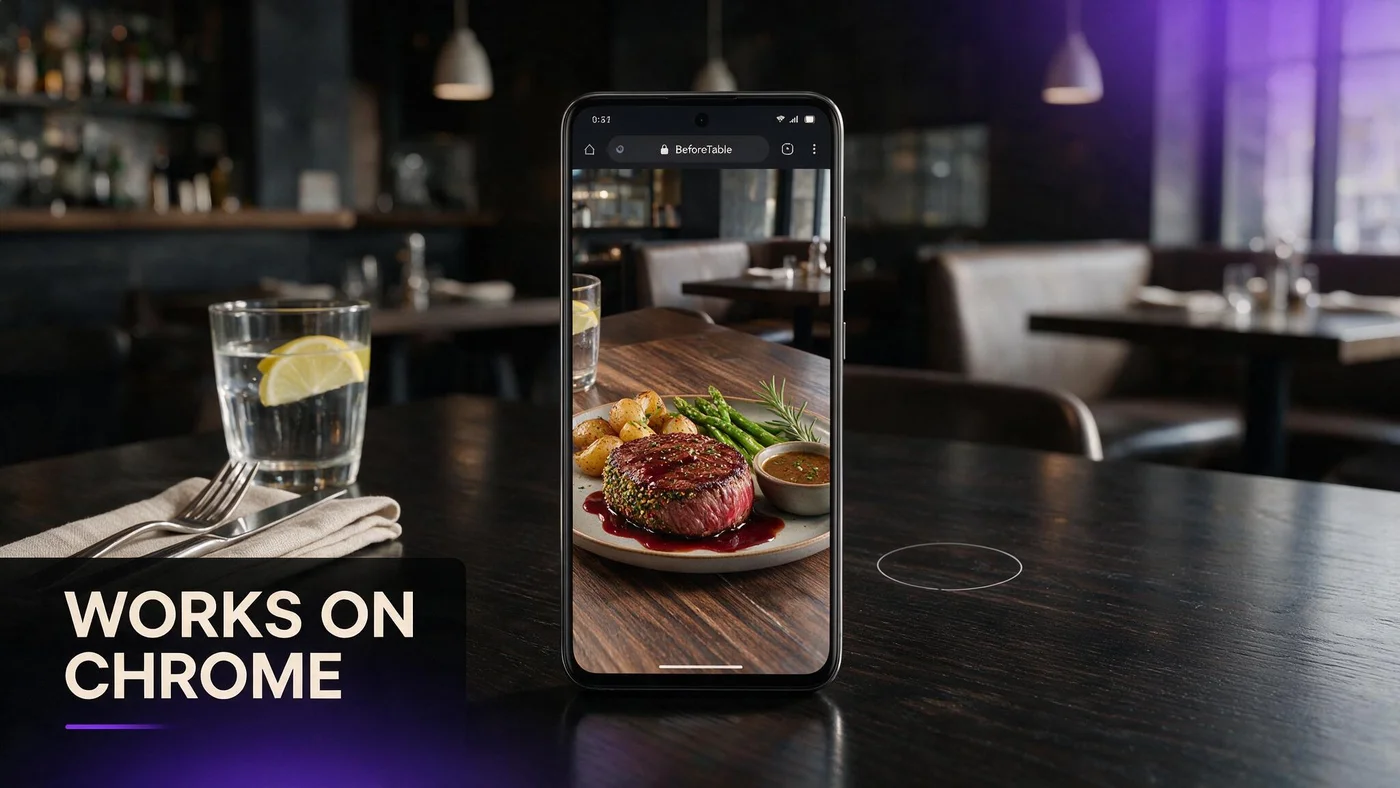
How an AR menu works on Android Chrome
An AR menu on Android works through Chrome and Google's Scene Viewer, with no app download required. A guest scans your table QR, the menu opens in Chrome, they preview a dish in 3D, then tap the AR icon to place it on the table using ARCore.
This is the Android side of the same WebAR path BeforeTable uses on iPhone. The steps feel almost identical, just powered by Google's tools instead of Apple's. For the full technical rundown across both browsers, see beforetable.com/blog/webar-menu-safari-chrome. Neither path asks a guest to open a store listing or wait on an install screen before they see the dish.
The guest flow on Android, start to finish
Scan the QR and Chrome opens the link
Most Android phones open the camera scanner from the lock screen or quick settings. Pointing it at your table QR shows a link that opens directly in Chrome, the default browser on almost every Android device.
The 3D model viewer loads the dish
Once the menu loads, tapping a dish with a 3D badge brings up the model viewer. Guests rotate and zoom the plate the same way they would on an iPhone.
Tap the AR icon to launch Scene Viewer
An AR button sits next to the model viewer. Tapping it hands the file to Google's Scene Viewer, which uses the camera and ARCore to place the dish on the guest's real table. See beforetable.com/blog/android-scene-viewer-food-menu for more detail on how that native tool behaves.
What Scene Viewer does once it opens
Scene Viewer opens the phone camera and asks the guest to slowly move their phone so ARCore can detect a flat surface, usually the table itself. Once it locks on, the dish appears sitting there at real size.
Guests can walk around the dish, take a screenshot, or tap a button to return straight back to your Chrome menu page without losing their place.
Device and Chrome version support in practice
Most Android phones from the last few years work
The vast majority of Android phones sold in the last several years support the 3D preview, and most also support full AR placement through Scene Viewer, since ARCore compatibility is broad across major brands.
Chrome needs to be reasonably current
Chrome updates automatically for most Android users through the Play Store, so version mismatches are rare. If a phone runs a very old, unsupported Chrome build, the 3D preview may not load, and the fix is usually as simple as letting the Play Store finish a pending Chrome update in the background.
When ARCore is not installed yet
Guests get a one-time Play Store prompt
If ARCore is missing, Scene Viewer prompts the guest to install Google Play Services for AR from the Play Store. It is a small, free download that only needs to happen once per phone.
What to tell guests if they decline
If a guest skips the install, that is fine. They can still rotate and zoom the 3D preview right in Chrome, they simply will not see table placement for that visit.
Older Android phones without AR support
The 3D preview still works without table AR
Phones that cannot run ARCore at all still show the rotating 3D model inside Chrome. Guests lose the table placement step, but they keep the part that matters most for judging a dish.
Graceful fallback beats a broken button
BeforeTable hides the AR icon on unsupported phones instead of showing an error when it fails. A guest never hits a dead end, the menu just quietly offers what that phone can actually do.
How this compares to the iPhone Safari path
The on-screen 3D preview looks nearly identical between Android and iPhone. The real difference is only at the AR step: Android hands off to Google's Scene Viewer, iPhone hands off to Apple's AR Quick Look.
We cover the iPhone side in full, including supported models and common Safari fixes, at beforetable.com/blog/ar-menu-works-iphone-safari. Read both if your dining room sees a real mix of devices.
Test on one iPhone and one Android before you print
Borrow two real phones for a dry run
Ask a staff member with an Android phone, and another with an iPhone, to scan your QR before you order table tents. Two real devices catch problems a single test phone will miss.
Walk the guest path yourself at a table
Sit at an actual table, on the restaurant's own Wi-Fi or your own cellular data, and run the whole flow: scan, preview, AR placement. Fix anything that feels slow or confusing before launch.
What BeforeTable handles for Android automatically
BeforeTable builds the 3D file, wires up the model viewer, and manages the Scene Viewer handoff for every dish you upload. None of this requires touching ARCore, Chrome settings, or any code on your end, even as Google updates its own AR tools behind the scenes.
You focus on photos and prices. The AR technology underneath, on both Android and iPhone, is already built into every plan from Free upward, and it keeps working the same way whether you have three dishes or fifty.
Start Free and test the Android path today
Upload three hero dishes on the Free plan at $0, then scan your own guest link on an Android phone in Chrome before you show it to a single customer.
When your menu outgrows three dishes, Starter is $20 a month for 15 AR dishes with priority processing. Confirm the Android flow works, then grow from there.
Frequently Asked Questions
Does an AR menu work on Android in Chrome?
Yes. BeforeTable's AR menus open directly in Chrome with no app download. Guests scan a QR and preview dishes in 3D right away.
Do Android guests need to install anything?
Most guests need nothing extra. Some phones prompt a one-time, free ARCore install from the Play Store the first time they use table AR.
What is Scene Viewer on Android?
Scene Viewer is Google's native AR tool. It uses the phone camera and ARCore to place a 3D dish on a real table.
Which Android phones support AR restaurant menus?
Most Android phones from the last several years support the 3D preview, and the majority also support full AR placement through Scene Viewer.
What happens if a phone does not support ARCore?
The 3D preview still works in Chrome. The guest simply will not see the AR button for table placement on that phone.
Do I need the latest Chrome version for AR menus?
No, but a reasonably current version helps. Chrome updates automatically for most Android users through the Play Store.
Why does Chrome ask to install Google Play Services for AR?
That is ARCore, the software behind Scene Viewer. It is a small, one-time, free download most Android phones already have.
Can guests skip the ARCore install and still see the dish?
Yes. They can still rotate and zoom the 3D preview in Chrome without installing anything.
How is the Android AR flow different from iPhone?
The 3D preview looks almost the same. Android hands off to Google's Scene Viewer, iPhone hands off to Apple's AR Quick Look.
Should I test my AR menu on Android before launch?
Yes. Test on at least one Android phone and one iPhone before printing table QR codes.
What if an old Android phone cannot run AR at all?
It still shows the 3D preview in Chrome. BeforeTable hides the AR button instead of showing a broken one.
Does BeforeTable manage ARCore for me?
Yes. BeforeTable handles the model viewer and the Scene Viewer handoff automatically. You never touch ARCore settings directly.
How much does an Android ready AR menu cost?
Free is $0 for 3 AR dishes. Starter is $20 a month for 15 dishes with priority processing.
Do Samsung and Google Pixel phones both work?
Yes. Scene Viewer and ARCore support span most major Android brands including Samsung, Google, and others with current software.
What Wi-Fi do I need for Android AR menus?
Any stable connection, restaurant Wi-Fi or cellular data, is usually enough to load the 3D preview smoothly.
Does BeforeTable replace Toast POS for Android setups?
No. BeforeTable focuses on WebAR menu visualization and light order tools, not hardware POS replacement.
Where can I read about the iPhone Safari experience?
See beforetable.com/blog/ar-menu-works-iphone-safari for the full guest flow and supported devices on iPhone.