Geo · Dallas, USA
AR Menu Dallas Restaurants: WebAR QR for North Texas Independents (2026)
How Dallas independent restaurants use WebAR table QR menus to show 3D dish previews for BBQ, Tex-Mex, and more, no guest app, plans from $20 a month.
2026-09-15 · 9 min read · BeforeTable
What an AR menu means for Dallas restaurants
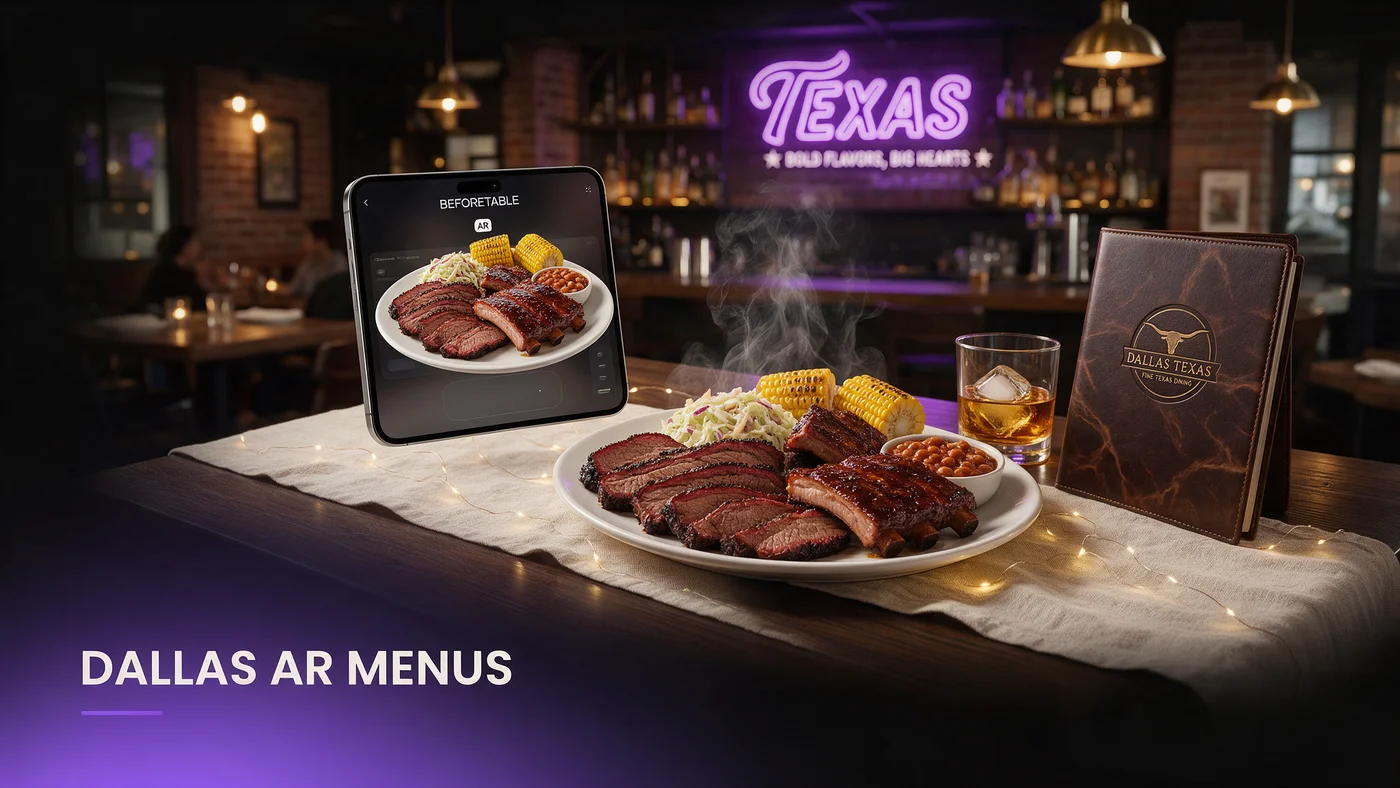
An AR menu for Dallas restaurants lets a guest scan a QR code at the table and rotate a real 3D preview of a dish in Safari or Chrome, with no app to download. For an independent in Deep Ellum, Bishop Arts, or Oak Cliff, that means a guest sees exactly how big a plate really is before it lands on the table.
Why AR beats a photo or a paper menu here
A flat photo cannot show real portion size, and Dallas kitchens are known for large plates where size is exactly what a guest wants to see before ordering. An AR preview lets a guest rotate a dish and judge the actual portion with more confidence.
What guests actually see on their phone
There is no app store visit and no login screen. A guest taps a QR code, the dish opens directly in the browser, they rotate the model with a finger swipe, then close it and keep reading the rest of the menu.
Why WebAR fits North Texas' mixed device reality
Dallas dining rooms mix iPhones and Android phones, from a college crowd in Deep Ellum to a longtime family table in Oak Cliff. A WebAR menu that works in Safari and Chrome without an install step removes the friction of asking which app store a guest needs, since there is none.
No app means no download friction
A large app download can stall on a weak signal, especially inside an older strip center building. A WebAR link loads a much smaller page, so the preview still shows up quickly.
Independents competing with bigger chains nearby
A small independent near a chain with a much bigger marketing budget can offer the exact same scan-to-preview experience at a fraction of the cost, which levels the one thing guests actually notice at the table.
Deep Ellum, Bishop Arts, Uptown, and Oak Cliff guest habits
Guest habits shift block by block. Deep Ellum's late-night crowd scans fast between a music venue and a bite to eat, while Bishop Arts guests on a slower weekend afternoon linger over a patio table before deciding what to share.
Uptown's after-work crowd wants a preview that loads fast between happy hour and dinner, while Oak Cliff's mix of longtime regulars and newer visitors uses AR differently depending on whether they already know the menu.
BBQ, Tex-Mex, and the immigrant kitchens behind Dallas dining
Dallas dining runs on more than one tradition at once. A brisket plate at a BBQ counter, enchiladas at a family-run Tex-Mex spot, and a dish from a Vietnamese, Ethiopian, or Indian kitchen tucked into a strip center all deserve the same 3D preview treatment, not just whichever cuisine gets the most attention online.
Showing portion and cut size on a BBQ plate
A brisket plate, a rib platter, or a sausage sampler benefits directly from a 3D preview, since guests often want to see how much meat comes with a plate before choosing a size.
Helping guests understand an unfamiliar dish
A guest trying a cuisine for the first time relies on the AR preview to understand what a dish looks like, which reduces the back and forth of asking a server to describe every plate.
Texas heat, indoor AC, and how guests use their phones
Summer heat across North Texas pushes most dining indoors into strong AC for much of the year, and guests arrive already looking at their phone after walking from a hot parking lot. A fast-loading AR preview matters here, since a guest cooling off at the table is often already scrolling before the server arrives.
Fast indoor scanning during peak summer months
From June through September, most tables are indoors, so keep hero dish models efficient enough to load quickly even as a guest's phone adjusts from the heat outside.
Evening and early patio scanning the rest of the year
Outside peak summer, patios fill up for brunch and evening service, so a weatherproof QR code at an outdoor table should hold up to sun and the occasional Texas thunderstorm.
Setting up AR menus for large Dallas portions
Dallas is known for large portions, from a stacked BBQ plate to a platter meant for sharing. AR is especially useful here, since a photo alone struggles to convey just how much food actually comes with a dish.
Choosing dishes where size is the selling point
A shareable platter, a stacked sandwich, or a large combo plate benefits more from rotation than a simple side dish.
A one-table test before a full rollout
Print one QR table tent, place it on a single table for a week, and watch how many guests scan it before deciding whether to expand across the dining room.
Choosing your first three hero dishes
Start small. Three hero dishes in AR is enough to prove the idea works before committing more time to photographing an entire menu, whether that is a BBQ plate, a Tex-Mex platter, or a dish from another kitchen tradition entirely.
Testing your AR menu before service starts
Test the guest link on an iPhone in Safari and on an Android phone in Chrome before printing a QR code for the floor. Confirm the model loads within a couple of seconds on your restaurant's actual Wi-Fi, since a slow load during a busy rush undoes the good impression AR is supposed to create.
Common mistakes North Texas independents make with AR menus
The most common mistake is only featuring one cuisine's dishes in AR when the menu covers more ground than that, which undersells the rest of the kitchen. A second mistake is loading ten or more dishes into AR right away instead of proving the concept with two or three hero dishes.
What this costs for a Dallas independent restaurant
Free starts at $0 for 3 AR dishes, enough to test the one-table approach above. Starter is $20 a month for 15 dishes, which covers most independent menus. Growth is $200 a month for 50 dishes with analytics, useful once you compare performance across a larger menu. See the full breakdown at beforetable.com/pricing.
Start free with your first Dallas AR menu today
An AR menu for a Dallas restaurant does not require rebuilding your menu system or hiring a developer. Photograph two or three hero dishes, print one QR table tent, and test it during a normal service.
Start Free with 3 AR dishes at $0 and see how guests near you respond before committing to a paid plan. The FAQ below and beforetable.com/faq cover setup details, and beforetable.com/blog/ar-menu-houston-restaurants looks at the same approach elsewhere in Texas.
Frequently Asked Questions
What is an AR menu for Dallas restaurants?
It is a WebAR menu a guest opens by scanning a QR code at the table, showing a real 3D preview of a dish in their phone's browser with no app to download.
Do guests need to download an app to see the AR menu?
No. The preview opens directly in Safari on iPhone or Chrome on Android, with nothing to install and no account to create.
Does the AR menu work for BBQ and Tex-Mex plates?
Yes. A 3D preview is especially useful for showing real portion size on a brisket plate, a rib platter, or a shareable Tex-Mex combo.
How much does an AR menu cost for a Dallas restaurant?
Free is $0 for 3 AR dishes, Starter is $20 a month for 15 dishes, and Growth is $200 a month for 50 dishes with analytics.
What devices does the AR menu work on?
It works on iPhone in Safari and Android in Chrome, covering the large majority of guest phones across North Texas.
Does the AR menu work well during Texas summer heat?
Yes, especially when hero dish models are kept lightweight, so the preview still loads quickly for a guest cooling off at the table after walking in from the heat.
What about outdoor patio tables during storms or heavy sun?
Use a weatherproof QR sticker or a stand-up card outdoors, since a laminated paper insert fades and curls faster in Texas sun and summer rain.
How many dishes should I start with?
Start with two or three hero dishes that define your restaurant, then expand once you see how guests respond to the AR preview.
Does this work for independents outside Uptown and Deep Ellum?
Yes. WebAR works the same way in Bishop Arts, Oak Cliff, or a suburb of Dallas, since it only depends on the guest's phone browser.
Can AR menus help with unfamiliar dishes from immigrant-owned kitchens?
Yes. A 3D preview helps a first-time guest understand an unfamiliar dish faster than a short menu description alone.
Do I need a big marketing budget to compete with nearby chains?
No. A small independent can offer the same scan-to-preview experience as a bigger chain nearby at a fraction of the cost.
How long does it take to set up an AR menu?
Uploading photos and creating a 3D preview for one dish takes a short amount of time per dish, so two or three hero dishes can be ready quickly.
Does BeforeTable replace my POS system?
No. BeforeTable is a WebAR menu and light order tool, not a replacement for a POS system.
Can I test the AR menu on one table before rolling it out?
Yes, and it is the recommended approach. Print one QR table tent, test it for a week, then decide whether to expand.
What is the difference between Free, Starter, and Growth plans?
Free covers 3 dishes at $0, Starter covers 15 dishes at $20 a month, and Growth covers 50 dishes at $200 a month with analytics.
Does Growth plan analytics help compare performance across locations?
Yes. Growth's analytics dashboard shows guest interaction with each AR preview, which helps compare performance if you run more than one North Texas location.
Where can I find more on pricing and setup?
See beforetable.com/pricing for plan details and beforetable.com/faq for common setup questions.