Geo · London, UK
London Cafe AR Menu Software: WebAR QR for Independent Cafes (2026)
How independent London cafes use WebAR QR menus to show flat whites and pastries in 3D, no guest app, plans from $20 a month.
2026-09-16 · 9 min read · BeforeTable
What London cafe AR menu software means for independents
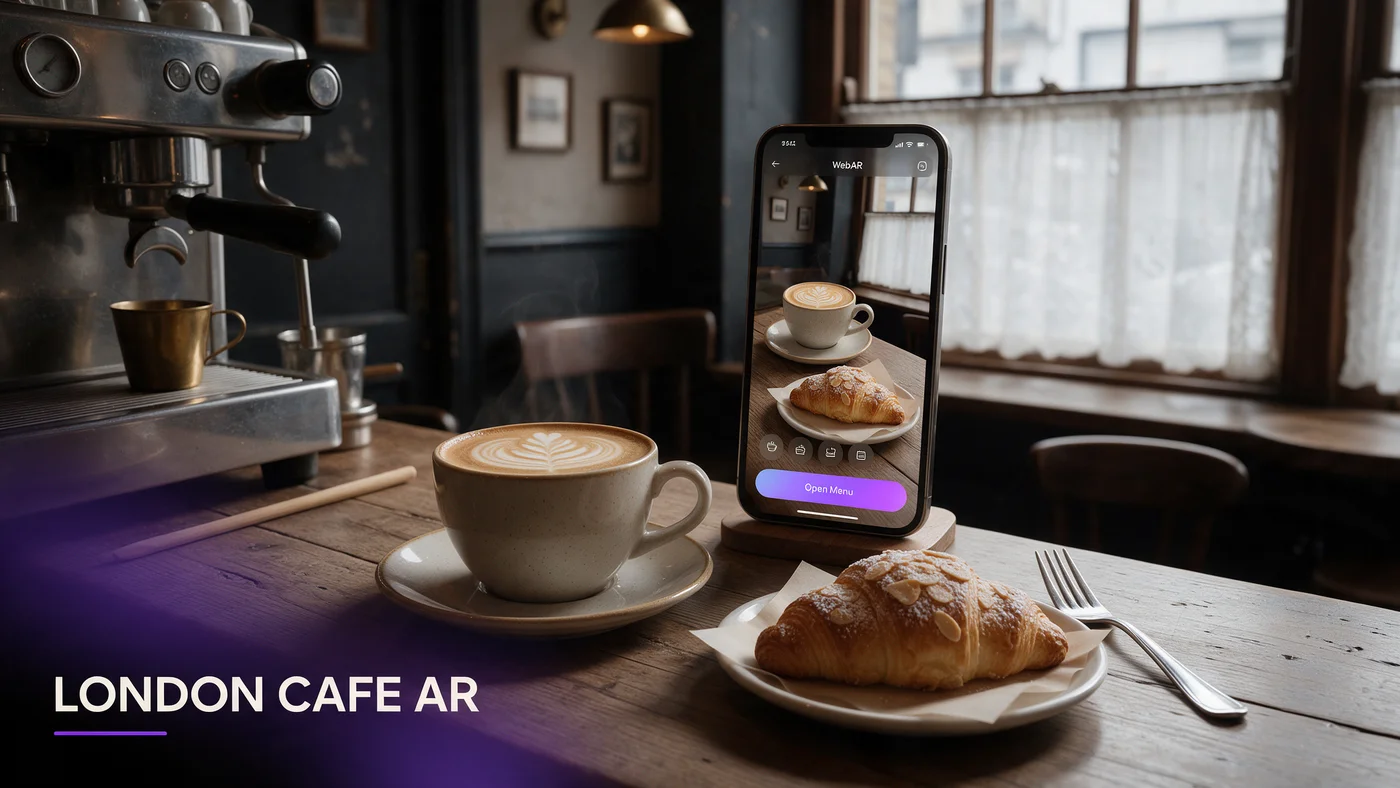
London cafe AR menu software lets a guest scan a QR code on the table or counter, open the link in their phone's browser, and watch a real 3D preview of a flat white or a pastry rotate before they order, with no app download and no barista needed to describe portion size. For an independent in Shoreditch, Soho, Brixton, or Hackney, that means a guest can see exactly what a cinnamon bun or a matcha latte looks like in the few seconds it takes to queue at the counter.
WebAR works the same way across every borough. The phone's own browser renders the model directly, so a guest queuing on Brick Lane sees the same crisp preview as a guest sitting down in a Soho courtyard cafe.
Why AR beats a chalkboard or a laminated menu here
A chalkboard cannot show how tall a stack of pancakes actually is, and a laminated counter menu gets sticky and worn fast during a busy London morning rush. An AR preview lets a guest rotate a pastry and decide with more confidence before reaching the till.
What guests actually see on their phone
There is no app store visit and no login. A guest taps a QR code near the till or on a small table stand, the dish opens in the browser, and they rotate the model with a finger swipe before ordering.
Why WebAR fits London's fast-paced cafe culture
London cafe culture moves quickly, especially during the morning commute and the lunchtime queue, and guests rarely want to wait for anything extra to load. A WebAR menu that works in Safari and Chrome without an install step keeps pace with a queue that is already moving, since there is no app store detour to slow anyone down.
No app means no download friction in a moving queue
Asking a guest to download an app while five people wait behind them for a coffee is not realistic. A WebAR link loads a lightweight page instead, so the preview appears in roughly the time it takes to read the first line of a menu.
Mixed iPhone and Android crowds expect this to just work
London's cafe crowd mixes iPhones and Android phones fairly evenly, plus a large share of visiting tourists on phones from other countries entirely. A browser-based preview sidesteps the question of which app store a guest needs, because there is none.
Showcasing flat whites and pastries in 3D
A flat white with careful latte art or a laminated pastry with visible layers benefits far more from a rotating 3D preview than a plain filter coffee, since shape and texture are exactly what a photo struggles to capture.
Hero drinks worth showing in AR
A flat white, a stacked iced latte, or a seasonal specialty drink with visible layering are strong first candidates, since guests often decide on a drink by how it looks as much as by its name on the board.
Hero pastries that photograph poorly but preview well
A croissant with visible lamination, a thick slice of cake, or a filled bun all look better rotating in AR than flattened into a single photo angle, which is exactly the gap a 3D preview closes.
Shoreditch, Soho, Brixton, and Hackney: how guests scan
Scanning habits shift by neighborhood. Shoreditch's creative crowd lingers over a flat white and often rotates a pastry preview out of curiosity as much as decision-making. Soho's mixed office and tourist footfall scans quickly between meetings and sightseeing stops. Brixton's market-adjacent cafes see guests comparing a preview against a market stall right next door. Hackney's local regulars scan less often once they know the menu, but new visitors lean on it heavily during their first few visits.
Serving tourists and the office lunch crowd at once
A single London cafe often serves a tourist deciding between a full English and a pastry, and an office worker grabbing a flat white before a call, sometimes within the same five minutes. A WebAR menu serves both without extra staff effort, since the preview does the explaining that a rushed barista cannot always give.
Helping tourists unfamiliar with British cafe items
A tourist may not know what a Chelsea bun or a bacon bap actually looks like before it is called out. Letting them rotate a 3D preview answers that question faster than a written description ever could.
Keeping the office lunch queue moving
A regular office guest already knows what they want, so the AR preview should stay optional and out of the way rather than adding a step to a fast, familiar order.
Rainy day QR setups that survive London weather
London rain is frequent enough that any table signage needs to survive a wet coat, a dripping umbrella, or a queue that spills slightly indoors during a downpour. A printed QR code laminated once holds up far better than a paper insert that softens the moment it gets damp.
Indoor counter QR placement that stays dry
Placing the QR code on a counter stand or till-side card, away from the door where rain blows in, keeps the code scannable even during a wet morning rush.
Table tents for the rare dry, sunny afternoon
On the occasional sunny afternoon when outdoor seating fills up, a small weatherproof table tent works fine, since London's outdoor cafe seating rarely deals with the sustained heat some other markets see.
GBP guest pricing and USD billing, explained clearly
Your cafe sets menu prices in pounds sterling for guests, and that never changes because of AR. BeforeTable's own plans are billed in USD, since the platform serves cafes and restaurants across multiple countries, so a London owner should expect their monthly software bill in US dollars even though the menu itself displays GBP prices to guests.
What guests see versus what you pay
A guest scanning a QR code in Shoreditch sees GBP prices on every drink and pastry exactly as you enter them. The USD billing only affects your monthly subscription invoice, not anything the guest interacts with.
Budgeting for exchange rate movement
Because the plan cost is fixed in USD, a London owner's actual cost in GBP can shift slightly with the exchange rate. Starter at $20 a month is small enough that this rarely matters, but it is worth knowing upfront.
Choosing your first three hero items
Start small. Three hero items in AR, a signature drink and two pastries, is enough to prove the idea works before committing more time to photographing the whole counter.
Picking items that benefit most from a 3D preview
A layered drink, a tall pastry, or anything with visible texture benefits more from rotation than a plain espresso, so start with items where seeing the shape actually changes a decision.
A simple one-week test before a full rollout
Put one QR stand on the counter for a week and watch how many guests scan it during a normal morning rush before deciding whether to expand across the whole menu board.
Testing your AR menu before service starts
Test the guest link on an iPhone in Safari and on an Android phone in Chrome before printing a QR code for the counter. Confirm the model loads in a couple of seconds on your cafe's actual Wi-Fi, since a slow load during a busy morning rush undoes the good impression AR is supposed to create.
Common mistakes London independent cafes make with AR menus
The most common mistake is loading the full pastry case into AR right away instead of proving the concept with three hero items first. A second mistake is placing the QR code somewhere a rushed queue never looks, instead of right at eye level near the till.
What this costs for a London independent cafe
Free starts at $0 for 3 AR dishes, enough to test the one-week counter approach above. Starter is $20 a month for 15 dishes, which covers most independent cafe menus including drinks and pastries. Growth is $200 a month for 50 dishes with analytics, useful once you compare performance across a larger menu or multiple locations. See the full breakdown at beforetable.com/blog/beforetable-pricing-explained.
Start free with your first AR items today
London cafe AR menu software does not require rebuilding your till system or hiring a developer. Photograph three hero items, print one QR stand, and test it during a normal morning rush before deciding how far to take it.
Start Free with 3 AR dishes at $0 and see how guests respond before committing to a paid plan. The FAQ below and beforetable.com/blog/how-to-create-an-ar-restaurant-menu cover setup details.
Frequently Asked Questions
What is London cafe AR menu software?
It is a WebAR menu a guest opens by scanning a QR code at the counter or table, showing a real 3D preview of a drink or pastry in their phone's browser with no app download.
Do guests need to download an app to see the AR menu?
No. The AR preview opens directly in Safari on iPhone or Chrome on Android, with nothing to install and no account to create.
How much does a London cafe AR menu cost?
Free is $0 for 3 AR dishes, Starter is $20 a month for 15 dishes, and Growth is $200 a month for 50 dishes with analytics.
Are BeforeTable plans billed in GBP or USD?
Plans are billed in USD since the platform serves cafes and restaurants across multiple countries, even though your menu prices to guests stay in GBP.
Do guests see prices in GBP?
Yes. You set every drink and pastry price in pounds sterling exactly as you would on a printed menu, and that is what guests see when they scan.
What devices does the AR menu work on?
It works on iPhone in Safari and Android in Chrome, which covers the large majority of guest phones across London.
Does the AR menu still work on a rainy day?
Yes. Placing the QR code on a counter stand or till-side card away from the door keeps it scannable even during a wet London morning.
How many items should I start with?
Start with three hero items, typically a signature drink and two pastries, then expand once you see how guests respond to the preview.
Does this work for cafes outside central London?
Yes. WebAR works the same way in an outer borough as it does in Shoreditch or Soho, since it only depends on the guest's phone browser.
Can tourists use the AR menu easily?
Yes. A tourist unfamiliar with a British pastry or a bacon bap can rotate a 3D preview to see exactly what it looks like before ordering, with no language barrier to a photo.
How long does it take to set up an AR menu?
Uploading photos and creating a 3D preview for one item takes a short amount of time, so three hero items can be ready quickly.
Does BeforeTable replace my till or POS system?
No. BeforeTable is a WebAR menu and light order tool, not a replacement for a till or POS system.
Can I test the AR menu on one table or counter before rolling it out?
Yes, and it is the recommended approach. Print one QR stand, test it for a week, then decide whether to expand.
What is the difference between Free, Starter, and Growth plans?
Free covers 3 dishes at $0, Starter covers 15 dishes at $20 a month, and Growth covers 50 dishes at $200 a month with analytics.
Does Growth plan analytics help compare multiple London locations?
Yes. Growth's analytics dashboard shows guest interaction with the AR preview, which is useful when comparing performance across sites.
Does the AR preview slow down a busy morning queue?
No. The preview loads as a lightweight web page, and it stays entirely optional, so a regular guest who already knows their order is never slowed down.
Where can I find more on pricing and setup?
See beforetable.com/blog/beforetable-pricing-explained for pricing details and beforetable.com/blog/how-to-create-an-ar-restaurant-menu for setup steps.