Geo · Los Angeles, USA
Los Angeles Digital AR Menu: WebAR QR for LA Independent Restaurants (2026)
How independent restaurants across Los Angeles use WebAR QR menus to show 3D dish previews from Silver Lake to Santa Monica, no app, plans from $20 a month.
2026-09-11 · 9 min read · BeforeTable
What a Los Angeles digital AR menu means for independents
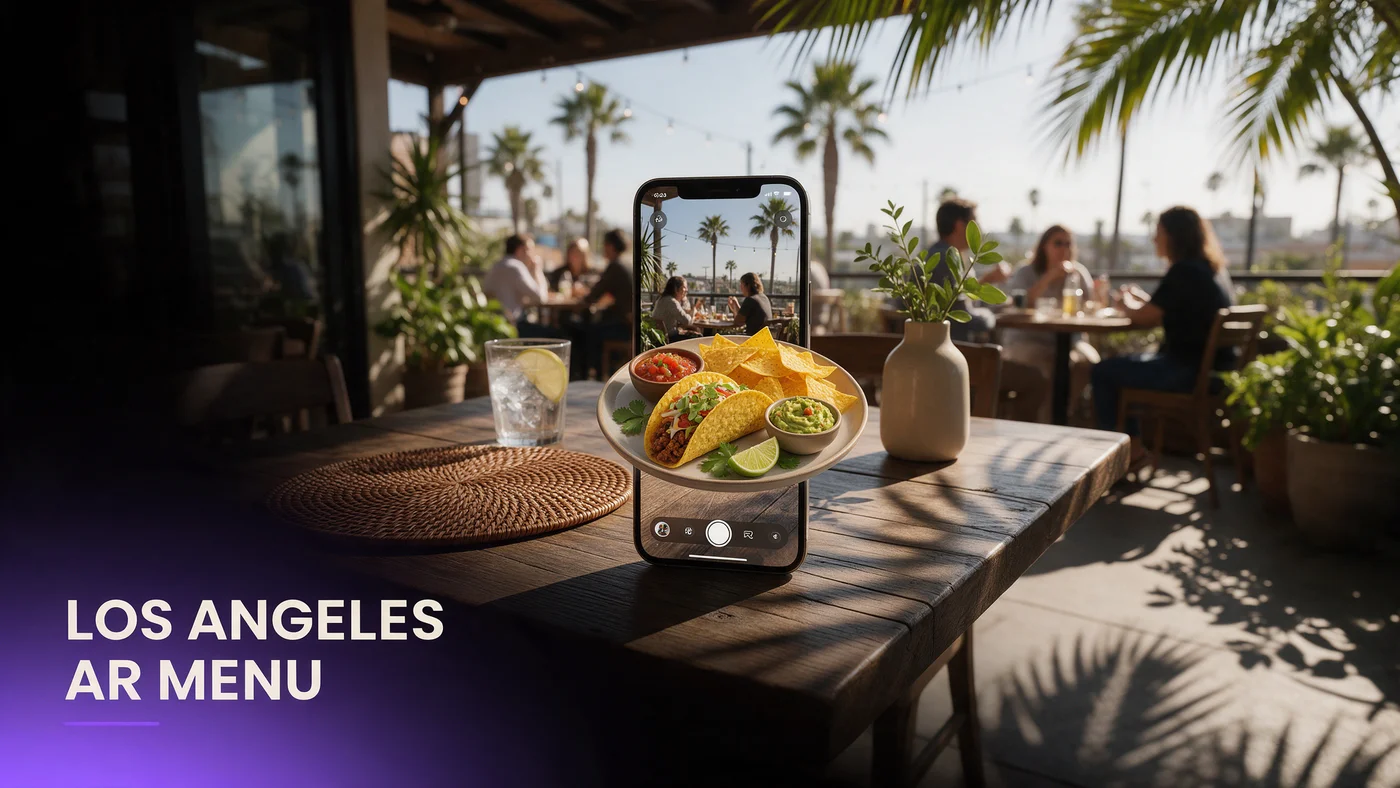
A digital AR menu in Los Angeles lets a guest scan a QR code at the table and watch a real 3D preview of a dish rotate on their own phone, with no app download and no guessing about portion size. For an independent in Silver Lake, Echo Park, Koreatown, or near the pier in Santa Monica, that means showing exactly what a birria taco or a Korean fried chicken plate looks like before a guest commits.
Why AR beats a photo or a paper menu here
A flat photo cannot show how tall a burger stacks or how a sauce pools on a plate, and a laminated menu left in the sun on a Los Angeles patio fades within a season.
What guests actually see on their phone
A guest taps a QR code, the dish opens in the browser, they rotate the model with a finger swipe, then close it and keep browsing the rest of the menu.
Why WebAR fits LA's mixed device and neighborhood diversity
Los Angeles dining rooms mix iPhones and Android phones about evenly, and the city's guest base spans dozens of languages and cuisines block by block. A WebAR menu that works in Safari and Chrome without an install step removes the friction of asking which app store a guest needs.
No app means no download friction on restaurant Wi-Fi
Older buildings along Sunset or in parts of East LA do not always have fast guest Wi-Fi, and a large app download stalls out on a weak signal. A WebAR link loads a much lighter page instead.
A city of many cuisines needs a universal format
A menu format that works whether a guest just came from a Thai spot in East Hollywood or an Ethiopian restaurant on Fairfax needs to stay simple and device-agnostic.
Silver Lake, Echo Park, and Koreatown: how guests scan differently
Scanning behavior shifts by neighborhood. Silver Lake and Echo Park guests tend to linger over an evening meal and rotate a dish before ordering, while Koreatown guests, often trying an unfamiliar banchan or hot pot for the first time, lean on the AR preview to understand what is actually coming to the table.
Silver Lake and Echo Park: slower, exploratory dinners
Guests here plan an evening around a meal, so a longer look at a rotating AR preview is normal while deciding between two similar plates.
Koreatown: unfamiliar dishes and AR as a translator
A first-time guest at a Koreatown restaurant may not know what a dish looks like from the name alone. A 3D preview does the explaining a server would otherwise repeat table after table.
Patio culture and AR menu durability in Los Angeles
Los Angeles patio dining runs nearly year round, which means a laminated table tent gets far more sun exposure here than almost anywhere else in the country. A QR code printed once and lightly laminated survives that exposure far better, since the code itself barely changes even when the dishes behind it do.
Weatherproof QR codes for year-round patio dining
Use a weatherproof QR sticker or a small stand-up card rated for outdoor use rather than a standard paper insert, which curls and fades within weeks under direct sun.
Sun glare and screen visibility outdoors
Bright midday sun can wash out a phone screen briefly. Encourage guests to angle their phone or step into partial shade for a second while the AR model loads.
Influencer dining and why photographable food needs AR too
Los Angeles has one of the most active food influencer scenes in the country, and a dish built to be photographed still benefits from a 3D preview before it ever reaches the table. A guest deciding between two visually striking plates for content can rotate both in AR and pick the one that will look best on camera.
When a dish is built for the camera, AR adds context
A towering dessert or a colorful loaded bowl photographs well from one angle, but AR lets a guest see it from every angle first, which helps them choose the dish that matches what they want to shoot.
Turning a scan into a share-worthy moment
A guest who scans a QR code and watches a dish spin in AR often finds that moment interesting enough to screen record, a bit of free exposure for the restaurant beyond the meal itself.
Taco stands, fusion kitchens, and picking your hero dishes
From a taco stand in Boyle Heights to a Korean-Mexican fusion counter in the Arts District, Los Angeles independents cover an enormous range of cuisine. Picking the right hero dishes for AR matters more than covering the entire menu on day one.
Dishes that benefit most from a 3D preview
A layered taco platter, a tall fusion burrito, or a shareable seafood tower benefits more from rotation than a simple bowl of rice, so start with dishes where seeing the shape and size actually changes a guest's decision.
A simple one-table test before a full rollout
Print one QR table tent, put it on a single table for a week, and watch how many guests scan it during a normal service before deciding whether to expand across the dining room.
Car culture guests and quick scanning at the table
Los Angeles runs on driving, and a guest who spent thirty minutes on the 10 or the 101 to reach your restaurant is not looking to wait once seated. A fast-loading AR menu respects that guest's time instead of adding another delay after a long drive.
Guests who drove across town expect a fast experience
Keep hero dish models lightweight so the preview loads in a couple of seconds. A guest who drove from Santa Monica to try a spot in Highland Park has already invested real time getting there.
Testing your AR menu before service starts
Test the guest link on an iPhone in Safari and on an Android phone in Chrome before printing a QR code for the floor. Confirm the model loads in a couple of seconds on your actual Wi-Fi, since a slow load on a busy night undoes the good impression AR is supposed to create.
Common mistakes LA independents make with AR menus
The most common mistake is loading ten or more dishes into AR right away instead of proving the concept with two or three hero dishes first. A second mistake is skipping outdoor durability, since so much Los Angeles dining happens on a patio where a standard paper insert will not last.
USD pricing and what this costs for an LA independent restaurant
Menu prices to guests and plan billing both run in USD for a Los Angeles restaurant, so there is no currency conversion to think about. Free starts at $0 for 3 AR dishes, enough to test the one-table approach above. Starter is $20 a month for 15 dishes, which covers most independent menus. Growth is $200 a month for 50 dishes with analytics, useful once you compare performance across a larger menu or multiple locations. See the full breakdown at beforetable.com/blog/beforetable-pricing-explained.
Start free with your first AR dishes today
A digital AR menu in Los Angeles does not require rebuilding your menu system or hiring a developer. Photograph two or three hero dishes, print one QR table tent, and test it during a normal service before deciding how far to take it.
Start Free with 3 AR dishes at $0 and see how guests respond before committing to a paid plan. The FAQ below and beforetable.com/blog/how-to-create-an-ar-restaurant-menu cover setup details.
Frequently Asked Questions
What is a digital AR menu in Los Angeles?
It is a WebAR menu a guest opens by scanning a QR code at the table, showing a real 3D preview of a dish in their phone's browser with no app download.
Do guests need to download an app to see the AR menu?
No. The AR preview opens directly in Safari on iPhone or Chrome on Android, with nothing to install and no account to create.
How much does an AR menu cost for a Los Angeles restaurant?
Free is $0 for 3 AR dishes, Starter is $20 a month for 15 dishes, and Growth is $200 a month for 50 dishes with analytics.
Is pricing billed in USD for LA restaurants?
Yes. Both guest-facing menu prices and BeforeTable plan billing run in USD, so there is nothing to convert.
What devices does the AR menu work on?
It works on iPhone in Safari and Android in Chrome, which covers the large majority of guest phones across Los Angeles.
Does an AR menu work well on a Los Angeles patio?
Yes. Use a weatherproof QR sticker or a stand-up card rated for outdoor use, since a laminated paper insert fades quickly under near-constant sun.
How does AR help with Koreatown or other unfamiliar cuisines?
A rotating 3D preview shows a first-time guest exactly what an unfamiliar dish looks like, which cuts down on repeated explanations during a busy service.
Does AR help with influencer or food photography culture?
Yes. Guests deciding which dish to photograph can rotate options in AR first, and the scan itself often becomes a share-worthy moment on its own.
How many dishes should I start with?
Start with two or three hero dishes that define your restaurant, then expand once you see how guests respond to the AR preview.
Do guests scan differently in Silver Lake versus Koreatown?
Yes. Silver Lake and Echo Park guests tend to linger over dinner, while Koreatown guests often use AR to understand unfamiliar dishes before ordering.
Does this work for guests who drove a long way to eat here?
Yes, and it works best when hero dish models load quickly, since a guest who just drove across the city does not want another delay once seated.
Can I test the AR menu on one table before rolling it out?
Yes, and it is the recommended approach. Print one QR table tent, test it for a week, then decide whether to expand.
How long does it take to set up an AR menu?
Uploading photos and creating a 3D preview for one dish takes a short amount of time per dish, so two or three hero dishes can be ready quickly.
Does BeforeTable replace my POS system?
No. BeforeTable is a WebAR menu and light order tool, not a replacement for a POS system.
What is the difference between Free, Starter, and Growth plans?
Free covers 3 dishes at $0, Starter covers 15 dishes at $20 a month, and Growth covers 50 dishes at $200 a month with analytics.
Does Growth plan analytics help compare performance across LA locations?
Yes. Growth's analytics dashboard shows guest interaction with the AR preview, which is useful when comparing performance across neighborhoods or locations.
Where can I find more on pricing and setup?
See beforetable.com/blog/beforetable-pricing-explained for pricing details and beforetable.com/blog/how-to-create-an-ar-restaurant-menu for setup steps.