Geo · Seattle, USA
AR Menu Seattle Restaurants: WebAR QR for Pacific Northwest Independents (2026)
How Seattle independent restaurants use WebAR QR menus to preview dishes in 3D through the rain, no guest app, plans starting from $20 a month.
2026-09-13 · 9 min read · BeforeTable
What a Seattle AR menu means for independent restaurants
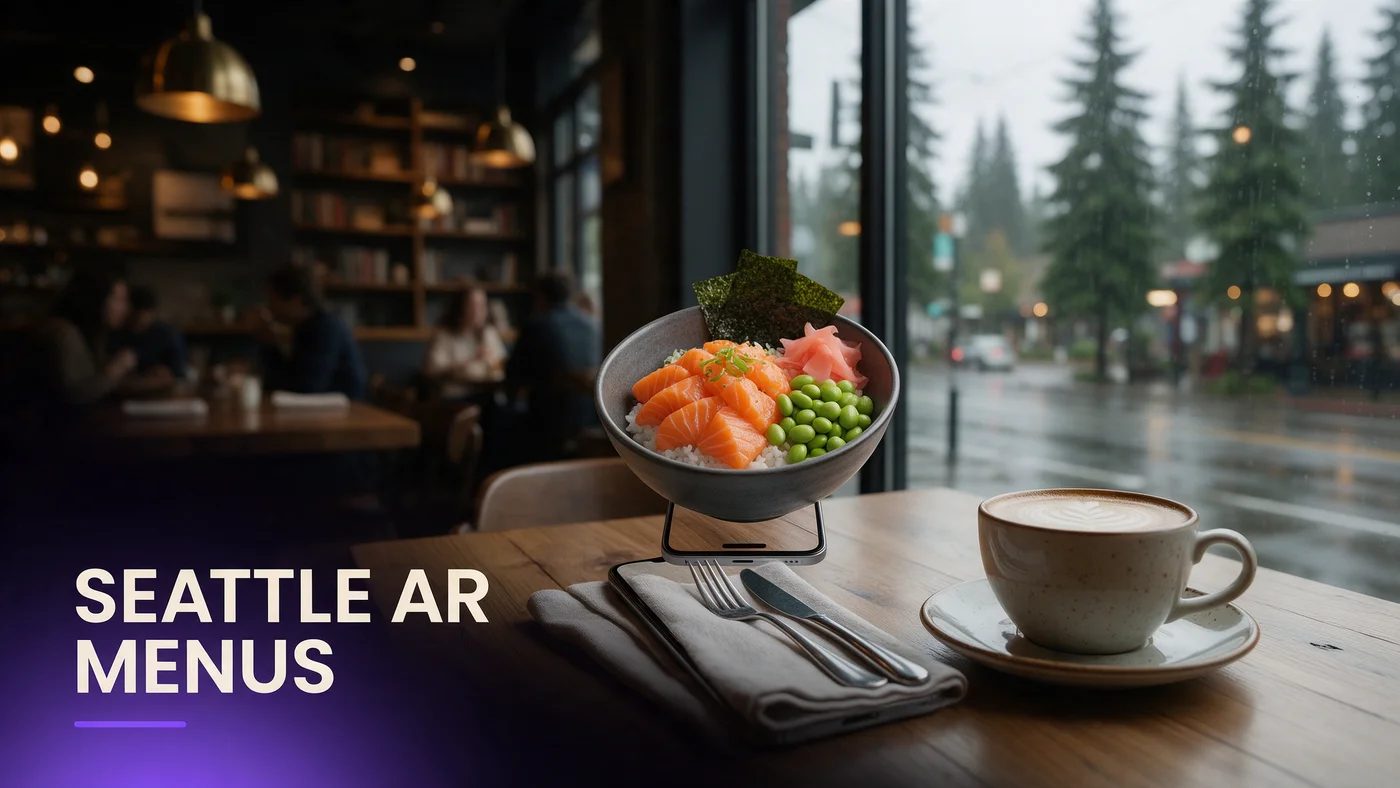
An AR menu for Seattle restaurants lets a guest scan a QR code at the table and rotate a real 3D preview of a dish before ordering, with no app to download. For an independent on Capitol Hill, in Ballard, Fremont, or near Pioneer Square, that means a guest sees exactly what a dish looks like in the time it takes to sit down.
WebAR menus work the same way across the city. The phone's own browser renders the model directly, so a guest at a Ballard brewery table sees the same crisp preview as a guest at a Pioneer Square lunch counter.
Why AR beats a photo or paper menu here
A flat photo cannot show portion size or how a sauce sits on a plate, and a laminated paper menu left out during a wet Seattle week starts curling fast. An AR preview lets a guest rotate a dish and decide with more confidence.
What guests actually see on their phone
There is no app store visit and no login required. A guest taps a QR code, the dish opens in Safari or Chrome, they rotate the model with a finger swipe, then close it and keep reading the rest of the menu.
Why WebAR fits Seattle's tech-savvy dining scene
Seattle has one of the highest concentrations of tech workers of any US city, and that guest base expects software to work smoothly on the first try. A WebAR menu that loads instantly in a browser, with no install step, fits how this city already interacts with new tools.
Tech workers as guests expect this by now
A guest who spends the day testing new apps for a living notices immediately when a restaurant's own tech feels dated. Offering a scan-to-preview AR menu signals the same polish this guest base expects from everything else they use.
No app means no download friction on shared Wi-Fi
Restaurant Wi-Fi in older buildings around Pioneer Square and Fremont is not always fast enough for a large app download during a busy rush. A WebAR link loads a much lighter page instead, so the preview appears in a couple of seconds.
Seattle neighborhoods and how guests scan
Scanning behavior shifts by neighborhood. Capitol Hill's evening crowd lingers over a shared plate before ordering. Fremont's brunch tables scan out of curiosity as much as decision-making. Pioneer Square sees a faster lunch crowd mixed with tourists, while Ballard blends longtime residents with a growing brewery and seafood crowd.
Capitol Hill and Fremont evening crowds
Guests here tend to order to share, so a rotating 3D preview of a platter or a shareable dish helps a table agree faster on what to order, instead of passing a single phone with photos back and forth.
Pioneer Square and Ballard lunch and tourist mix
A lunch crowd near Pioneer Square wants the preview to load fast, while a Ballard evening guest exploring a new seafood spot for the first time lingers over a rotating dish before committing.
Rain, indoor dining, and AR menus through Seattle winters
Seattle's rainy season runs long, and most dining happens indoors for a large part of the year. A laminated table tent left out through repeated damp evenings warps and peels faster than owners expect, while a QR code printed once survives the wet months far better since the code itself rarely changes.
Indoor QR tents during the rainy months
From fall through spring, a small table tent or a sticker on the check presenter works fine and takes almost no counter space during a packed indoor service, which is most of the calendar year here.
The short dry season and outdoor seating
Once the dry summer stretch arrives, a weatherproof QR sticker on an outdoor table or a small stand-up card handles the occasional shower better than a paper insert, which curls at the edges after even one unexpected drizzle.
Seafood and coffee-adjacent cafes: picking hero dishes
Seattle's menu identity leans heavily on seafood, from a whole grilled fish to a stacked seafood tower, alongside a strong cafe culture where a pastry case or a specialty drink deserves its own moment. Both are strong candidates for a 3D preview since size and presentation matter to a guest deciding what to order.
Dishes that benefit most from a 3D preview
A whole fish, a tall seafood tower, or a layered pastry benefits more from rotation than a simple bowl of chowder, so start with dishes where seeing the shape and scale actually changes a guest's decision.
A simple one-table test before a full rollout
Print one QR table tent, place it on a single table for a week, and watch how many guests scan it during a normal service before deciding whether to expand across the dining room.
Setting up a table tent QR that works during a busy service
During a packed Friday night, a table tent needs to stay visible without getting knocked over by a shared plate or a round of drinks. A small card angled toward the seat gets noticed and scanned more often while guests wait.
No permits or special tech rules needed in Seattle
A common assumption among Seattle owners is that a digital menu needs some kind of city sign-off, similar to a sidewalk sign or an outdoor seating permit. A WebAR menu accessed through a QR code is not a physical installation and needs no such process. Check your own lease for anything specific to your space, but the menu itself is simply a web page a guest opens on their own device.
Guest habits: tech workers vs weekend visitors
Weekday guests near Seattle's tech campuses move fast and want a decision made before the lunch break ends. Weekend guests, often visiting from out of town, move slower and treat the AR preview as part of the experience rather than a shortcut.
Weekday lunch behavior near tech campuses
A guest on a short lunch break wants the preview to load in a second or two and confirm a choice quickly, so keep hero dish models efficient near business-district locations.
Weekend brunch and visitor behavior
A weekend visitor exploring Ballard or Fremont scans every dish out of curiosity, so a wider set of AR dishes pays off more on weekends than on a Tuesday lunch shift.
Testing your AR menu before service starts
Test the guest link on an iPhone in Safari and on an Android phone in Chrome before printing a QR code for the floor. Confirm the model loads in a couple of seconds on your restaurant's actual Wi-Fi, since a slow load during a rainy rush undoes the good impression AR is supposed to create.
Common mistakes Seattle independents make with AR menus
The most common mistake is loading ten or more dishes into AR right away instead of proving the concept with a few hero dishes first. A second mistake is placing the QR code somewhere a guest does not notice, instead of a dedicated table tent at eye level.
What this costs for a Seattle independent restaurant
Free starts at $0 for 3 AR dishes, enough to test the one-table approach above. Starter is $20 a month for 15 dishes, which covers most independent menus around the city. Growth is $200 a month for 50 dishes with analytics, useful once you compare performance across a larger menu. See the full breakdown at beforetable.com/blog/beforetable-pricing-explained.
Start free with your first Seattle AR dishes today
An AR menu for a Seattle restaurant does not require rebuilding your menu system or hiring a developer. Photograph a few hero dishes, print one QR table tent, and test it during a normal service before deciding how far to take it.
Start Free with 3 AR dishes at $0 and see how guests respond before committing to a paid plan. The FAQ below and beforetable.com/blog/how-to-create-an-ar-restaurant-menu cover setup details.
Frequently Asked Questions
What is an AR menu for Seattle restaurants?
It is a WebAR menu a guest opens by scanning a QR code at the table, showing a real 3D preview of a dish with no app download.
Do guests need to download an app to see the AR menu?
No. The AR preview opens directly in Safari on iPhone or Chrome on Android, with nothing to install and no account to create.
How much does an AR menu cost for a Seattle restaurant?
Free is $0 for 3 AR dishes, Starter is $20 a month for 15 dishes, and Growth is $200 a month for 50 dishes with analytics.
What devices does the AR menu work on?
It works on iPhone in Safari and Android in Chrome, which covers the large majority of guest phones in Seattle.
Does an AR menu work during Seattle's rainy season?
Yes. A small indoor table tent or a sticker on the check presenter works fine for the months when most dining happens indoors.
What about the dry summer months?
Use a weatherproof QR sticker or a stand-up card outdoors, since a paper insert curls after even one unexpected shower.
Do I need a permit from the city to use a QR code AR menu?
No. A QR code menu accessed through a phone browser is not a physical installation and does not need a sidewalk sign type permit.
How many dishes should I start with?
Start with a few hero dishes that define your restaurant, then expand once you see how guests respond to the AR preview.
Does this work well for seafood dishes?
Yes. A whole fish or a tall seafood tower benefits strongly from rotation since size and presentation are exactly what a 3D preview shows best.
Does this work for cafes and coffee-focused spots too?
Yes. A pastry case item or a specialty drink can also be shown in AR when presentation is part of the appeal.
Do tech-savvy guests respond differently to AR menus?
Many Seattle guests already expect smooth, app-free experiences from the software they use daily, so a scan-to-preview menu feels familiar rather than novel.
How long does it take to set up an AR menu?
Uploading photos and creating a 3D preview for one dish takes a short amount of time, so a few hero dishes can be ready quickly.
Can I test the AR menu on one table before rolling it out?
Yes, and it is the recommended approach. Print one QR table tent, test it for a week, then decide whether to expand.
Does BeforeTable replace my POS system?
No. BeforeTable is a WebAR menu and light order tool, not a replacement for a POS system.
What is the difference between Free, Starter, and Growth plans?
Free covers 3 dishes at $0, Starter covers 15 dishes at $20 a month, and Growth covers 50 dishes at $200 a month with analytics.
Where can I find more on pricing and setup?
See beforetable.com/blog/beforetable-pricing-explained for pricing details and beforetable.com/blog/how-to-create-an-ar-restaurant-menu for setup steps.