Setup guide · US & Canada
Restaurant AR Menu Setup Checklist (Free, 2026)
AR menu setup checklist for restaurants: account, three hero photos, Ready status, QR tent, Safari and Chrome tests. Start free at $0, no guest app.
2026-08-23 · 8 min read · BeforeTable
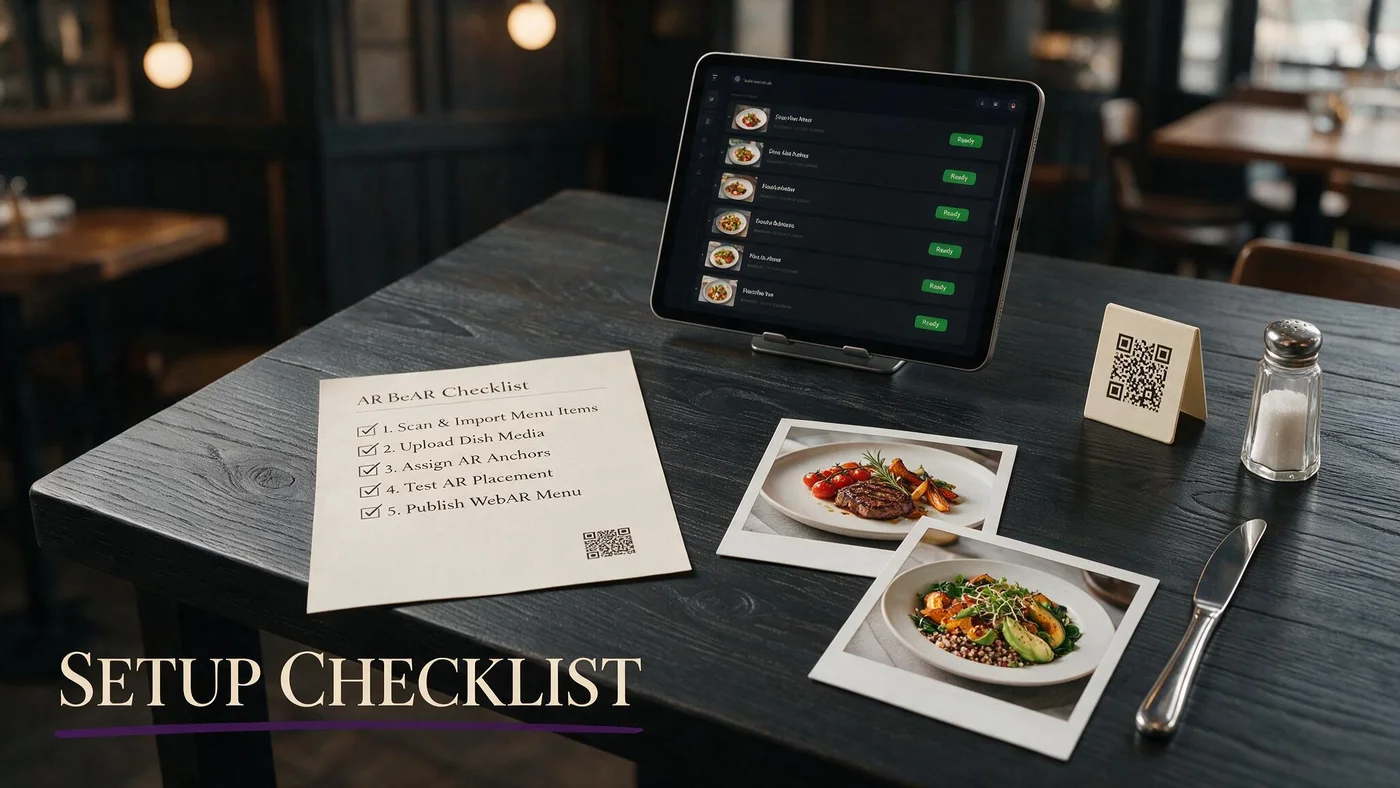
AR menu setup checklist in one sitting
This AR menu setup checklist is the operator path from empty account to one working table tent. You will enter text prices, upload three hero photos, wait for Ready, print a test QR, and scan Safari plus Chrome.
You are not installing a guest app. WebAR preview is optional on hero tiles. Full create guide: beforetable.com/blog/how-to-create-an-ar-restaurant-menu.
If you still have a PDF behind your QR, swap the URL when the live menu is Ready. beforetable.com/blog/replace-pdf-menu-with-ar.
Goal for week one
One dining room, three heroes, one tent design, staff two-line script. Not fifty models and a brand film.
Who owns the checklist
Owner or GM. Chefs own plating and photos. FOH owns tents and the scan script.
Checklist part 1: account, plan, and menu text
Create a BeforeTable account. Free is $0 USD for 3 AR dishes plus full text menu. Starter is $20/mo for 15. Growth is $200/mo for 50 plus analytics.
Enter categories and every item you actually sell tonight, with current prices. Live text is the menu. 3D is the bonus on three tiles.
Copy prices from the sheet you trust, not from last year's PDF. Stale dollars on a new QR feel worse than paper.
Affordable plan context: beforetable.com/blog/affordable-ar-menu-small-restaurant. Pricing: beforetable.com/blog/beforetable-pricing-explained.
Do not wait for 3D to publish text
Guests can scan a complete list while heroes process. That is better than a blank QR.
Canada uses the same USD checklist
Same steps, same browsers, same Free $0 / Starter $20 / Growth $200 numbers.
Checklist part 2: pick three heroes and shoot them
Pick one entree that drives size questions, one shareable groups hesitate on, and one dessert or cocktail with height and color.
Shoot multiple angles on a clean plate. Lighting and angles: beforetable.com/blog/dish-photography-angles-for-ar-menus.
Upload and wait for Ready. Plan about one business day after clean photos. Timeline: beforetable.com/blog/how-long-to-create-ar-menu.
Match the plate you actually fire
If garnish changes every night, shoot the Tuesday plate you can repeat. Guests compare pixels to china.
Skip twenty mediocre uploads
Three sharp heroes beat a dump of phone snaps. Free tier forces that discipline.
Checklist part 3: QR, tent, and table id
Generate the menu QR. For dine-in, encode table number so tickets know the two-top. System: beforetable.com/blog/table-qr-code-menu-system.
Print one matte test tent. Contrast and quiet zone: beforetable.com/blog/print-qr-menu-table-tent. More design tips: beforetable.com/blog/restaurant-qr-code-design-tips.
Do not print a QR per dish. One menu URL. beforetable.com/blog/dish-qr-code-vs-menu-qr.
Short URL under the square
Guests with cracked cameras can still type it. Same destination as the scan.
Wipe and place before the test
A dirty sample tent will fail QA and teach the wrong lesson.
Checklist part 4: Safari, Chrome, and patio LTE
Scan from seated height on iPhone Safari and Android Chrome. Notes: beforetable.com/blog/webar-menu-safari-chrome.
Tap each hero, close the viewer, confirm prices. Then scan once on cellular, not only restaurant Wi-Fi.
Text must load if 3D is slow. That is a pass. Guest path: beforetable.com/blog/how-guests-scan-food-in-ar.
Mid-range Android is required
Do not certify only the owner's new iPhone. Most covers are mixed.
Dark dining light
Test at service dim. Office overhead lies.
Checklist part 5: staff script and go live
Train: Scan the QR for our full menu. Tap dishes with 3D to preview. Guide: beforetable.com/blog/train-staff-on-ar-qr-menu.
Keep a paper allergen sheet. No fake wait times from the phone.
Replace the PDF URL on existing tents when you are ready. Start Free walkthrough: beforetable.com/blog/start-free-ar-restaurant-menu.
One section of the room first
Run two peak services on a handful of tents before you print fifty.
Measure assists and portion questions
Success is fewer repeats on hero dishes, not a viral clip.
Checklist part 6: after the first weekend
Swap a weak hero if nobody taps it. Upload a better photo if plating drifted.
Upgrade to Starter at $20/mo only when a fourth dish clearly needs a badge. Do not buy slots you will not shoot.
Prices change in dashboard. Tents stay. beforetable.com/blog/update-menu-without-reprinting-qr.
If a hero gets no taps after two weekends, replace it. Empty badges teach staff that 3D is decoration, not a tool.
Write down the opener scan as a daily duty next to checking restrooms. Broken URLs show up at table nine if nobody scans at 3 p.m.
Sold-out items
Mark unavailable. Do not let a 3D steak sell a plate you cannot fire.
Seasonal specials
Replace a hero slot. Same QR. No reprint.
Photo and plating notes before you call the list done
Hero photos should match the plate you can fire on a Tuesday. If the 3D file shows a tower garnish you only plate on Saturday, guests will call the mismatch.
Reshoot when the recipe changes, not when you feel like a new filter. The checklist is operational, not a branding mood board.
Keep raw photos in a shared folder so a sous can upload when the owner is off. Ready status still gates the public 3D badge.
If you only have window light for twenty minutes, shoot then. Waiting for a studio day is how checklists stall and tents stay on PDF.
Lighting beats megapixels
A well lit phone set beats a dark DSLR. Window light or a simple overhead that matches the dining room is enough for the first three heroes. Turn off yellow under-counter lights that paint the sauce the wrong color.
One plate, wipe, repeat
Shoot, wipe crumbs, shoot the other angles. You will thank yourself when the modeler asks for a side view you skipped. Keep a damp towel next to the set so sauce smears do not survive into the upload.
Print the list and start Free this week
Account, text menu, three photos, Ready, one tent, two browsers, two-line script, then doors.
That is the AR menu setup checklist. Start at beforetable.com when you have tonight's prices and three plates you can repeat.
If you only have an hour this week, do account plus text menu plus one test tent. Heroes can land Ready while you already take scans on a live list.
If you have a full afternoon, add photos, wait for the first Ready badge, and run the two-phone drill before you order a case of tents.
Do not wait for a perfect brand film. A scanning tent with honest prices beats a delayed launch while you debate overlay colors.
When the first weekend is done, write three notes: which hero got taps, which tent placement failed, and which server skipped the script. Fix those three before you print more hardware.
Frequently Asked Questions
What is an AR menu setup checklist?
Account, live text menu, three hero photos, Ready status, test QR tent, Safari and Chrome scans, staff script, then go live.
How do I start if I have a PDF QR today?
Build the live menu, then point the same tent at the new URL. beforetable.com/blog/replace-pdf-menu-with-ar.
How many dishes should I model first?
Three on Free at $0 USD. Entree, shareable, dessert or cocktail.
How long until models are Ready?
About one business day after clean photos. beforetable.com/blog/how-long-to-create-ar-menu.
Do guests need an app?
No. beforetable.com/blog/do-customers-need-app-ar-menu.
Which browsers must I test?
iPhone Safari and Android Chrome. beforetable.com/blog/webar-menu-safari-chrome.
Should I print a QR per dish?
No. One menu QR. beforetable.com/blog/dish-qr-code-vs-menu-qr.
How do I encode table numbers?
Table id in the URL. beforetable.com/blog/table-qr-code-menu-system.
What photos do I need?
Multiple angles, repeatable plating. beforetable.com/blog/dish-photography-angles-for-ar-menus.
What does Free include?
3 AR dishes and full text menu at $0 USD. Starter $20/mo, Growth $200/mo.
When do I upgrade to Starter?
When a fourth hero clearly needs a badge after you prove three.
How do I train staff?
beforetable.com/blog/train-staff-on-ar-qr-menu.
Can I change prices without reprinting?
Yes. beforetable.com/blog/update-menu-without-reprinting-qr.
Does this work in Canada?
Yes. Same checklist, USD plans.
What if 3D is slow on LTE?
Text menu must still load. That is a pass. 3D is on tap.
Where is the full create guide?
beforetable.com/blog/how-to-create-an-ar-restaurant-menu.
Where is pricing explained?
beforetable.com/blog/beforetable-pricing-explained.
Should I wait for all models before opening QR?
No. Publish text. Heroes appear as they hit Ready.
What is the first tent I print?
One matte test tent in service light, then a small batch.
Where do I click to begin?
Start Free at beforetable.com. Walkthrough at beforetable.com/blog/start-free-ar-restaurant-menu.