Geo · Toronto, Canada
AR Menu Toronto Restaurants: Table QR WebAR for Independent Dining (2026)
How Toronto independent restaurants use table QR WebAR menus to show 3D dish previews near transit and patios, no guest app, plans from $20 a month.
2026-09-08 · 10 min read · BeforeTable
What an AR menu means for Toronto restaurants
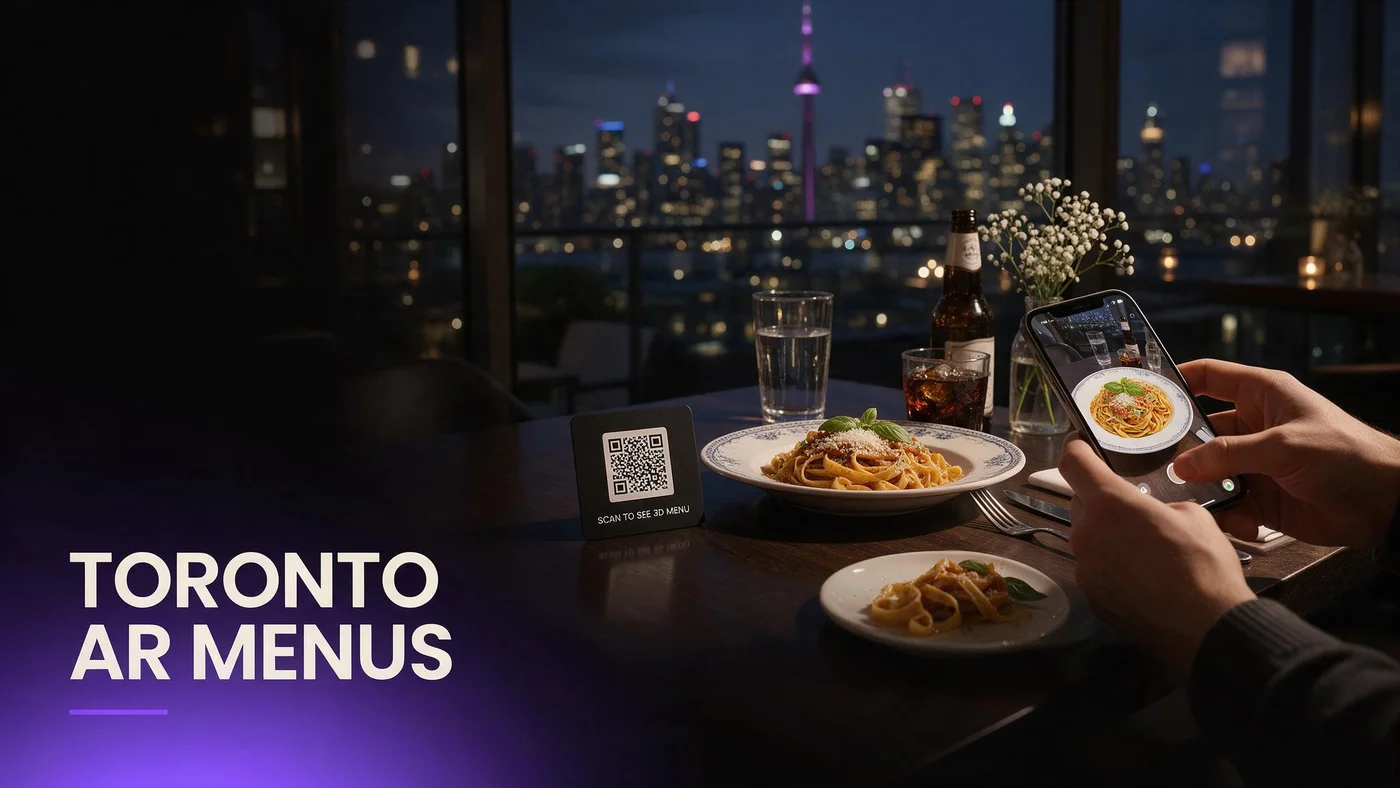
An AR menu for Toronto restaurants lets a guest scan a QR code on the table, open the link in their phone's browser, and rotate a real 3D preview of a dish before ordering, with no app to download and no server needed to describe portion size. For an independent on Ossington, in Kensington Market, or along the Danforth, that means a guest can see exactly what a dish looks like in the time it takes to sit down.
Table QR WebAR works the same in a twenty-seat noodle shop as a larger dining room, since the phone's own browser renders the model directly rather than relying on the restaurant's hardware.
Why Toronto guests respond well to this
Toronto's dining scene is used to trying new formats fast, from food halls to laneway patios, so a scan-to-preview menu fits naturally into how guests already expect to interact here.
What the guest experience looks like at the table
A guest taps a QR code, the dish opens in Safari or Chrome, they rotate it with a finger, then close the tab and keep browsing.
Why table QR WebAR fits Toronto's independent dining scene
Toronto has one of the highest concentrations of independent, immigrant-owned restaurants in the country, many run by owners managing the kitchen and front of house at once. A WebAR menu that needs no app, no special hardware, and no ongoing tech support fits that reality better than a heavier system built for a chain with an IT department.
Immigrant-owned independents and low-friction tech
An owner running a family restaurant on Gerrard Street or in Little Portugal does not have time to manage a complicated backend. Uploading a few photos per dish and printing one QR code is close to the entire technical lift.
Standing out next to bigger chains nearby
A small independent near a chain with a bigger marketing budget can offer the same scan-to-preview experience at a fraction of the cost, which levels the playing field on the one thing guests actually notice.
Toronto neighborhoods and how guests actually scan
Scanning behavior varies by neighborhood. Financial District lunch crowds scan fast and want the preview to load quickly. Queen West and Ossington guests linger over dinner and rotate a dish before deciding. Kensington Market and Chinatown guests, often trying a cuisine for the first time, lean on AR to understand an unfamiliar dish.
Fast lunch scanning downtown
Near the Financial District and Union Station, keep hero dishes to the fastest-loading, simplest models, since guests on a lunch break are less patient with a slow load than an evening diner.
Slower, exploratory scanning in dinner-focused neighborhoods
In neighborhoods like Ossington or Leslieville where guests plan an evening around dinner, a longer look at an AR preview is normal and even expected while deciding what to order.
Patio season in Toronto and QR menu durability
Toronto patio season runs roughly May through September, and a laminated paper table tent left outside curls and fades within weeks of sun and rain. A weatherproof QR sticker or a stand-up card handles a full patio season better and rarely needs replacing mid-summer.
Setting up QR codes for outdoor tables
Use a matte laminate or a weatherproof sticker rated for outdoor use, and test that the code still scans after a light rain before rolling it out to every patio table.
Switching back indoors for the winter months
Once patio season ends, move the same QR code indoors to a table tent or check presenter. The code itself does not change, only where it sits.
Subway, streetcar, and spotty LTE: designing for real connections
A lot of Toronto dining happens near the subway or a streetcar line, where cell signal dips in and out, especially underground or near the tunnels around Union Station and Yonge-Bloor. A WebAR menu built to load quickly on a lighter connection matters more here than in a suburb with strong Wi-Fi.
Why lightweight loading matters near transit-heavy locations
If your restaurant sits close to a subway entrance or a basement food hall, guests may arrive with a weak signal that just recovered after being underground. Keeping hero dish models efficient means the preview still loads on a spotty connection.
Restaurant Wi-Fi as a backup, not a requirement
Offering guest Wi-Fi helps, but it should not be the only path to a working AR menu. Guests should be able to scan and load a preview on their own LTE without joining a network first.
Setting up a table tent QR that works during a busy service
During a packed service, a table tent needs to stay visible without blocking plates and glasses. A small card angled toward the seat, rather than flat on the table, gets scanned more often because guests notice it while waiting.
No City Hall permits or special tech rules needed
A common myth among Toronto owners is that a digital menu needs a permit or sign-off, similar to a sign or a patio expansion. A WebAR menu accessed through a QR code and a phone browser is not a physical installation and needs no such process. Check your lease for anything specific to your space, but the AR menu itself is just a web page a guest opens on their own device.
Choosing your first hero dishes for a Toronto menu
Start with two or three dishes that define your restaurant's identity, the ones a first-time guest is most likely to order or ask about.
Dishes that benefit most from rotation
A layered dessert, a shareable platter, or a dish with distinctive plating benefits more from a 3D preview than one where a flat photo already tells the full story.
Testing on one table before a full rollout
Print a single QR table tent, place it on one or two tables for a week, and see how often guests scan it before rolling it out across the room.
Testing your AR menu before opening it to guests
Test the guest link on an iPhone in Safari and an Android phone in Chrome, standing at the actual table where the QR code will sit, since that is the real signal a guest will experience. Confirm the model loads within a couple of seconds before printing codes for the room.
Common mistakes Toronto independents make with AR menus
The most common mistake is placing the QR code where guests do not notice, like a corner of a laminated insert, instead of a dedicated table tent at eye level. A second mistake is loading too many dishes at once instead of proving the idea with two or three hero dishes first.
What this costs for a Toronto restaurant
Free covers 3 AR dishes at $0, enough to run the one-table test above. Starter is $20 a month for 15 dishes, which fits most independent Toronto menus comfortably. Growth is $200 a month for 50 dishes with analytics, useful once you want to see which dishes guests engage with across a larger menu. Full pricing details are at beforetable.com/blog/beforetable-pricing-explained.
Start free with your first Toronto AR menu today
An AR menu for a Toronto restaurant does not need a big budget or a tech team, just two or three hero dishes, a QR table tent, and a week of testing on a real table.
Start Free with 3 AR dishes at $0 and see how guests near you respond before deciding whether to expand further. The FAQ below and beforetable.com/blog/how-to-create-an-ar-restaurant-menu cover setup details.
Frequently Asked Questions
What is an AR menu for Toronto restaurants?
It is a WebAR menu a guest opens by scanning a table QR code, showing a real 3D preview of a dish in their phone's browser with no app required.
Do guests need to download an app to see the AR menu?
No. The preview opens directly in Safari on iPhone or Chrome on Android, with nothing to install.
Do I need a permit from the city to use a QR code AR menu?
No. A QR code menu accessed through a phone browser is not a physical installation and does not require the kind of permit a sign or patio expansion needs.
How much does an AR menu cost for a Toronto restaurant?
Free is $0 for 3 AR dishes, Starter is $20 a month for 15 dishes, and Growth is $200 a month for 50 dishes with analytics.
What devices does the AR menu work on?
It works on iPhone in Safari and Android in Chrome, covering the large majority of guest phones in Toronto.
Does the AR menu work if a guest has a weak subway or LTE signal?
Yes, especially when hero dish models are kept efficient, so the preview still loads reasonably fast on a spotty connection near transit.
How does patio season affect my QR code setup?
Use a weatherproof QR sticker or a stand-up card outdoors during patio season, since a laminated paper insert curls and fades after a few weeks in the sun.
What happens to my QR codes when patio season ends?
Move the same QR code design indoors to a table tent or check presenter. The code itself does not need to change, only where it sits.
How many dishes should I start with?
Start with two or three hero dishes that define your restaurant, then expand once you see how guests respond.
Which Toronto neighborhoods see the most AR menu engagement?
Engagement patterns vary: Financial District guests scan fast at lunch, Queen West and Ossington guests linger over dinner, and Kensington Market guests use AR to understand unfamiliar dishes.
Do I need a big marketing budget to compete with chain restaurants nearby?
No. A small independent can offer the same scan-to-preview experience as a nearby chain at a fraction of the cost.
How long does it take to set up an AR menu for one restaurant?
Uploading photos and building a 3D preview for one dish takes a short amount of time, so two or three hero dishes can be ready quickly.
Can I test the AR menu on one table before rolling it out everywhere?
Yes, and it is the recommended approach. Print one QR table tent, test it for a week, then decide whether to expand.
Does BeforeTable replace my POS system?
No. BeforeTable is a WebAR menu and light order tool, not a replacement for a POS system.
Does restaurant Wi-Fi need to be strong for AR menus to work?
No. Guests should be able to scan and load a dish preview on their own LTE connection without needing restaurant Wi-Fi at all.
What is the difference between Free, Starter, and Growth plans?
Free covers 3 dishes at $0, Starter covers 15 dishes at $20 a month, and Growth covers 50 dishes at $200 a month with analytics.
Does Growth plan analytics show which dishes Toronto guests scan most?
Yes. Growth's analytics dashboard shows guest interaction with each AR preview, which helps identify your best-performing dishes.
Where can I learn more about setup and pricing?
See beforetable.com/blog/beforetable-pricing-explained for pricing and beforetable.com/blog/how-to-create-an-ar-restaurant-menu for setup steps.