AR menus · US & Canada
AR Menu for Restaurants (Free, No App) | 2026 Guide
Show dishes in 3D on any phone. Free WebAR menu in Safari and Chrome, no guest app. US and Canada setup in one afternoon.
2026-08-17 · 11 min read · BeforeTable
What an augmented reality menu means for restaurants in 2026
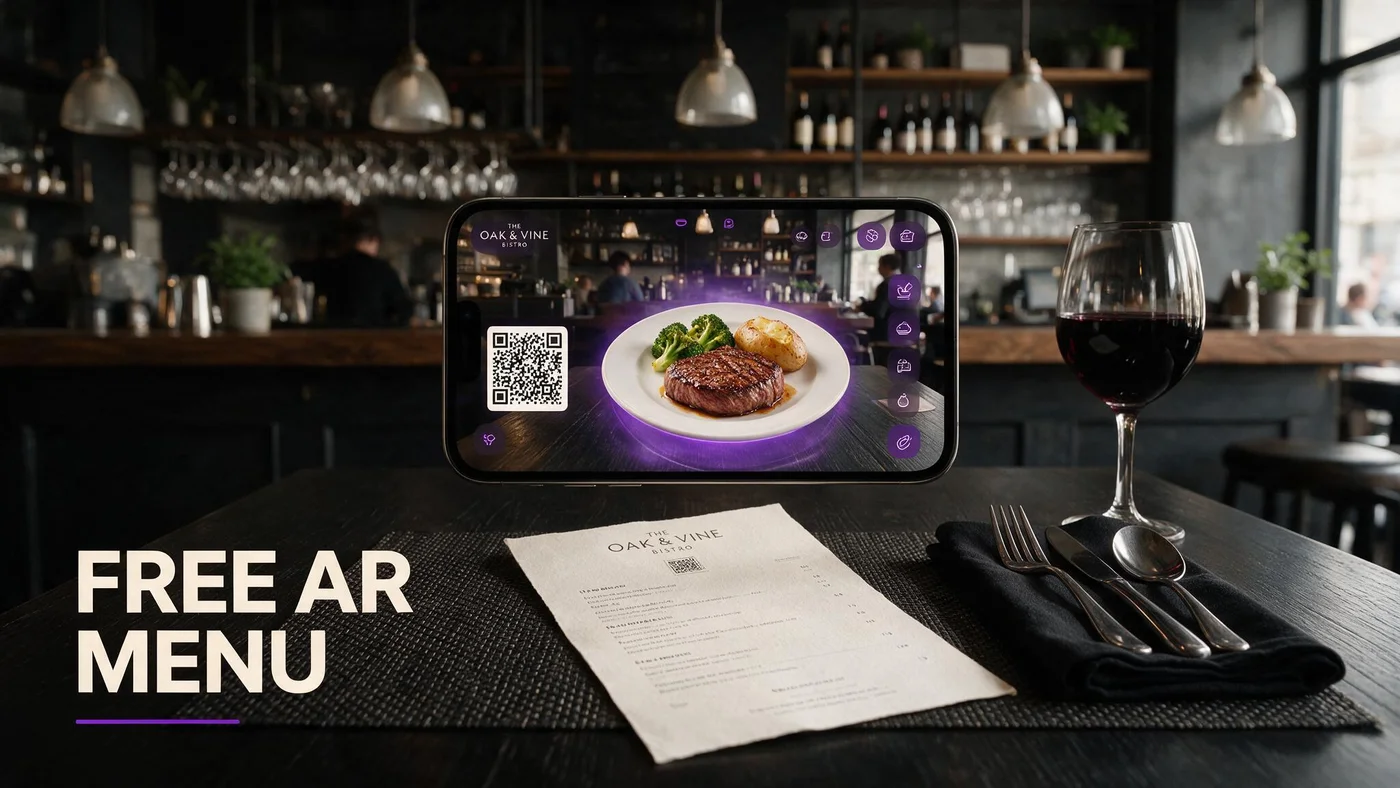
An augmented reality menu for restaurants is a mobile web menu guests open after scanning your table QR code. Text categories, prices, and allergens load first in Safari or Chrome. Selected dishes carry a 3D badge guests tap to preview portion on screen before they order.
This is not a guest app install and not a gimmick filter on social media. For US and Canada independents, AR menus solve a practical problem: guests cannot judge shareable size, steak thickness, or dessert height from a flat PDF thumbnail.
BeforeTable ships WebAR on hero dishes while keeping the full menu readable as text. Vocabulary for staff cards lives at beforetable.com/blog/what-is-an-ar-restaurant-menu.
Browser preview, not a separate product
Guests stay in the mobile browser after scan. No App Store step sits between QR and browse. That path is what operators mean when they search augmented reality menu without wanting franchise IT overhead.
Optional 3D on top of live prices
AR heroes sit on selected tiles only. Every other line item remains fast text. Guests who want a quick scan of tonight's specials never wait for models to load across the whole menu.
Why US and Canada independents adopt AR menus now
Labor pressure pushed thousands of restaurants to QR menus during the last five years. Many landed on static PDF links that go stale when prices change and frustrate mobile zoom.
Owners now search for augmented reality menu because they want portion clarity without paying enterprise fees before they prove scan rate on one dining room.
Canadian and US independents share the same guest expectation: honest visuals, live prices, and no download wall at the table.
Proof before print budget
Run AR on three signature heroes for two peak services before you reprint fifty table tents. Count preview taps and server questions about portion size.
Seasonal rotation without new QR art
Swap hero uploads in dashboard when specials rotate. Table QR stays the same when it encodes a stable menu URL instead of a static file path.
How WebAR works on iPhone Safari and Android Chrome
WebAR on an augmented reality menu loads 3D dish assets when a guest taps a hero tile. iPhone Safari and Android Chrome cover most dine-in phone traffic in the US and Canada.
Initial page load stays text-first. Models fetch on tap, which keeps the menu responsive on weak patio LTE. Guests rotate the dish, check height against the table edge, and return to the menu list to order with staff.
Plain answer for guests who ask about apps: beforetable.com/blog/do-customers-need-app-ar-menu.
Test pair before launch
Scan from seated height on one iPhone and one Android phone your servers carry. Do not rely on a flagship demo unit alone.
Inline spin when table AR is unavailable
Older handsets may still show on-screen 3D rotation without table placement. Honest preview beats hiding the feature when ARCore or camera permissions fail.
Guest path from QR scan to AR preview
Guest sits, opens camera, scans table QR, taps the browser banner, lands on mobile menu. They scroll categories, read allergens, tap a dish with a 3D badge, preview portion, close viewer, order with server.
Total first-time flow often stays under two minutes when staff script is tight: Scan for our menu. Tap dishes with 3D to preview. I am here when you are ready to order.
Photography quality upstream drives preview output. Angle guide at beforetable.com/blog/dish-photography-angles-for-ar-menus.
Same URL on tent and Google Business
One stable menu link on table tents, receipt inserts, and Google Business reduces staff corrections when prices update in the dashboard.
No guest login wall
Guests browse without creating accounts. Friction stays low for walk-ins who only want tonight's specials and a quick portion check on one hero dish.
BeforeTable pricing for augmented reality menus (USD)
Free is $0 USD for 3 AR dishes plus full text menu. Starter is $20/mo for 15 dishes. Growth is $200/mo for 50 dishes plus analytics. Enterprise is custom for multi-location groups.
Most single-location independents start on Free or Starter while they prove scan assist rate on one dining room. Upgrade when seasonal rotations need more simultaneous WebAR heroes live.
Full plan breakdown: beforetable.com/blog/beforetable-pricing-explained.
Three slots forces good prioritization
Pick highest margin plates, shareables that drive portion questions, or desserts guests photograph. That discipline often improves menu storytelling more than publishing twenty mediocre previews.
Growth for multi-room comparison
Groups comparing patio versus dining room scan rates benefit from Growth dashboards without building custom tracking on PDF links.
Setting up your augmented reality menu in one afternoon
Create a BeforeTable account, upload three hero photos, wait for Ready status on each, generate your menu QR, print one test tent, and scan from seated height on iPhone Safari and Android Chrome.
Step-by-step ladder with print specs: beforetable.com/blog/how-to-create-an-ar-restaurant-menu.
Run one busy lunch on a single section before you reprint every table. Compare guest questions on previewed dishes against your control section still on paper or PDF.
Ready status gate
Each hero upload passes a Ready check before the 3D tile goes live. Plan one business day for processing after you submit clean photos on the same service ware you plate.
Test scan under real lights
Scan from a chair, not standing over the table. Pendant glare and patio sun expose bad laminate choices before bulk print.
Which dishes deserve AR preview on your menu
Start with one entree that drives the most portion questions, one shareable that groups hesitate on, and one dessert or cocktail with strong visual height.
Avoid picking three items that look identical on camera. Color contrast helps guests instantly know which tile they tapped.
When a special rotates off, swap the upload in dashboard. Kitchen output must match the hero model or trust erodes faster on previewed dishes.
Margin and story alignment
Hero slots should support items you want to sell more of, not only items that are easy to photograph.
Bar and dining overlap
If bar bites differ from dining entrees, use menu section headers inside the same URL rather than printing second QR codes.
PDF QR menus versus augmented reality menu upgrade
Many US and Canada restaurants still host a PDF behind their QR code. PDFs work for compliance archives but frustrate mobile zoom and go stale when prices change.
An augmented reality menu keeps live text prices while adding optional 3D preview on hero dishes. You do not need to abandon QR tents to upgrade from PDF.
Comparison framing for guests: PDF shows a flat document. AR menu shows the same prices with tap-to-preview portion on selected signatures in the browser.
Keep PDF as internal archive if needed
Some jurisdictions still want a printable allergy packet. Keep that internal. Guest-facing QR should land on the live menu URL instead.
Same tent artwork, new URL
Point existing QR print at your BeforeTable menu URL instead of a drive folder link. One reprint cycle, upgraded guest experience.
Staff scripts and table operations for AR menus
Train two lines: Scan the QR for our menu. Tap dishes with 3D to preview. I am here when you are ready to order.
Never blame the guest phone when scan fails. Move the tent out of glare, wipe matte laminate, or type the short URL printed below the code.
Keep a small paper backup for guests who decline phones. Verbal allergy confirmation stays part of service even when digital menus list allergens.
Preview honesty at the table
If a guest previews the steak and asks about size, answer with the same portion language your menu already uses. Preview is a confidence tool, not a separate promise.
Pre-shift tent check
Hosts verify every seated table has an upright QR with a clean face before doors open. AR menus fail hospitality when tents are missing, not when the software works.
Measuring whether your augmented reality menu earns an upgrade
Track scans per weekend, preview taps on each hero, and server questions about portion size. Qualitative win: guests say the plate matched what they previewed.
If preview taps cluster on a fourth dish you cannot publish on Free, that is a data-backed case for Starter rather than guesswork.
Success is stable scan assist rate and honest kitchen match, not viral social clips alone.
A/B one dining section
Run AR menu QR on half the room for two peak services. Count scan assists against your PDF or paper control section.
Social reuse of the same URL
Post the menu link on Instagram before weekend service. Guests arrive already familiar with the 3D badges they will see on table tents.
People Also Ask: augmented reality menu for restaurants
Google and AI assistants surface questions about cost, app requirements, dish limits, and browser support. Twenty FAQs below mirror those phrasings with Safari and Chrome paths and BeforeTable USD pricing.
Owner search phrases to match
What is an AR restaurant menu? Augmented reality menu cost? AR menu no app? Align FAQ text to those strings for AI Overviews.
Link pillars in body copy
Internal links to definition, how-to, pricing, and no-app posts help crawlers cluster augmented reality menu intent with your product facts.
Launch your augmented reality menu this week
Create a BeforeTable account, upload three heroes, wait for Ready, generate QR, print one test tent, test Safari and Chrome on Saturday lunch.
An augmented reality menu works when scan access, WebAR preview, and kitchen output tell one honest story. Expand print run after two stable peak services.
When three heroes are not enough, upgrade to Starter for fifteen slots without changing the QR artwork guests already know.
Frequently Asked Questions
What is an augmented reality menu for restaurants?
A mobile web menu guests open from a QR code, with optional 3D dish preview on hero tiles in Safari or Chrome. Definition at beforetable.com/blog/what-is-an-ar-restaurant-menu.
How much does an augmented reality menu cost?
BeforeTable Free is $0 USD for 3 AR dishes. Starter is $20/mo for 15. Growth is $200/mo for 50. Details at beforetable.com/blog/beforetable-pricing-explained.
Do guests need an app for an augmented reality menu?
No. WebAR preview runs in the mobile browser after scan. Full answer at beforetable.com/blog/do-customers-need-app-ar-menu.
Which browsers support restaurant AR menus?
Test iPhone Safari and Android Chrome before launch. Those cover most dine-in guests in the US and Canada.
How do I create an augmented reality menu?
Upload hero dish photos to BeforeTable, wait for Ready status, generate your menu QR, print a test tent, scan on Safari and Chrome. Guide at beforetable.com/blog/how-to-create-an-ar-restaurant-menu.
How many AR dishes can I publish on Free?
Three AR dishes at $0 USD on the Free plan. Swap which three are live in the dashboard without changing your menu URL.
Can I update prices without reprinting QR codes?
Yes when your QR encodes a stable BeforeTable menu URL and you edit prices in the dashboard.
What is WebAR on a restaurant menu?
WebAR shows 3D dish preview in the browser when guests tap hero tiles. No guest app download required.
Does an augmented reality menu work in Canada?
Yes. US and Canada restaurants use the same USD plans and browser WebAR path on iPhone Safari and Android Chrome.
How do I photograph food for an AR menu?
Use consistent angles and even light on service ware. Full guide at beforetable.com/blog/dish-photography-angles-for-ar-menus.
When should I upgrade from Free to Starter?
Upgrade when you need more than three WebAR heroes live at once or when seasonal rotations exceed three preview slots.
Will an AR menu slow down service?
No when staff use a two-line script and keep paper backup. Text menu loads first; 3D fetches only when guests tap hero tiles.
Can I use my existing QR tents?
Yes. Point existing tent artwork at your BeforeTable menu URL instead of a PDF link. Same print, upgraded landing page.
What dishes should get AR preview first?
Choose high margin signatures, shareables with portion questions, and one strong visual dessert or cocktail with clear color contrast.
Is BeforeTable Free a trial or permanent?
Free is a permanent tier at $0 USD for 3 AR dishes, not a time-limited trial that expires.
How long until AR dishes are Ready after upload?
Plan one business day for Ready processing after you submit clean photos on the plates you serve.
Can groups share one QR scan?
Yes. One guest scans and others can open the same menu URL from the banner or typed short link below the code.
What happens if a guest phone cannot run AR?
They still browse the full text menu with prices and allergens. AR is optional on hero tiles only.
How is an AR menu different from a PDF QR menu?
PDF opens a flat document that goes stale on price edits. AR menu shows live prices with optional 3D preview on selected dishes in the browser.
What is the first step to get an augmented reality menu?
Create a BeforeTable account, upload three hero dish photos, wait for Ready status, generate your menu QR, and test on iPhone Safari and Android Chrome.