Guest experience · US & Canada
Retail-Style AR at Your Table: Free Menu Preview (2026)
Bring retail visual merchandising to restaurant tables. 3D dish preview via QR in Safari and Chrome, no app. Start free at $0 USD.
2026-08-18 · 9 min read · BeforeTable
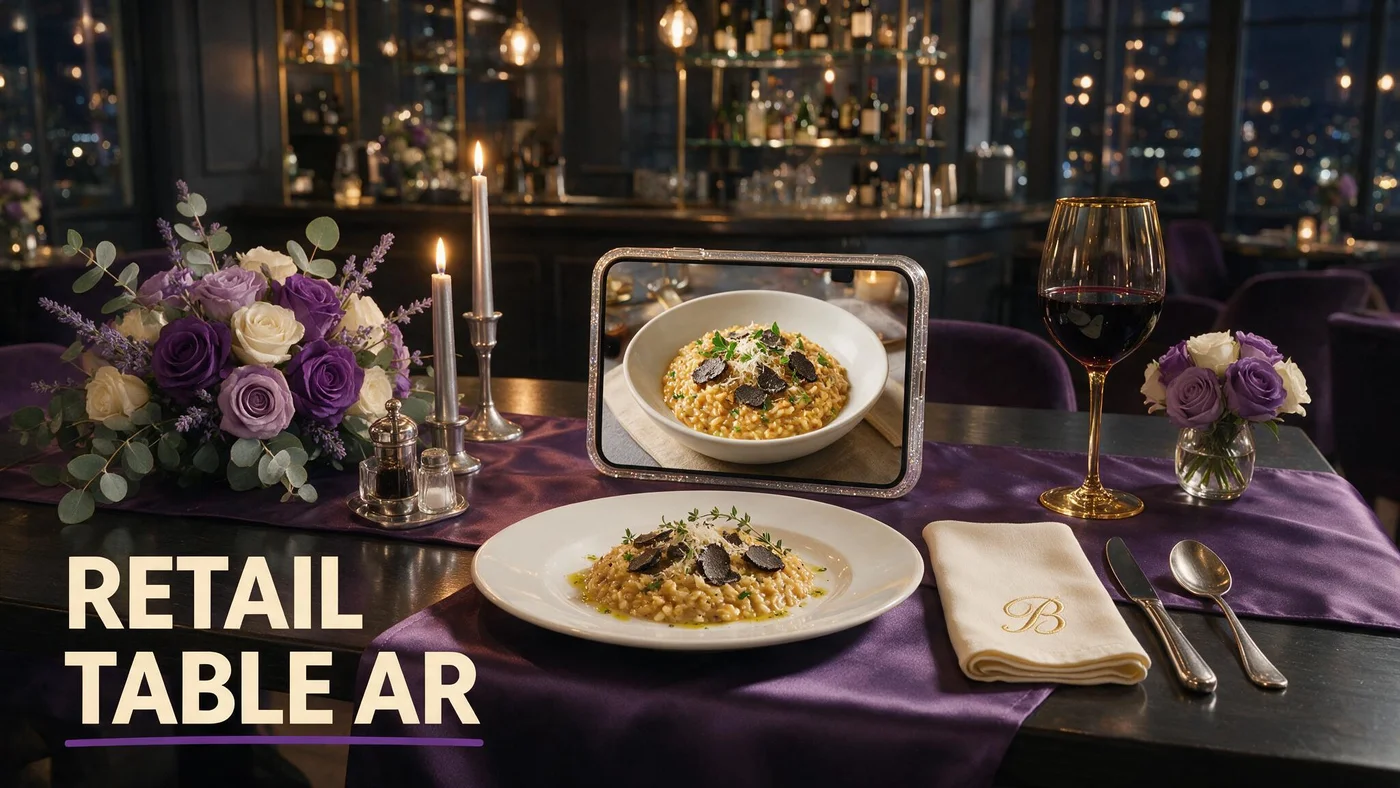
What augmented reality in retail stores means at the restaurant table
Retail stores use augmented reality to let shoppers preview products on a shelf or in their hand before purchase. Restaurants apply the same visual merchandising logic at the table: guests scan a QR code and preview selected dishes in 3D before they order.
Augmented reality in retail stores often means virtual try-on or furniture placement inside a mall app. In hospitality, the product is the plate. BeforeTable brings retail-style preview to independents in the US and Canada without building a custom store app.
The table is your shelf. Hero dishes with WebAR badges behave like featured SKUs with a live demo. Text menu stays available for every line item so guests who only want prices never wait for 3D on the full list.
Visual merchandising without a mall footprint
Independent restaurants compete on atmosphere and portion story, not square footage. AR preview replaces the retail window display with a phone screen guests already carry.
WebAR vocabulary for floor staff
Plain definition for training cards: beforetable.com/blog/what-is-an-ar-restaurant-menu.
Why US and Canada hospitality operators search retail AR terms
Owners read case studies from big-box retailers and wonder whether the same tech fits a twenty-seat dining room. The answer is yes when you scope AR to signature dishes, not every SKU in a warehouse.
Labor pressure and portion questions push operators toward tools that reduce server interruptions during peak. Retail AR proved that seeing the product cuts returns and exchanges. Restaurants see fewer send-backs when guests preview height and coverage on shareables.
Canadian and US independents bill in USD on BeforeTable with the same browser WebAR path on iPhone Safari and Android Chrome. Retail pilots in Toronto or Austin use different vendors; table QR menus need one stable URL.
Proof before capital expense
Free tier at $0 USD for 3 AR dishes lets you test retail-style preview on Saturday lunch before you reprint every tent.
Hospitality is service plus product
Retail AR skips the human server. Restaurant AR supports the server with a visual anchor guests can rotate while they ask about spice level or allergens.
Retail display logic applied to menu categories
Retailers group endcaps by margin and season. Restaurants should group WebAR heroes by margin, portion confusion, and photo strength, not by random chef favorites.
Appetizers that groups split often get preview first. Entrees with ambiguous size language on the printed page benefit next. Desserts with vertical height read well in 3D and drive add-on orders like impulse items near a checkout lane.
Keep beverages and sides in text unless bottle or glass shape is part of the story. Wine and cocktail AR can live on a separate section header inside the same menu URL.
Endcap discipline on three Free slots
BeforeTable Free allows 3 AR dishes at $0 USD. Pick the three plates that behave like your best retail endcap, not three items that look identical on camera.
Category headers as aisle signs
Mobile menu sections replace retail aisle signage. Guests scroll Starters, Mains, Desserts with the same mental model as walking a store.
Guest journey from retail browse to restaurant order
Retail path: enter store, see display, pick up box, checkout. Restaurant path: sit down, scan QR, browse categories, tap 3D badge on hero dish, preview in Safari or Chrome, order with staff.
No App Store step sits between scan and preview. WebAR details for both browsers: beforetable.com/blog/webar-menu-safari-chrome. App objection FAQ: beforetable.com/blog/do-customers-need-app-ar-menu.
Groups share one scan or each opens the same link from Google Business. Turnover stays high when preview replaces five minutes of verbal portion description.
Preview loads on tap
Text menu loads first. 3D assets fetch when guests choose a hero tile, which keeps the page responsive on weak patio LTE.
Return to text to order
After preview, guests scroll the same URL for modifiers and prices. AR is merchandising, not a separate ordering app.
Table presentation as in-store visual merchandising
Retail associates fold displays and face labels forward. Hosts should place QR tents upright, out of pendant glare, with a clean laminate face before doors open.
Matte laminate and high contrast QR quiet zones reduce scan failures that feel like a broken fitting room mirror. Test scan from seated height, not standing over the table.
Pair tents with one line of staff script: Scan for our menu. Tap dishes with 3D to preview. I am here when you are ready to order.
Pre-shift tent audit
Missing or crooked tents break the merchandising story faster than weak 3D models. Free tier fails hospitality when QR access is inconsistent.
Lighting matches kitchen output
Warm dining room light should match photo capture light on hero dishes. Retail stores relight mannequins; restaurants re-shoot when plating drifts.
Photography standards borrowed from retail pack shots
Retail pack photography uses consistent angles, even light, and honest color. Restaurant AR heroes need the same discipline on the plate you actually serve.
Shoot one plate per session with front, side, and three-quarter views. Angle guide: beforetable.com/blog/dish-photography-angles-for-ar-menus.
Upload through BeforeTable, wait for Ready status, then publish on your stable menu URL. QR artwork stays the same when the link does not change.
Avoid multi-item frames
Retail flat lays work in print ads. AR reconstruction prefers one hero item per upload so depth reads clearly on a phone.
Service ware consistency
Preview on the same bowl or board you serve. Mismatch erodes trust faster than a missing garnish in a store display.
Pricing retail-style AR for restaurants (USD)
Enterprise retail AR budgets hit six figures. BeforeTable Free is $0 USD for 3 AR dishes. Starter is $20/mo for 15. Growth is $200/mo for 50 plus analytics. Enterprise is custom for multi-location groups.
Upgrade when seasonal rotations need more than three simultaneous WebAR heroes or when you want scan and preview metrics across rooms.
Full plan breakdown: beforetable.com/blog/beforetable-pricing-explained.
When Starter beats staying on Free
Six to ten visual signatures on a quarterly menu usually outgrow three slots. Starter often costs less than one reprint run of outdated PDF menus.
Growth for multi-room merchandising tests
Compare patio versus dining room preview taps without building custom tracking on static PDF links.
Staff scripts: retail clarity without retail coldness
Retail associates recite feature lists. Restaurant staff should invite preview, then stay present for allergies and pacing.
Never blame the guest phone when scan fails. Move the tent, wipe laminate, or type the short URL printed below the code.
Keep paper backup for guests who decline phones. Verbal allergy confirmation stays part of service even when digital menus list allergens.
Preview honesty at the table
If a guest previews the steak and asks about size, answer with the same portion language your menu already uses. Preview supports the sale; it does not replace server knowledge.
Upsell without hard sell
Retail upsell at checkout feels pushy in fine dining. Let 3D badges on desserts and shareables do quiet merchandising while the server reads the room.
Measuring merchandising impact beyond vanity metrics
Track scans per weekend, preview taps on each hero, and server questions about portion size. Qualitative win: guests say the plate matched what they previewed.
If preview taps cluster on a fourth dish you cannot publish on Free, that is a data-backed case for Starter rather than guesswork.
Social posts should reuse the same menu URL as table tents so off-premise discovery matches in-room merchandising.
A/B one dining section
Run WebAR badges on half the room for two peak services. Count scan assists against a text-only control section.
Review sites and honest plating
Retail returns drop when product matches packaging. Restaurant reviews improve when kitchen output matches 3D heroes guests tapped at the table.
People Also Ask: augmented reality in retail stores for restaurants
Google and AI assistants mix retail AR headlines with restaurant menu questions. Twenty FAQs below mirror those phrasings with Safari and Chrome paths and BeforeTable USD pricing.
Owner search phrases to match
Retail AR for restaurants? AR visual merchandising menu? Align FAQ text to those strings for AI Overviews.
Link pillars in body copy
Internal links to definition, how-to, pricing, and WebAR posts help crawlers cluster retail-meets-hospitality intent with your product facts.
Launch retail-style AR merchandising at your tables this week
Create a BeforeTable account, upload three hero dishes, wait for Ready, generate QR, print one test tent, test Safari and Chrome on one busy service.
Augmented reality in retail stores taught shoppers to expect preview. Guests now expect the same clarity on shareables and signatures at your tables.
When three heroes are not enough, upgrade to Starter for fifteen slots without changing the QR artwork guests already know.
Frequently Asked Questions
Can restaurants use augmented reality like retail stores?
Yes. BeforeTable applies retail-style 3D product preview to hero dishes guests open in Safari or Chrome from a table QR code.
What is visual merchandising for restaurant menus?
Visual merchandising at the table means featuring signature dishes with WebAR preview badges while the full menu stays in readable text.
Do guests need a retail app for restaurant AR?
No. WebAR runs in the mobile browser after scan. See beforetable.com/blog/do-customers-need-app-ar-menu.
How many AR dishes can I start with?
Three AR dishes on BeforeTable Free at $0 USD. Starter is $20/mo for 15. Growth is $200/mo for 50.
Which browsers work for restaurant AR merchandising?
Test iPhone Safari and Android Chrome before launch. Those cover most dine-in guests in the US and Canada.
How is retail AR different from restaurant table AR?
Retail often uses store apps for try-on. Restaurant WebAR uses one menu URL with optional 3D preview on selected dishes, no guest app download.
What dishes should get AR preview first?
Choose high margin signatures, shareables with portion questions, and visually strong desserts with clear color contrast.
Does AR slow down table service?
No when staff use a short script and text menu loads first. 3D fetches only when guests tap hero tiles.
How do I photograph food for retail-style AR menus?
Use consistent angles and even light on service ware. Guide at beforetable.com/blog/dish-photography-angles-for-ar-menus.
Can I keep my existing QR tents?
Yes. Point existing tent artwork at your BeforeTable menu URL instead of a PDF link.
What is WebAR on a restaurant menu?
WebAR shows 3D dish preview in the browser when guests tap hero tiles. Definition at beforetable.com/blog/what-is-an-ar-restaurant-menu.
How do I set up AR merchandising on tables?
Upload hero photos, wait for Ready, generate menu QR, print test tent, scan on Safari and Chrome. Guide at beforetable.com/blog/how-to-create-an-ar-restaurant-menu.
Does restaurant AR work in Canada?
Yes. US and Canada independents use the same USD plans and browser WebAR on iPhone Safari and Android Chrome.
When should I upgrade from Free to Starter?
Upgrade when you need more than three WebAR heroes live at once or when seasonal rotations exceed three preview slots.
Can AR reduce portion-related send-backs?
Preview often cuts portion confusion on shareables and large format entrees when kitchen output matches the 3D hero.
Where is BeforeTable pricing explained?
See beforetable.com/blog/beforetable-pricing-explained for Free, Starter, Growth, and Enterprise USD plans.
How does WebAR work in Safari and Chrome?
Guests scan, open the browser, tap 3D dish tiles. Details at beforetable.com/blog/webar-menu-safari-chrome.
Can I add 3D preview to an existing QR menu?
Point the same tent QR at your BeforeTable menu URL. Guide at beforetable.com/blog/qr-code-menu-with-3d-models.
Will retail-style AR help upsell desserts?
3D badges on desserts and shareables give quiet visual merchandising while guests browse before the server returns.
What is the first step to test retail AR at my restaurant?
Create a BeforeTable account, upload three hero dish photos, wait for Ready status, generate your menu QR, and test on iPhone Safari and Android Chrome.