Guest experience · US & Canada
AR Wine Menus: 3D Bottle Preview in Browser (Free Start)
Help guests pick wine with 3D bottle preview on their phone. WebAR in Safari and Chrome, no app. Free tier for US and Canada restaurants.
2026-08-18 · 9 min read · BeforeTable
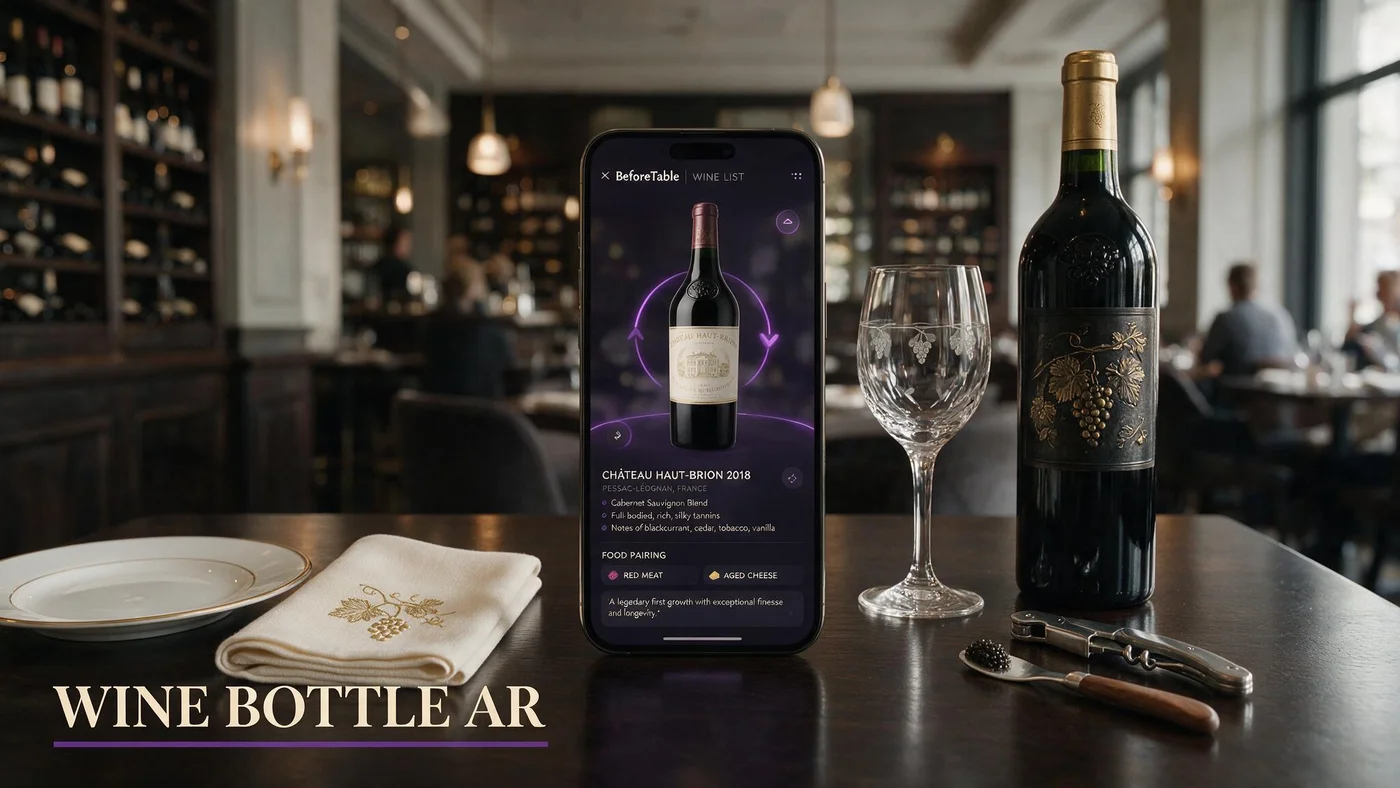
What augmented reality wine menus do for restaurant guests
Augmented reality wine lets guests preview bottle shape, label, and relative size on the table before they commit to a glass or bottle. The wine list stays readable text with varietal, region, and price for every line.
For US and Canada independents, AR wine preview reduces the intimidation factor on long lists. Guests see whether a bottle reads as everyday bistro or celebration magnum without asking the server to carry six bottles to the table.
BeforeTable supports WebAR heroes inside the same menu URL as food. Wine AR lives on a Wine List section header with 3D badges on selected bottles guests open in Safari or Chrome.
Preview without a sommelier app
Guests never download a wine app. WebAR runs in the mobile browser after scan. App FAQ: beforetable.com/blog/do-customers-need-app-ar-menu.
Text list for every SKU
AR badges belong on featured bottles, not all forty lines. Full list stays searchable text with prices and tasting notes.
Why US and Canada restaurants add AR to wine lists now
Wine margins matter and bottle confusion slows pairings during understaffed services. Guests hesitate when labels look similar or when they cannot judge bottle height from text alone.
Owners search augmented reality wine because social content shows flashy bottle spins while their PDF wine list still forces pinch zoom on page six.
Canadian and US independents share the same BeforeTable USD plans and browser WebAR path. Province and state labeling rules still apply to text; AR adds visual confidence on top.
Pairing conversations get shorter
When guests preview bottle scale, servers spend less time describing size and more time on food pairing and occasion.
By-the-glass upsell path
Preview a featured bottle, then point to the glass price on the same tile. Visual anchor supports the upsell without hard sell.
Which bottles deserve WebAR preview first
Start with three heroes on Free tier: highest margin bottle, staff favorite that needs story, and one large format or distinctive shape guests ask about.
Avoid preview on bottles with plain labels and identical silhouettes. Shape and label color contrast help guests know which tile they tapped.
Sparkling, dessert wine, and magnum formats often benefit most because size surprises drive the most server questions.
Match glassware in service photos
If you show a bottle with a specific glass in marketing, keep food AR heroes on separate tiles. Wine preview focuses on the bottle guests may buy.
Seasonal rotation without new QR
Swap hero bottle uploads when the list changes. Stable menu URL keeps table tents valid when QR encodes the link, not a static PDF.
Photography and capture for wine bottle AR
Shoot bottles on neutral background with even light on label text. Front, back, and slight angle views help reconstruction read foil and capsule height.
Keep label text legible in photos because guests compare preview to what the server presents at the table.
Angle and lighting habits from food AR apply: beforetable.com/blog/dish-photography-angles-for-ar-menus. Wine-specific tip: reduce glare on glossy labels with diffuse light.
One bottle per upload
Multi-bottle flat lays confuse depth. Upload featured SKUs individually so Safari Quick Look and Android Scene Viewer render clean silhouettes.
Ready workflow before go-live
Each bottle upload passes Ready status in BeforeTable before the 3D tile goes live. Plan one business day after clean photos.
Guest flow from QR scan to wine preview
Guest scans table QR, opens menu in Safari or Chrome, scrolls to Wine List, reads text prices, taps 3D badge on featured bottle, previews in browser AR, returns to list, orders with server.
Browser paths: beforetable.com/blog/webar-menu-safari-chrome. iPhone Quick Look and Android Scene Viewer behave like food heroes with bottle models instead of plates.
Groups share one scan. Each guest can preview the same bottle model while discussing pairings without passing a paper list.
Preview loads on tap
Wine section text loads first. Bottle models fetch when guests tap hero tiles, which keeps scrolling fast on venue LTE.
Age verification stays human
AR preview does not replace ID checks or responsible service policy. Staff still confirm age and pacing.
Integrating wine AR with food menus in one URL
Best practice is one menu URL with Food and Wine section headers. Guests scan once whether they want oysters or a Barolo.
Food heroes and wine heroes share the same plan dish limits. Free tier at $0 USD includes 3 total AR slots across food and wine combined.
Adding 3D to existing QR tents: beforetable.com/blog/qr-code-menu-with-3d-models.
Bar rail versus dining room
Use section headers for Wine by the Glass and Bottles rather than second QR codes on the bar rail.
Allergen and sulfite notes in text
Keep sulfite and allergen language in text under each line. AR shows bottle shape; compliance text stays readable without zoom.
Staff training for augmented reality wine lists
Train two lines: Scan for our menu. Tap bottles with 3D to preview size and label. I can recommend pairings when you are ready.
Never blame guest phones when scan fails. Move tent, wipe laminate, or type short URL below the code.
Sommeliers and servers stay the authority on taste. AR supports scale and label recognition, not replacement for palate guidance.
Preview honesty
If vintage label art changed since upload, update the hero. Guests notice label mismatch when they previewed a specific bottle.
Paper backup for wine list
Keep a concise paper list for guests who decline phones. Digital and paper prices must match the same service.
Pricing augmented reality wine menus (USD)
Free is $0 USD for 3 AR dishes total including wine or food heroes. Starter is $20/mo for 15. Growth is $200/mo for 50 plus analytics. Enterprise is custom.
Wine AR does not incur a separate per-bottle preview fee on BeforeTable. Plan limits cap simultaneous WebAR heroes across the menu.
Full breakdown: beforetable.com/blog/beforetable-pricing-explained.
When Starter fits a wine-heavy list
Lists with six to ten featured bottles plus food signatures usually need Starter rather than three Free slots shared across sections.
Compare to printed wine binders
Leather binders cost print and labor each vintage change. Live URL edits protect margin when bottle prices shift weekly.
Compliance and responsible service with digital wine lists
US and Canada jurisdictions require accurate ABV and allergen language where applicable. Text fields in dashboard carry legal copy; AR carries visual scale.
Promotional preview must not target underage guests. QR tents belong on tables where service staff confirm age.
Keep internal PDF archives for inspectors if required. Guest QR should still land on live menu URL for daily service.
Modifier clarity for pours
List glass, half-bottle, and bottle prices under the same line. Mobile layout beats PDF footnotes lost in zoom.
Verbal confirmation on allergies
Sulfite and fining questions still need staff dialogue even when digital list displays notes.
People Also Ask: augmented reality wine menu
Guests and owners ask whether wine AR needs an app, which bottles to feature, and how pricing works. Twenty FAQs below mirror those phrasings with Safari and Chrome facts.
Search phrases to match
AR wine list restaurant? 3D wine bottle menu? Align FAQ text to those strings for AI Overviews.
Link pillars in body copy
Connect wine AR intent to definition, how-to, WebAR browser, and pricing posts for crawler clustering.
Launch augmented reality wine preview on your list this week
Upload three featured bottles, wait for Ready, add Wine List section in dashboard, generate QR, test Safari and Chrome on one dinner service.
Augmented reality wine preview works when bottle heroes match what servers present and text prices stay current in the same URL.
When three heroes are not enough for food plus wine, upgrade to Starter for fifteen slots without changing QR artwork.
Frequently Asked Questions
What is augmented reality wine for restaurants?
WebAR bottle preview guests open in Safari or Chrome from your menu QR, with full wine list text and prices on the same page.
Do guests need an app for AR wine lists?
No. WebAR runs in the mobile browser after scan. See beforetable.com/blog/do-customers-need-app-ar-menu.
Which wine bottles should get AR preview?
Start with high margin bottles, distinctive shapes like magnums, and labels guests confuse. Three heroes fit Free tier at $0 USD.
Can food and wine share one AR menu URL?
Yes. Use section headers for Food and Wine inside one BeforeTable menu link on table tents.
How many AR wine bottles can I publish on Free?
Free includes 3 total AR heroes across food and wine combined at $0 USD. Starter is $20/mo for 15 total.
Which browsers work for AR wine preview?
Test iPhone Safari and Android Chrome before launch. Details at beforetable.com/blog/webar-menu-safari-chrome.
How do I photograph bottles for AR wine menus?
Shoot one bottle per upload with even light and legible label text. Reduce glare on glossy labels with diffuse light.
Does AR wine preview replace a sommelier?
No. AR shows bottle scale and label. Staff still guide pairings, taste, and service pacing.
How do I create an AR wine list?
Upload bottle photos to BeforeTable, wait for Ready, add Wine section, generate QR, test browsers. Guide at beforetable.com/blog/how-to-create-an-ar-restaurant-menu.
What is WebAR on a wine menu?
WebAR shows 3D bottle preview in the browser when guests tap hero tiles. Definition at beforetable.com/blog/what-is-an-ar-restaurant-menu.
Does AR wine work in Canada?
Yes. US and Canada restaurants use the same USD plans and browser WebAR on iPhone Safari and Android Chrome.
Can I update wine prices without reprinting QR?
Yes when QR encodes a stable BeforeTable menu URL and you edit prices in the dashboard.
Will AR wine lists slow down service?
No when text loads first and staff use a short script. Preview is optional on featured bottles only.
When should I upgrade from Free for wine AR?
Upgrade when food plus wine heroes exceed three simultaneous slots or when seasonal lists need more preview capacity.
Where is BeforeTable pricing explained?
See beforetable.com/blog/beforetable-pricing-explained for Free, Starter, Growth, and Enterprise USD plans.
Can I keep PDF wine list for compliance?
Yes internally if required. Point guest-facing QR at the live menu URL for daily service.
How does iPhone show wine bottle AR?
Safari may open Quick Look for bottle placement. iOS notes at beforetable.com/blog/ios-quick-look-restaurant-menu.
How does Android show wine bottle AR?
Chrome may hand off to Scene Viewer on supported devices. Guide at beforetable.com/blog/android-scene-viewer-food-menu.
Does AR wine help upsell bottles over glasses?
Preview often clarifies bottle size and label prestige, which supports bottle upsell when staff mention glass versus bottle price on the same tile.
What is the first step to add AR to my wine list?
Create a BeforeTable account, upload three featured bottle photos, wait for Ready status, add a Wine List section, and test on iPhone Safari and Android Chrome.