Outcomes · US & Canada
Increase Dessert Upsell With an AR Menu (Free, 2026)
Desserts are visually dramatic and high margin, making them a strong first AR dish. See how a 3D preview can prompt more dessert orders at your restaurant.
2026-08-29 · 9 min read · BeforeTable
Why dessert is the smartest first dish for AR
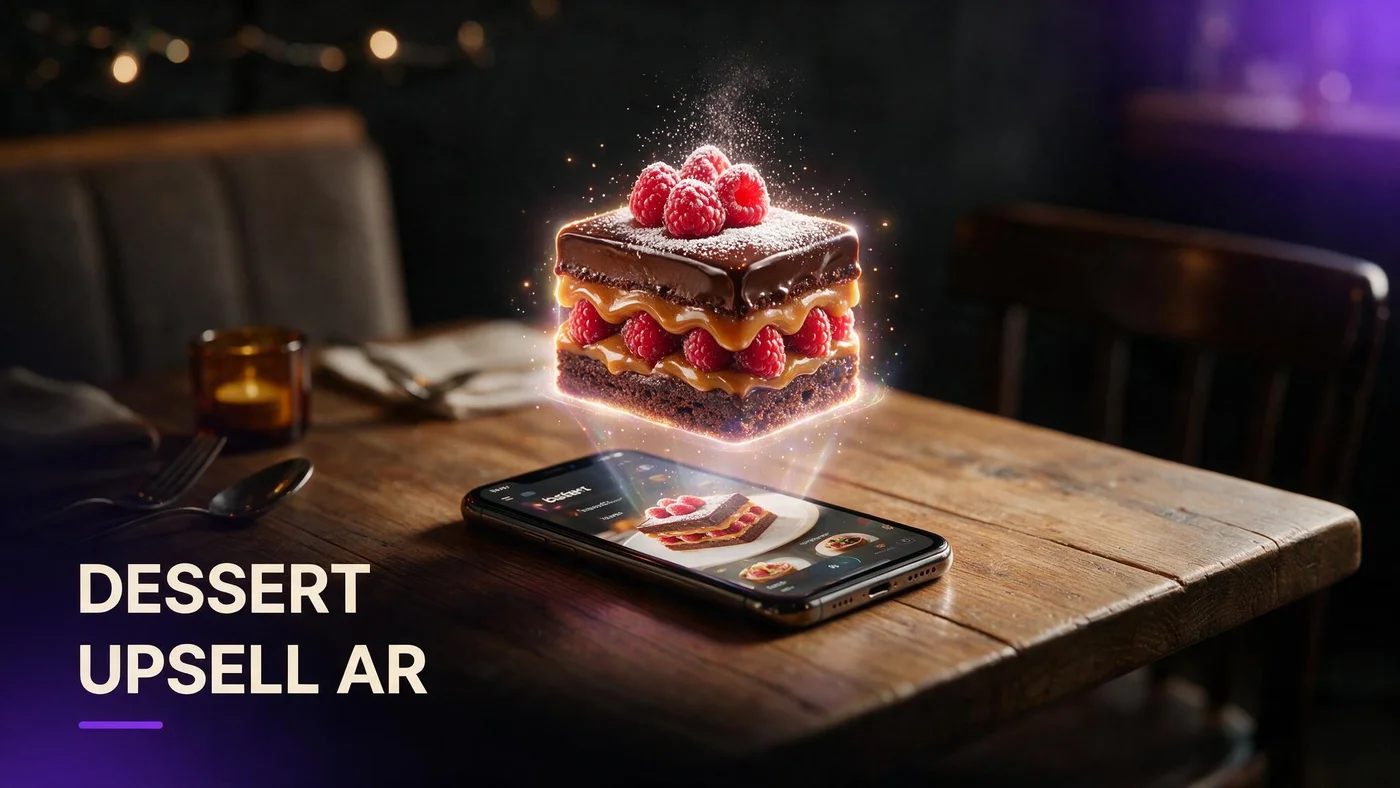
Dessert is one of the easiest dishes to test in AR because it is visually dramatic, sells at a high margin, and only needs one strong photo to render well in 3D. A short 3D preview at the right moment, right after the guest finishes the entree, can prompt an add-on order from someone who would have said no to a flat menu photo.
You do not need to put your whole dessert case in AR to see if this works for your restaurant. One hero dessert, one QR, and a week of dinner service is enough to learn whether guests respond to seeing the plate before they order it.
How a 3D preview creates the upsell moment
The upsell moment is not the QR code itself. It is the ten seconds after a guest sees the dish rotate on their phone and pictures it on their own table. That visual beat is what a printed dessert list or a server's verbal description cannot fully deliver.
Timing beats placement
A dessert preview shown before the entree competes with the main course for attention. Shown after plates are cleared, it has the table's full focus and no competing decision.
The QR as a dessert-only trigger
A small tent or check presenter QR that opens straight to your dessert section, not the full menu, cuts the guest's tap count and keeps them from getting distracted by appetizers.
Table screens and check presenters
If you already use a table screen or a check presenter with a code, add the AR dessert link there. Guests are already holding their phone at that point in the meal.
What results actually look like (no invented stats)
Owners who add a 3D dessert preview report more guests asking about dessert who previously waved it off, but the size of that lift depends on your concept, your price point, and how often servers actually mention it. There is no universal percentage that applies to every dining room.
Treat the first month as a read, not a report. Watch whether dessert tickets rise on the nights the QR is visible on the table versus nights it gets buried under plates.
Which desserts render best in 3D
Not every dessert is a good first candidate. Pick something with height, structure, and a finish that catches light, since flat or messy plating is hard to make look appetizing as a 3D model.
Layered cakes and parfaits
Visible layers give the model depth from every angle. A slice of layer cake or a parfait in a glass looks different, and better, as you rotate it than as a flat photo.
Glossy glazes and sauces
A mirror glaze, chocolate drizzle, or caramel pour catches light and reads as fresh and rich in 3D. Matte, dry-looking desserts do not photograph or render with the same punch.
Skip anything that collapses fast
Soft-serve, whipped cream towers, and anything that melts under photo lights are hard to shoot cleanly. Save those for a future round once your first hero is live.
Photographing your dessert for AR
The model is only as good as the source photos. A rushed phone photo under kitchen fluorescents will produce a dull, flat-looking 3D dessert no matter how good the plate looks in person.
Shoot from a three-quarter angle
A straight top-down shot hides height and layers. Angle the camera slightly down and to the side so the model captures the dessert's real shape, the way beforetable.com/blog/dish-photography-angles-for-ar-menus walks through in more depth.
Light beats a fancy camera
Soft, even light from a window or a simple diffused light does more for a dessert shot than an expensive camera in harsh kitchen lighting. Avoid direct overhead spotlights that create hard shadows across the glaze.
Where to place the QR so dessert gets seen
A dessert AR code buried on the back of a laminated menu will get missed. Put it somewhere the guest is looking at the exact moment they are deciding whether they have room for one more course.
Check presenter insert
Slipping a small dessert QR card into the check presenter puts it in the guest's hand at the natural decision point, right before or with the bill.
Flip side of the table tent
If your main tent already covers the full menu, use the back for a dedicated dessert QR so it is not competing with appetizers and entrees for the guest's first scan.
A short verbal cue from the server
Servers do not need a script. A quick want to see the chocolate cake before you decide, while pointing at the tent, does more work than any sign.
Launching a one-dessert AR test this week
Start on the Free plan, which covers 3 AR dishes at $0 per month, and use one of those three slots for your best dessert. You do not need Starter or Growth to run this first test.
Upload your photos, place the QR where guests will actually see it after the entree, and give it one full week of dinner service before you judge the result. For the full setup walkthrough, see beforetable.com/blog/how-to-create-an-ar-restaurant-menu.
Pairing dessert AR with your full upsell plan
Dessert is not the only upsell moment on your menu. Bars and bar programs use the same 3D preview idea for cocktails, showing glassware and garnish before a guest orders a drink they cannot picture; see beforetable.com/blog/cocktail-ar-menu-bar-qr for that setup.
Once your dessert test proves out, review pricing before you add more dishes. beforetable.com/blog/beforetable-pricing-explained breaks down what Starter and Growth unlock beyond the free three.
Start Free with your best dessert
Pick the one dessert your regulars already photograph, upload it as one of your three free AR dishes, and place the QR where the check lands.
There is no download for guests and no commitment for you. Start free, watch one week of dinner service, and decide from there whether dessert deserves a permanent spot in your AR menu.
Frequently Asked Questions
Does adding dessert to an AR menu actually increase orders?
Owners who add a 3D dessert preview often report more guests choosing dessert who previously skipped it, but the effect varies by concept and how visible the QR is at the table.
What is the best dessert to put in AR first?
Pick something with height and shine, like a layered cake, a parfait, or a dessert with a glossy glaze, since those render better in 3D than flat or matte plating.
When should guests see the dessert AR preview?
Right after the entree is cleared works best. That is when the guest is deciding whether they have room for more, without competing with the rest of the menu.
Do I need a professional camera to shoot my dessert for AR?
No. A phone camera with good, even light produces a usable source photo. Soft window light or a simple diffused light beats a fancy camera under harsh kitchen fluorescents.
How many desserts should I put in AR to start?
One is enough for a first test. The Free plan covers 3 AR dishes total, so you can add two more dishes elsewhere while you watch how the dessert performs.
Where should I put the dessert QR code?
A check presenter insert or the back of your table tent both put the code in front of the guest at the exact moment they decide on dessert.
Can I use AR for cocktails and drinks too, not just dessert?
Yes. Bars use the same 3D preview idea for cocktails to show glassware and garnish before a guest orders. See beforetable.com/blog/cocktail-ar-menu-bar-qr for that setup.
Does BeforeTable require guests to download an app to see the dessert in 3D?
No. Guests scan a QR or open a link and the 3D preview loads in Safari on iPhone or Chrome on Android, with no app install.
How much does it cost to start an AR dessert test?
The Free plan is $0 per month and covers 3 AR dishes, which is enough to run a one-dessert test before you consider a paid plan.
What if my dessert melts or loses shape before I finish photographing it?
Choose a sturdier dessert for your first model, like a slice of layered cake, and skip soft-serve or whipped items that change shape quickly under lights.
Will a 3D dessert preview replace my printed dessert menu?
No. The text list stays as the fallback for guests who skip the preview. The 3D model is an optional visual layer, not a replacement for prices and descriptions.
How long does it take to get a dessert model ready?
AR model processing is typically measured in business days. Starter and Growth plans get priority processing over the Free plan if you need it sooner.
Can servers point out the dessert AR preview without a script?
Yes. A short line, pointing at the tent and mentioning the cake before the guest decides, works better than a formal pitch.
Do I need analytics to know if the dessert test worked?
Not for a first read. Watch nightly dessert ticket counts against nights the QR was visible. Growth plan analytics can add more detail later if you want it.
What is the difference between a table tent QR and a check presenter QR for dessert?
A table tent QR is visible earlier in the meal and can cover the full menu. A check presenter QR arrives later, right at the dessert decision point, and can point straight to dessert only.
Should I put my whole dessert case in AR at once?
Start with one hero dessert. Once you see how guests respond, add more desserts as your plan allows, whether that stays on Free or moves to Starter or Growth.
Does BeforeTable replace my POS system for ringing up dessert orders?
No. BeforeTable is a WebAR menu and light order tool, not a full POS replacement. It does not replace hardware like Toast POS.