Verticals · US & Canada
Fine Dining AR Guest Preview: Set Expectations (2026)
See how a fine dining AR guest preview sets expectations on portion and plating for tasting menus, plus how to launch it free this week.
2026-09-02 · 8 min read · BeforeTable
Why fine dining restaurants use an AR guest preview
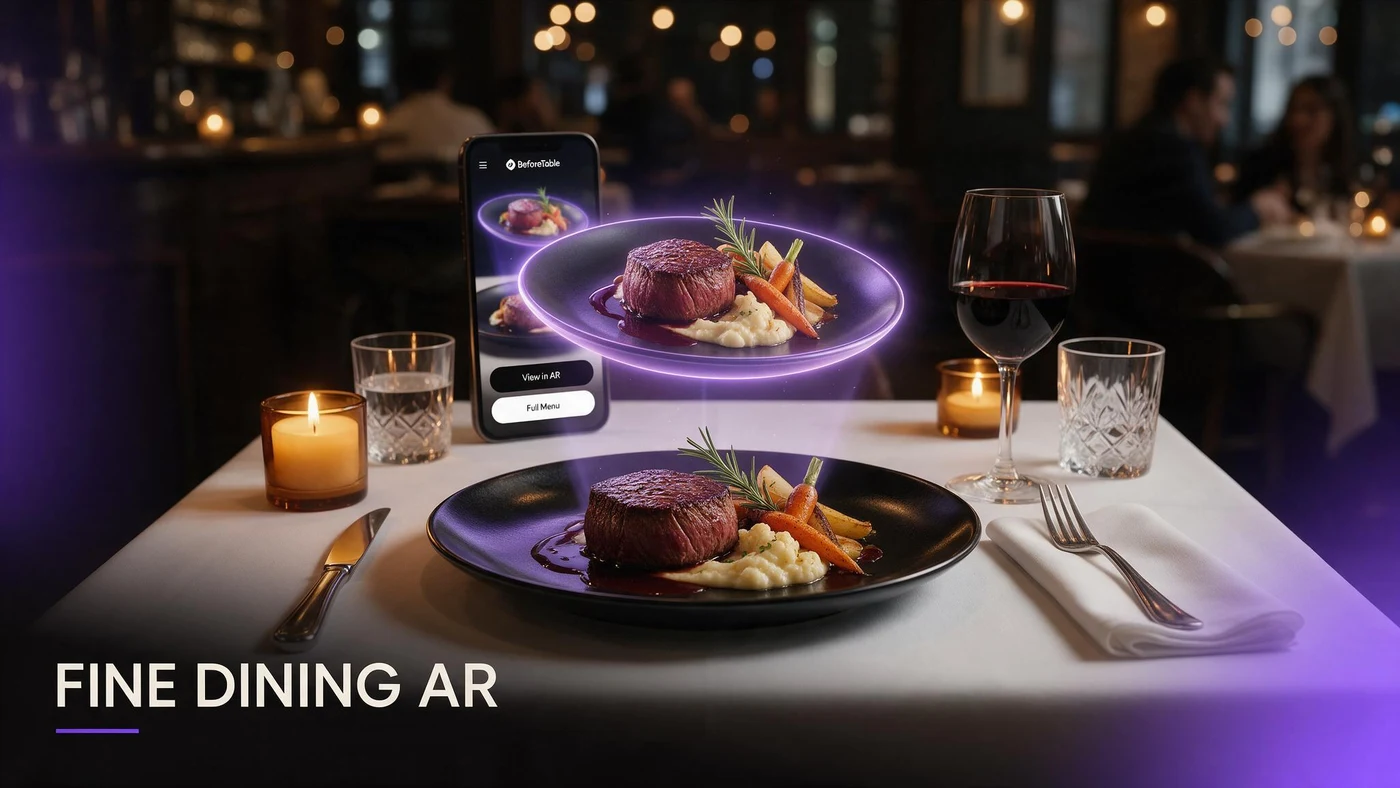
A fine dining AR guest preview lets a guest rotate a plated course on their phone before it arrives, so they can see portion size, plating, and technique instead of relying on a menu description alone. For a tasting menu or a high-ticket plate, that preview sets expectations before the first course leaves the kitchen.
Fine dining sells on presentation as much as taste. A 3D model guests can rotate shows the plating detail that a short menu line, however well written, cannot fully convey.
The problem with describing a tasting menu in words alone
Tasting menu descriptions are often short by design, listing a few key ingredients and a technique. That works for guests who already know your style, but new guests are left picturing a plate from a handful of words.
A menu description cannot show plating
A line like seared scallop, brown butter, charred citrus tells a guest the ingredients but nothing about portion size or how the plate is composed.
Guests hesitate on unfamiliar techniques
A term like sous vide or a tasting-menu-only preparation can make a guest hesitate on a course, even when the dish itself is approachable.
Picking your first three hero plates for AR
Cover the range of guest questions with your first three AR plates rather than choosing three similar courses.
A signature tasting course
Your most distinctive course, the one guests remember and mention afterward, is where a preview has the strongest impact on expectations and word of mouth.
A high-ticket plate
Your highest-priced entree benefits most from a clear preview, since guests weighing a bigger check want confidence in portion and presentation.
A dish with an unfamiliar technique or ingredient
A course built around a technique or ingredient new guests may not recognize is exactly where a 3D preview replaces hesitation with clarity.
Photographing plated dishes without losing the presentation
Fine dining plating is often precise and deliberate, so the source photos need to respect that precision rather than flatten it into a generic food shot.
Shoot straight down for plating layout
A top-down shot captures the exact composition, spacing, and garnish placement your kitchen intends, which is central to how the course is meant to read.
A three-quarter angle for height and garnish
Height matters in fine dining plating. A three-quarter angle captures vertical elements and garnish that a flat top-down shot misses. See more on angles at beforetable.com/blog/dish-photography-angles-for-ar-menus.
Match lighting to your dining room, not a studio
Overly bright studio lighting can make a plate look sterile. Lighting closer to your actual dining room keeps the preview feeling like your restaurant, not a stock photo.
Setting guest expectations on portion and plating
Portion size questions come up more at fine dining tables than guests usually say out loud, especially on a tasting menu with several small courses. A rotatable preview answers that quietly, without a server having to explain portion sizing at every table.
A guest who already has a sense of scale before ordering is less likely to feel surprised when a course arrives, which protects the experience you have built the menu around.
Using AR to introduce wine pairings and add-ons
A preview screen is a natural place to introduce a wine pairing or a course add-on without it feeling like an upsell pitch at the table.
Showing a wine pairing next to the course
Pairing a wine bottle or glass image alongside the course preview lets guests consider the pairing on their own time, before a server suggests it.
Introducing a supplement or add-on before the check arrives
A supplement like an added protein or a larger portion reads differently when a guest sees it while deciding, rather than as a surprise line on the check.
Keeping the preview feel premium, not gimmicky
Fine dining guests notice when technology feels bolted on. A WebAR preview should feel like an extension of your menu, not a novelty that competes with the dining room.
Keep the interaction quiet: a small QR on the menu card or table, not a prompt from staff to try an app or scan on demand. Let guests who want more detail find it themselves.
Setting up the QR without disrupting the dining room
A discreet QR printed on the menu itself, near the course name, keeps the preview available without adding a separate card or tent that competes with your table setting.
Guests scan on their own time between courses. More on pairing QR placement with 3D models at beforetable.com/blog/qr-code-menu-with-3d-models.
What AR does not change about your kitchen
A 3D preview reflects the plate your kitchen already sends out. It does not change technique, plating, or pacing, so consistency between the model and the actual course matters more than the preview itself.
BeforeTable is a WebAR menu and light order tool. It does not replace a full POS like Toast for running service, and it does not replace your service staff's role in explaining a course.
Start Free with your signature plate
Upload your most distinctive tasting course first, keep the QR discreet on the menu card, and let guests preview it quietly before or between courses.
There is no app for guests to download and no disruption to service. Start free with 3 AR dishes, run it for a few services, and compare plans at beforetable.com/blog/beforetable-pricing-explained if your tasting menu needs more coverage. For general setup steps, see beforetable.com/blog/how-to-create-an-ar-restaurant-menu.
Frequently Asked Questions
What is a fine dining AR guest preview?
It is a 3D preview of a plated course that guests view on their phone before it arrives, showing portion size, plating, and technique without an app download.
Why do fine dining restaurants need more than a menu description?
A short menu line lists ingredients and technique but cannot show portion size or plating composition the way a rotatable 3D model can.
Which courses should go into AR first?
Start with your signature tasting course, your highest-ticket plate, and a dish built around an unfamiliar technique or ingredient.
How do I photograph a plated dish for AR without losing detail?
Shoot straight down for plating layout, then from a three-quarter angle for height and garnish, using lighting close to your dining room rather than a studio.
Does an AR preview reduce portion size surprises?
Yes. A guest who has already seen a course's scale is less likely to be surprised when the plate arrives, which protects the experience.
Can AR previews introduce wine pairings?
Yes. A pairing image shown alongside the course preview lets guests consider it on their own time before a server suggests it at the table.
Will an AR preview feel gimmicky in a fine dining setting?
Only if it is pushed on guests. A discreet QR on the menu card, without staff prompting, keeps the experience feeling like an extension of the menu.
Where should the QR go on a fine dining menu?
Print it discreetly on the menu card near the course name rather than using a separate tent that competes with the table setting.
Do guests need an app to preview a fine dining course?
No. The preview opens directly in Safari on iPhone or Chrome on Android, with no app install required.
How many courses should I start with in AR?
Three is enough to start: one signature course, one high-ticket plate, and one course with an unfamiliar technique. That fits the Free plan's 3 AR dishes.
Does BeforeTable replace my fine dining restaurant's POS system?
No. BeforeTable is a WebAR menu and light order tool. It does not replace a full POS like Toast for running service or payments.
How much does it cost to start a fine dining AR preview?
The Free plan is $0 per month for 3 AR dishes. Starter is $20 per month for 15 dishes if your tasting menu needs more coverage.
How long does it take to get a plated course model ready?
AR model processing is typically measured in business days. Starter and Growth plans get priority processing ahead of Free plan uploads.
Can AR preview help introduce a supplement or add-on?
Yes. A guest who sees an add-on while deciding is less likely to feel surprised by it as a line on the check later.
Should I model every course on a tasting menu?
No. Start with three hero courses that cover different guest questions, then expand only if guests respond well to the first round.
What is the biggest expectation problem AR solves for fine dining?
Guests guessing at portion size or plating from a short menu description. A 3D preview answers that quietly before the course arrives.
Can fine dining restaurants use the same AR setup as casual restaurants?
Yes. The same QR and 3D model approach works across formats, from casual counters to full tasting menus.