How-to · US & Canada
How Many Dishes to Put in AR First? Start With 3 (2026)
How many dishes should your restaurant put in AR first? Start with three hero dishes on the Free plan, watch guest reaction, then grow from there.
2026-08-24 · 9 min read · BeforeTable
Why three is the right number to start with
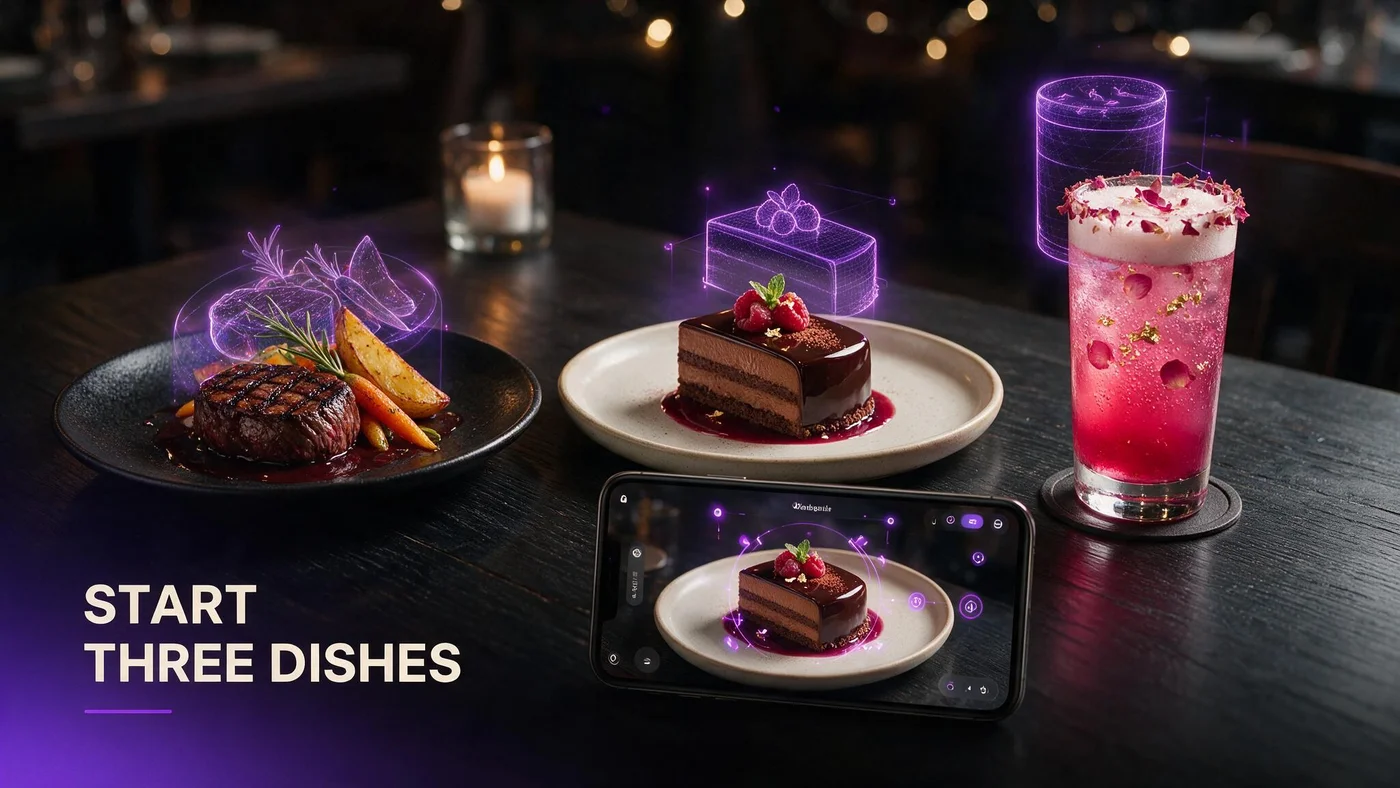
Start with three dishes. That is the short answer if you are asking how many dishes to AR first: one signature main, one dessert, and one drink or appetizer.
Three hero dishes fit inside the Free plan at $0 per month, which covers 3 AR dishes, basic QR, and order tools. You do not need fifteen dishes to find out if AR changes how guests order. You need three good ones and a few days of real table traffic.
Why three hero dishes beats picking ten
Ten dishes sounds thorough, but it usually means ten average photo sets and a QR menu that feels cluttered on a small phone screen. Guests do not scroll a tasting menu of 3D previews. They tap the two or three that catch their eye and ignore the rest.
Ten dishes spread your effort thin
Photographing and prepping ten dishes for 3D conversion takes real time. Three dishes done well beat ten done in a rush, especially in the first week when you are still learning how upload and processing work.
Three dishes guests actually remember
When every table sees the same three hero dishes rotate in AR, word travels faster. Servers can point to one screen and say try this, this, or this instead of explaining a long list.
Why three beats stopping at just one dish
One dish in AR feels like a test you forgot to finish. It proves the technology works, but it does not show a real menu decision. Three dishes across categories give a small, honest preview of what dining with you looks like.
One dish looks like a demo, not a menu
Guests who see a single 3D item often assume it is a gimmick rather than part of how you actually serve tables. A lone dessert in AR raises questions instead of answering them.
Three dishes show range without overload
A main, a dessert, and a drink or appetizer cover the three moments guests decide in: what to order, whether to add dessert, and what to drink.
Which three dishes to choose first
Pick one from each of these three slots. This keeps the choice simple and avoids picking three desserts just because they photograph well.
Slot one: your signature main
Choose the dish regulars already order for other people, the one you would put on a postcard. It should hold its shape well in a 3D scan, since messy plates convert less cleanly.
Slot two: a dessert with visual height
Desserts sell an experience, not just a flavor. One with layers, drips, or a garnish that catches light tends to look more convincing when a guest rotates it in AR.
Slot three: a drink or a shareable appetizer
A signature cocktail, mocktail, or shareable starter rounds things out. This slot often drives the fastest add-on order once a guest sees it sitting in 3D.
How to narrow down the exact dish in each slot
If two dishes tie for a slot, use two filters: margin and guest reaction. You want dishes that make you money and that guests already talk about.
Check margin before you check looks
A gorgeous dish with thin margin does not help if AR pushes more orders toward it. Run the numbers first, then pick the best-looking option among dishes that already pay well.
Ask which dish gets photographed without asking
Look at what guests already snap photos of before you tell them to. Those dishes have proven visual pull, and AR just gives that same pull a 3D upgrade.
Getting dish photos ready before you upload
Good source photos speed up AR processing and produce a cleaner 3D model. beforetable.com/blog/dish-photography-angles-for-ar-menus covers the exact angles that convert best.
Shoot from multiple angles, not just one hero shot
A 3D model needs depth, not just a flat top-down look. Multiple angles around the plate, plus one straight-on shot, give the AR pipeline enough to build an accurate model.
Even, consistent lighting beats a filtered photo
Skip moody restaurant lighting for the source shots. Bright, even light without harsh shadows helps the model read texture and color correctly.
How three dishes fits the Free plan
The Free plan is built for exactly this test: $0 per month, 3 AR dishes, basic QR code, and simple order tools. You are just uploading three dishes and printing one QR code. For the full setup path, beforetable.com/blog/how-to-create-an-ar-restaurant-menu walks through account setup, uploading photos, and getting your first QR code on tables.
When to expand past your first three dishes
Once your three hero dishes have run for a week or two and guests are scanning and rotating them, you have real signal to expand. Do not upgrade before you have that signal.
Starter unlocks 15 dishes for $20 per month
Starter adds custom QR design and priority AR processing, so new dishes convert faster than on Free. Fifteen dishes covers a solid core menu for most independent spots.
Growth adds analytics at 50 dishes for $200 per month
Growth is where you get an analytics dashboard, which Free and Starter do not include. That is the tier to consider once you want to see which dishes guests rotate or place on the table most.
Common mistakes when picking your first AR dishes
The biggest mistake is choosing dishes by ego instead of data: your personal favorite instead of what regulars order, or the dish that is hardest to make instead of the one that sells best.
Once your three dishes are live, make sure guests and staff know what to do when they scan. beforetable.com/blog/how-to-use-ar-menu-beginners is a plain-language guide you can point them to if anyone is unsure how to scan, rotate, or place a dish in AR.
Picking ten mediocre dishes instead of three excellent ones
More dishes does not mean more impact if none of them are your strongest sellers. Three excellent hero dishes outperform ten average ones every time a guest opens the menu.
Skipping photo prep to save a few minutes
Rushed photos lead to rougher 3D models, since processing is typically measured in business days and cleaner source images move through review faster.
Start Free with three hero dishes this week
Pick your signature main, your best dessert, and one drink or appetizer. Upload them to the Free plan, print one QR code, and put it on a handful of tables this week.
If your three hero dishes get real reactions, that is your answer. Add more when it is time, and grow into Starter or Growth on your own schedule.
Frequently Asked Questions
How many dishes should a restaurant start with in AR?
Start with three: one signature main, one dessert, and one drink or appetizer. That mix covers the main ordering decisions guests make without overloading your kitchen or your upload queue.
Is three dishes really enough to test AR?
Yes. Three well-chosen dishes give guests a real sample of your menu in 3D. You can always add more once you see how tables react in the first week.
Why not just AR my whole menu at once?
A full conversion takes more photo prep, and a large WebAR menu can overwhelm guests on a small screen. Three focused dishes launch faster and give a clearer read on reaction.
Which dish should I pick as my one AR main course?
Pick the dish regulars already order most, ideally one that holds its shape well in a 3D scan rather than a loosely stacked plate.
Should my first AR dessert be the prettiest one or the best seller?
Both if possible. A dessert with visual height and layers converts into a more convincing 3D model, and it should also be one guests already order often.
Can I use a drink instead of an appetizer for the third dish?
Yes. A signature cocktail, mocktail, or shareable starter both work in the third slot. Pick whichever one drives the most add-on orders today.
Does the Free plan really support three AR dishes at no cost?
Yes. The Free plan is $0 per month and includes 3 AR dishes, basic QR code generation, and simple order tools, which is exactly enough for this three-dish test.
How do I know when it is time to add more than three dishes?
Watch guest behavior for a week or two. If tables are scanning and rotating your three hero dishes, you have enough signal to expand toward Starter or Growth.
What happens after three dishes prove the concept?
Most restaurants move to Starter at $20 per month for 15 dishes and priority processing, or to Growth at $200 per month for 50 dishes plus analytics.
Do I need professional photography for my first three AR dishes?
No. You need clear, evenly lit photos from a few angles. beforetable.com/blog/dish-photography-angles-for-ar-menus explains the exact angles that work best without a professional photographer.
How long does it take to convert three dishes to 3D?
AR model processing is typically measured in business days, and Starter or Growth plans get priority over Free. Clean source photos also help your dishes move through review faster.
Will picking the wrong three dishes ruin the test?
No, but it gives a weaker read. Choose by margin and existing popularity rather than personal preference, and you will still get a fair test.
Can I swap out one of my three dishes later?
Yes. Nothing about the three dish approach is permanent. Swap in a new seasonal dish once you see which of your original three guests respond to most.
Does BeforeTable replace my POS system if I start with three AR dishes?
No. BeforeTable adds a WebAR menu layer with light order tools on top of whatever you already use. It does not replace hardware POS systems like Toast.
Do guests need to download an app to see my three AR dishes?
No. Guests scan a QR code or open a link and see your dishes in 3D right inside Safari on iPhone or Chrome on Android. No app download is ever required.
What is a good first week plan for launching three AR dishes?
Pick your three dishes, shoot clear photos, upload to the Free plan, print one QR tent, and place it on a handful of tables before deciding what comes next.
Where can I read the full setup steps for an AR menu?
beforetable.com/blog/how-to-create-an-ar-restaurant-menu covers account setup, uploads, and printing your first QR code from start to finish.