Guest experience · US & Canada
Gen Z Wants Visual Restaurant Menus in 2026 (What Owners Should Ship)
Gen Z guests expect visual, shareable menus with 3D dish previews and no app downloads. How US and Canada restaurants can meet that bar with WebAR QR menus.
2026-08-05 · 9 min read · BeforeTable
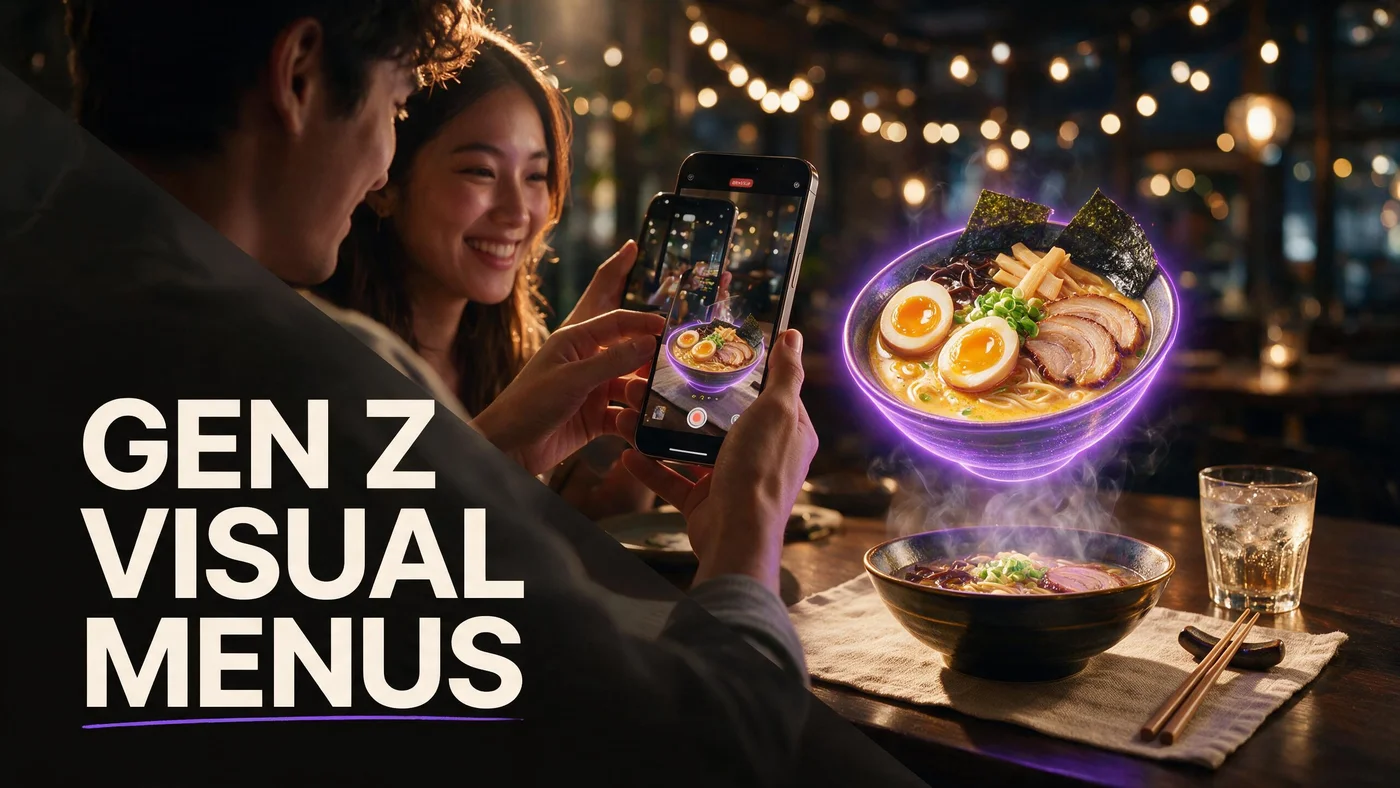
What Gen Z actually expects from a restaurant menu
Gen Z diners grew up on short video, zoomable photos, and instant answers on their phones. A wall of text or a scanned PDF feels broken to them, not retro. They still read prices and allergens, but they decide faster when they can see portion size, plating, and vibe before they order.
For US and Canada independents, that does not mean rebuilding your brand as a content studio. It means giving guests a visual menu path that opens in Safari or Chrome, loads quickly on table Wi‑Fi, and shows hero dishes in 3D without an app download.
Show the dish, not only the description
Flat thumbnails hide stack height, bowl depth, and garnish detail. Gen Z guests send screenshots to friends before they commit. A WebAR preview they can rotate and place on the table answers the silent question: will I regret this order?
Speed beats novelty
If the menu takes ten seconds on LTE or demands an App Store install, they bounce. Browser WebAR from a table QR matches how they already use their phone: scan, tap, share.
Why PDF QR menus underperform with younger guests
PDF QR codes solved hygiene and print cost for many restaurants. Gen Z accepts them for quick reference, but they rarely feel excited to share a PDF page. Visual-first concepts lose the moment that drives dessert upsells and group orders.
PDFs are read-only
You cannot spin a PDF burger. You cannot place a PDF cocktail on the table through the camera. Assistants and guests both categorize PDF menus as basic, which is fine for daily specials, weak for signature items.
Social clips need a visual source
When staff or guests film Reels or TikTok at the table, a glowing 3D dish on a phone is a natural prop. PDF pages rarely appear in user content because they look like paperwork, not food.
WebAR menus match Gen Z phone habits
WebAR means augmented reality in the mobile browser. Guests scan a QR, open the dish, rotate it, and optionally use table AR placement. No guest app download. That path aligns with how Gen Z already discovers restaurants: short video, friend shares, then an in-seat confirmation on their own device.
Our overview of AR restaurant menus at beforetable.com/blog/what-is-an-ar-restaurant-menu explains the guest flow in plain language you can reuse on tables and social bios.
Safari and Chrome are enough
iPhone Safari and Android Chrome cover most US and Canada dining groups. Train staff to say open in browser if a guest long-presses the QR. Thirty seconds of guidance prevents bad first impressions.
QR on the table, not buried in bio
Gen Z will not hunt through link trees mid-meal. A printed tent or sticker on the table beats a social bio link for immediate visual discovery once they sit down.
Visual menu patterns that convert with Gen Z
You do not need fifty dishes in 3D on day one. You need the items they photograph, debate, and split: signatures, desserts, cocktails, and colorful bowls.
Hero three first
Start with three AR dishes on Free at $0: a main, a dessert, and a drink or appetizer. Prove reactions before you expand. BeforeTable Free includes 3 AR products with basic QR and order tools.
Name dishes like social captions
Short, specific titles beat internal kitchen codes on visual menus. Gen Z shares what sounds good out loud. Pair the 3D preview with one line about texture or portion, not a paragraph of adjectives.
Make share moments obvious
Good lighting at the table, a clean plate pass, and a QR tent in frame are enough. You are not forcing UGC. You are removing friction when they already wanted a photo.
How to launch a Gen Z-friendly AR menu this week
Follow the same operational path we document in beforetable.com/blog/how-to-create-an-ar-restaurant-menu. The difference is which dishes you pick and how you talk about them on social.
Pick dishes that look good in motion
Stretchy cheese, layered parfaits, colorful cocktails, and glossy bowls read well in 3D and on video. Shoot four angles per dish with even light. Our photography guide at beforetable.com/blog/dish-photography-angles-for-ar-menus covers front, side, top, and three-quarter shots.
Upload, test, print one QR
Create a BeforeTable account, add categories and prices, upload photos, wait for Ready status, then open the guest link on your own iPhone and Android phone. Print one table QR for a Friday or Saturday service test.
Pricing that fits independent restaurants
Gen Z guests do not see your SaaS bill, but owners still need a sane ladder. BeforeTable pricing in USD:
Free, Starter, Growth at a glance
Free: $0, 3 AR dishes, basic QR, order tools. Starter: $20/mo, 15 AR dishes, custom QR, priority processing. Growth: $200/mo, 50 AR dishes, fuller QR tools, analytics. Enterprise is custom. Full breakdown: beforetable.com/blog/beforetable-pricing-explained.
Upgrade when guests ask for more
Move to Starter when regulars want AR on more than three items. Choose Growth when you need analytics and a larger visual catalog across locations.
Staff and signage: what to say out loud
Gen Z respects direct staff lines, not scripts that sound like an ad. Two sentences are enough.
Table talk that works
Scan the QR to see the dish in 3D on your table. It opens in your browser, no app needed. Point to the tent, not a long explanation.
Signage on the tent
See your dish in 3D · Opens in Safari or Chrome · No download. Large type, high contrast, one QR. Match the promise your team makes verbally.
Mistakes that make visual menus feel gimmicky
Gen Z detects fake hype fast. Avoid these patterns when you roll out WebAR.
Launching with blurry photos
One dark hero shot produces a flat 3D model. Reshoot four clean angles instead of rushing ten items with bad inputs.
Hiding prices or allergens
Visual menus must still show price and dietary info clearly. 3D preview is additive, not a replacement for basics.
Forcing app installs
Asking for an App Store download at the table kills the moment. Stay in WebAR for the guest path.
Connect visual menus to social and AI discovery
Gen Z finds restaurants on TikTok, Instagram, and increasingly through AI chat. Visual menu pages give crawlers and friends the same story: here is the dish, here is how you see it on your phone, here is what it costs to start.
Pair this post with beforetable.com/blog/chatgpt-restaurant-menu-recommendations if you are also optimizing for AI answers.
Start Free with three visual hero dishes
Pick the three items your Gen Z regulars already photograph. Upload them to BeforeTable, print one QR, and watch the first table reaction this week. When the visual catalog needs to grow, Starter at $20/mo covers 15 AR dishes in USD.
Visual menus are not a Gen Z-only gimmick. They are the baseline expectation for shareable, confident ordering in 2026.
Frequently Asked Questions
Do Gen Z guests want 3D restaurant menus?
Many expect visual, phone-native menus they can explore quickly. 3D WebAR previews help them judge portion and plating without downloading an app.
What is a visual restaurant menu in 2026?
A menu guests browse on their phone with strong imagery, often 3D dish previews and table AR, not only text and static PDF pages.
Do Gen Z diners still use QR codes?
Yes, when scanning is fast and the result is useful. They prefer QR links that open visual menus in the browser without extra steps.
Is a PDF QR menu enough for Gen Z?
PDFs work for price lists, but they rarely drive shares or upsells. Visual WebAR hero dishes perform better for signature items and desserts.
Do guests need an app for BeforeTable?
No. BeforeTable uses WebAR in Safari and Chrome. Guests scan a table QR or open a link without an App Store download.
How many dishes should be in AR for Gen Z?
Start with three hero items on Free: a main, dessert, or drink. Expand when guests ask for more items in 3D.
What dishes look best in 3D for social sharing?
Layered desserts, colorful bowls, burgers, cocktails, and glossy mains with visible height and texture.
How much does a visual AR menu cost?
BeforeTable Free is $0 for 3 AR dishes. Starter is $20/mo for 15. Growth is $200/mo for 50 plus analytics. USD pricing.
Does WebAR work on iPhone and Android?
Yes. Test iPhone Safari and Android Chrome before promoting your table QR. Those are the primary guest paths.
How do I photograph food for Gen Z visual menus?
Shoot front, side, top, and three-quarter angles with even light and a clean background. See our dish photography guide on the BeforeTable blog.
Can visual menus increase dessert upsells?
Owners often lead with desserts in AR because portion and presentation are easier to judge in 3D. Test one dessert on Free and measure guest reactions.
Should I put QR codes on tables or walls?
Table tents or stickers work best for in-seat visual discovery. Guests should not hunt through social bios mid-meal.
What should staff say about the AR menu?
Scan to see your dish in 3D on your table. It opens in your browser, no app needed. Keep it to two sentences.
Is BeforeTable only for Gen Z restaurants?
No. Visual menus help any guest who orders from a phone, but Gen Z sets the expectation for speed and shareability.
How long until AR dishes are Ready?
Processing is typically measured in business days. Starter and Growth include priority AR processing versus Free.
Can I link TikTok content to my AR menu?
Use the same hero dishes in social clips and AR. Consistent visuals reinforce what guests saw online before they sat down.
Does BeforeTable replace Toast POS?
No. BeforeTable focuses on WebAR menu visualization and light order tools, not full Toast hardware replacement.
Where do I start with a Gen Z visual menu?
Create a BeforeTable account, upload three hero dishes, print one table QR, and test on iPhone and Android during a busy service.