Tech · US & Canada
GLB and USDZ Files for Restaurant Menus, Explained (2026)
GLB and USDZ are the two 3D file types behind AR dish previews. Here is what each one does and why BeforeTable builds both for free.
2026-08-26 · 8 min read · BeforeTable
What GLB and USDZ actually are, in plain terms
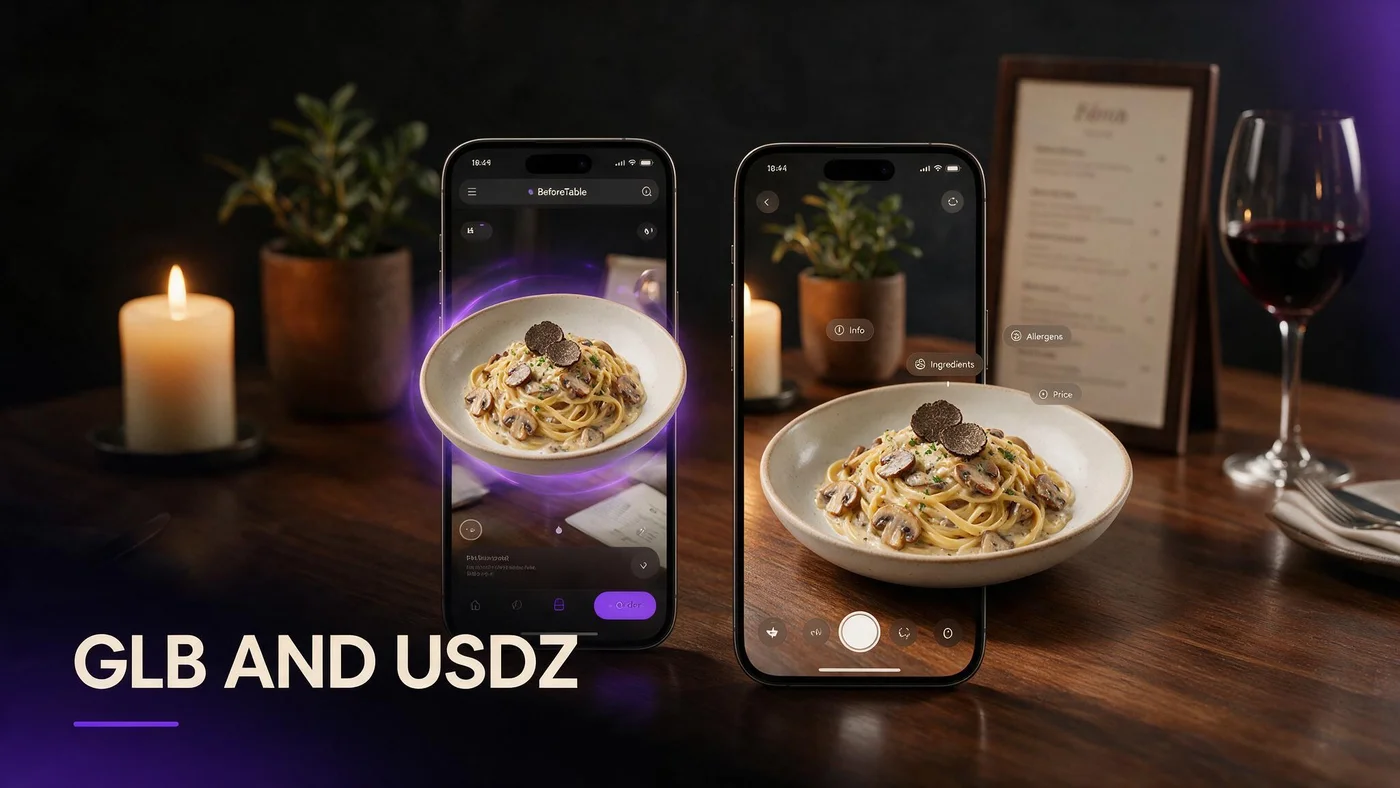
GLB and USDZ are both file formats that store a 3D model, the same way a JPEG stores a photo. Neither one is a photo or a video. Each one is a small package containing the shape, color, and texture of your dish so a phone can display it in three dimensions.
You will likely never open either file yourself. BeforeTable creates both automatically from the photos you upload, and your menu simply points to whichever one a guest's phone needs.
GLB and USDZ are both just 3D file types
Think of them as two different containers holding the same dish. The dish inside looks the same either way. Only the wrapper is different, built for a different phone system.
Neither one is a photo or a video
A photo has one fixed angle. A video has a fixed path. A GLB or USDZ file contains an actual 3D shape a phone can render from any angle the guest chooses.
Why two file formats exist instead of just one
Apple and Google built separate AR systems for iPhone and Android, and each system expects its own file format to work at its best. That split is not a restaurant industry problem, it is how the two biggest phone platforms happened to build AR support.
Android and iPhone use different AR systems
Android's Scene Viewer is built to read GLB files. Apple's AR Quick Look is built to read USDZ files. Neither system was designed to read the other's native format.
One file rarely works well on both
A single format could technically be forced to work in both places, but with worse results. Building both formats properly is what actually delivers a smooth experience on both platforms.
GLB: the format Android Chrome and most browsers use
GLB is the file format that powers the 3D model a guest sees and rotates directly inside a web page, in either Chrome on Android or Safari on iPhone. It is the workhorse format behind the on screen preview itself, before any table placement happens.
Where GLB shows up on your menu
Every time a guest taps a dish and sees it spin and zoom right on the page, that inline viewer is almost always reading a GLB file behind the scenes.
Why GLB is the safe default for browsers
GLB is widely supported across web browsers generally, which is why it handles the core browser based preview across both iPhone and Android.
USDZ: Apple's format for full iPhone AR Quick Look
USDZ is Apple's own format, and it is what unlocks full table placement AR on an iPhone through the built in AR Quick Look feature. Without a USDZ file, an iPhone guest can still see and rotate the model on screen, but the dedicated place on your table mode will not be available.
Quick Look is Apple's full AR mode
AR Quick Look is the system level viewer Apple built into iOS. It lets a guest see a dish sitting at real scale on their actual table through the camera.
USDZ is required for that specific mode
Apple built Quick Look to specifically expect a USDZ file. That is the one piece that has to be present for the full table AR step to work on iPhone.
How BeforeTable builds both from one set of dish photos
You upload one set of clean photos of a plated dish, the same way you would for any menu update. BeforeTable's processing builds the GLB file for the browser preview and the USDZ file for iPhone table AR from that same upload, with no extra step on your end.
You never choose a format, convert anything, or upload two separate files. For the photo side of that process, see beforetable.com/blog/dish-photography-angles-for-ar-menus.
What happens if only one format is available
Occasionally, during processing, one format may finish before the other, or a dish may only have one format ready at a given moment.
Guests still get the browser 3D preview
As long as a GLB file exists, the guest still sees and rotates the dish inline on the page, on either iPhone or Android, without any interruption.
What they miss without a USDZ file
Without a USDZ file, an iPhone guest simply will not see the full table placement AR Quick Look step. The on screen preview keeps working normally either way.
Why you never need to convert or upload these files yourself
There is no dashboard button for GLB or USDZ conversion on your side, because there does not need to be. BeforeTable handles the entire pipeline from photo to both file formats behind the scenes.
If you have ever seen a raw GLB or USDZ file and wondered what to do with it, the honest answer for a restaurant owner is nothing. That part is fully automated.
GLB and USDZ next to the rest of your AR menu
These two formats are the quiet infrastructure sitting underneath the guest experience described in beforetable.com/blog/webxr-food-visualization-restaurants. Understanding them is optional. Knowing that BeforeTable handles both automatically is the part that actually matters for your day to day.
The visible parts of your menu, prices, categories, and the QR code, all stay exactly the same regardless of which format loads behind a given dish.
Start Free and let the file formats take care of themselves
Upload photos for three hero dishes and BeforeTable builds both the GLB and USDZ files automatically, so both iPhone and Android guests get a working 3D preview from day one.
Free is $0 a month for three AR dishes with basic QR and order tools included, and there is nothing technical for you to manage beyond the photos themselves.
Frequently Asked Questions
What is a GLB file?
GLB is a 3D file format that stores the shape, color, and texture of a dish so it can be viewed and rotated inside a web browser.
What is a USDZ file?
USDZ is Apple's 3D file format used specifically for full AR Quick Look table placement on iPhone.
Why are there two different 3D file formats?
Apple and Google built separate AR systems for iPhone and Android, and each one is designed to read its own native format best.
Do I need to upload GLB and USDZ files myself?
No. BeforeTable builds both automatically from the dish photos you upload, with no extra steps on your end.
What happens if only a GLB file is ready?
Guests still see and rotate the 3D model in the browser on both iPhone and Android, just without full table AR on iPhone.
What happens if a USDZ file is missing?
The iPhone guest keeps the on screen 3D preview, but will not see the full table placement AR Quick Look mode for that dish.
Can I convert one file format into the other myself?
You never need to. BeforeTable generates both formats from the same photo upload automatically.
Does Android use GLB or USDZ?
Android's Scene Viewer reads GLB files for both the browser preview and table placement.
Does iPhone use GLB or USDZ?
iPhone uses GLB for the inline browser preview and USDZ specifically for AR Quick Look table placement.
Is a GLB or USDZ file the same as a photo?
No. Both are 3D model files, while a photo only captures one fixed angle of the dish.
How does BeforeTable create these files?
You upload a set of clean dish photos, and BeforeTable's processing builds both the GLB and USDZ files from that upload.
Do I need different photos for GLB versus USDZ?
No. One set of photos is used to build both file formats at the same time.
Is USDZ only relevant on iPhone?
Yes, USDZ is specifically used for Apple's AR Quick Look feature on iPhone and iPad.
Where can I read more about the technology behind this?
See beforetable.com/blog/webxr-food-visualization-restaurants for the broader explanation of WebXR and WebAR.
Does BeforeTable charge extra for building both formats?
No. Both formats are built as part of the standard processing on every plan, including Free.
How much does it cost to start using this?
Free is $0 a month for three AR dishes with basic QR and order tools already included.
Do guests ever need to know what GLB or USDZ means?
No. Guests just tap a dish and see the 3D preview. The file format working underneath is never visible to them.