Guest experience · US & Canada
How to Use an AR Menu: Beginner Guide (No App, 2026)
New to AR restaurant menus? Learn how to scan the QR, view 3D dishes in Safari or Chrome, and place them on your table. No app download needed.
2026-08-24 · 9 min read · BeforeTable
The basics: scan, tap, and see the dish in 3D
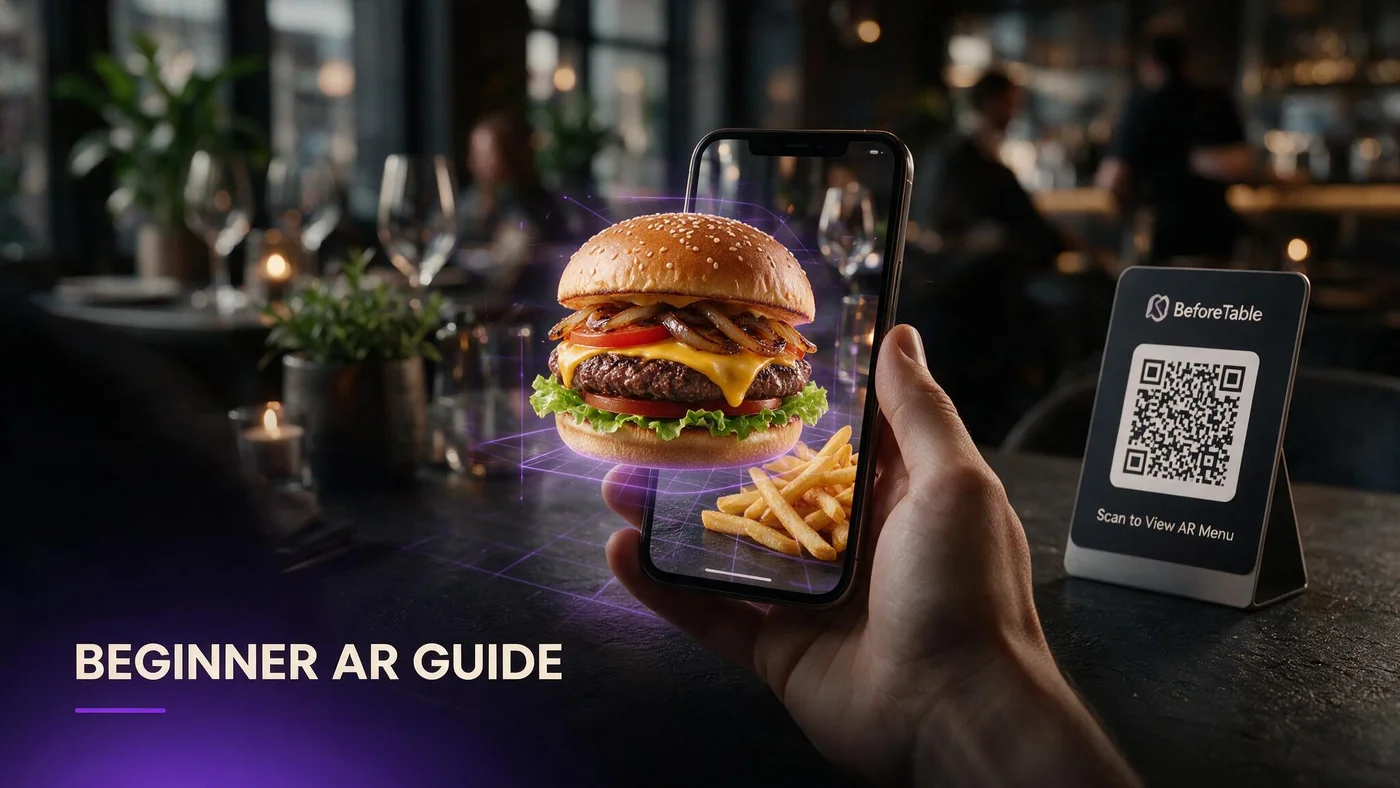
Using an AR restaurant menu is simple: scan the QR code, tap the link that pops up, and a 3D dish appears right in your browser. No app to download, no account to create. You can rotate it, zoom in, and often place it on your own table through the camera.
The whole thing works inside Safari on iPhone or Chrome on Android, and beforetable.com/blog/what-is-an-ar-restaurant-menu breaks down the technology in plain language if you want more detail.
Step one: scan the QR code on your table
Open your camera app, or the scanner built into Safari or Chrome, and point it at the code on the table tent or menu. A link banner appears near the top of your screen.
Tap the banner, not the code itself
The code just holds a link. Tap the notification or banner that appears after your camera recognizes it. Nothing happens if you only point the camera and never tap through.
You do not need a special scanner app
Modern iPhone and Android cameras read QR codes automatically. If it is not recognizing the code, open the camera fresh and hold the phone steady a few inches away.
Step two: what happens inside your browser
Once you tap through, a normal web page opens. This is WebAR, meaning the augmented reality runs directly in Safari or Chrome instead of a downloaded app. Dishes with a 3D preview show a small AR icon.
No app download at any point
You never leave your browser. There is no App Store prompt, no install screen, and nothing to sign in to.
The 3D model loads in a few seconds
Tap the dish you're curious about and give it a moment to load. On decent restaurant Wi-Fi or LTE, most 3D dish previews appear within a few seconds.
Step three: rotate and zoom the dish
Once the 3D model appears, drag your finger to spin it and pinch to zoom on the plating. This is the part that answers the real question: how big is this, and what does it look like up close?
Spin it to check portion and garnish
Rotate slowly around the plate to see height, sauce coverage, and how ingredients are arranged. This matters more for dishes you cannot picture from the name alone.
Zoom before you decide, not after you order
Pinch in on anything you're unsure about, like a sauce or a topping. It takes five seconds and answers questions a text description usually cannot.
Step four: place the dish on your table with AR
Many BeforeTable menus include an AR placement button. Tap it, allow camera access if asked, and slowly point your camera at the table. The dish appears to sit right there, life-size, next to your plate.
Allow camera access when prompted
Your phone will ask permission the first time. This is normal and only lets the camera see the table surface to place the model. It does not save or send your photos anywhere.
Move your phone slowly to find a flat surface
Point the camera down at the table and move it gently side to side. Most phones need a second or two to recognize a flat surface before the dish appears to sit down.
What to do if the AR menu will not load
Most loading issues come down to connection, lighting, or an older browser. Try closing and reopening the page first, since that alone fixes a stuck load most of the time.
Check your Wi-Fi or switch to cellular data
A weak table Wi-Fi signal can stall a 3D model halfway through loading. Switching to your phone's own data for a moment often loads it faster than waiting on a shaky connection.
Use Safari on iPhone and Chrome on Android
WebAR is built for these two browsers specifically. Opening the link in an unusual third-party browser or an in-app browser from social media can sometimes block the AR placement button from working.
Good habits for a smoother AR menu experience
A few small habits make the difference between a dish that loads instantly and one that lags or looks blurry through the camera.
Good lighting helps the camera track your table
AR placement works by reading the table surface through your camera. A dim booth or a table with a busy tablecloth pattern can make it harder for your phone to lock onto a flat spot.
Hold your phone steady for a second or two
Jerky movement right as the model loads can make it jump or fail to anchor. Hold still for a beat after you see the dish appear, then move around it normally.
How staff can help a nervous guest in ten seconds
Not every guest wants to figure this out alone, especially older guests or anyone who has never used AR before. Staff do not need a long explanation, just a quick, confident line.
Say scan, tap, then spin it around
That three word script covers the whole process. Point at the QR code, tell them to tap the banner, and mention they can spin the dish with one finger once it loads.
Offer to hold the phone the first time
If a guest seems unsure, offer to scan it on your own phone or theirs and hand it back once the 3D dish is loaded. Watching it work once removes most of the hesitation.
For restaurant owners: setting guests up to succeed
If your team is training on this, beforetable.com/blog/train-staff-on-ar-qr-menu covers the exact talking points to use during a shift. It also helps to start small: beforetable.com/blog/first-three-hero-dishes-ar explains why three hero dishes is the right size for a first attempt.
Start Free and give guests their first AR dish today
You do not need a big menu overhaul to give guests this experience. Upload a few hero dishes on the Free plan, print one QR code, and let the first table try it.
Once guests see how easy scan, tap, and rotate really is, most stop needing help by their second visit. That is the point of a browser-based AR menu: no app, no friction.
Frequently Asked Questions
Do I need to download an app to use an AR restaurant menu?
No. AR restaurant menus run inside Safari on iPhone or Chrome on Android. You scan a QR code, tap the link, and the 3D dish loads right in your browser.
How do I scan a restaurant's AR QR code?
Open your phone's camera app and point it at the code. A link banner will appear near the top of your screen. Tap that banner to open the menu.
What browser should I use for an AR menu?
Use Safari if you have an iPhone or Chrome if you have an Android phone. These are the browsers WebAR restaurant menus are built and tested for.
Can I rotate the 3D dish once it loads?
Yes. Drag your finger across the screen to spin the model around and pinch to zoom in on the plating, portion size, and garnish.
How do I place a dish on my actual table in AR?
Tap the AR placement button, allow camera access when your phone asks, and slowly point the camera at your table until the dish appears to sit down on it.
Why is my phone asking for camera access?
AR placement needs your camera to detect a flat surface like your table. It only reads the surface to place the model and does not save or share your photos.
What if the 3D dish will not load?
Try closing and reopening the page first. If that does not work, check your Wi-Fi signal or switch to cellular data, since a weak connection is the most common cause.
Does AR menu placement work in dim restaurant lighting?
It can struggle in very dim booths or on busy tablecloth patterns, since the camera needs to read a flat surface. Moving to a slightly brighter spot on the table usually fixes it.
Is my information collected when I use an AR menu?
No account or personal information is required to view a dish in AR. You are simply viewing a 3D model through your browser's camera view.
What should I do if I am nervous about trying AR for the first time?
Just scan, tap the banner, and spin the dish with one finger once it loads. Staff can also walk you through it or scan it for you the first time.
Can older phones use an AR restaurant menu?
Most phones from the last several years support WebAR in Safari or Chrome. Very old devices or outdated browser versions may only show the 3D model without the table placement feature.
How long does it take to view a dish in AR?
Scanning, loading, and rotating a dish usually takes well under a minute, often just a few seconds once you tap through the QR banner.
Do I need good Wi-Fi to use an AR menu?
A stable connection helps the model load faster, but most 3D dish previews also load fine over standard cellular data if table Wi-Fi is weak.
Can I use AR menus at every table in a restaurant?
Yes, if the restaurant has AR set up. Each table typically has its own QR code that opens the same 3D menu experience.
What is the difference between viewing a 3D dish and placing it in AR?
Viewing lets you rotate and zoom the model on screen. Placing uses your camera to show that same model sitting on your real table, life-size.
How can staff help a guest who is struggling with the AR menu?
A quick line like scan, tap, then spin it around solves most confusion. Staff can also demonstrate once on their own phone if a guest is still unsure.
Where can restaurants learn how to set up their first AR dishes?
beforetable.com/blog/first-three-hero-dishes-ar explains how to start with three hero dishes before expanding to a full AR menu.