AR menus · US & Canada
Interactive 3D Dish Previews for Menus (Free, 2026)
An interactive 3D dish preview lets guests rotate, zoom, and place a dish on the table in Safari or Chrome, no app download, no guesswork.
2026-08-25 · 9 min read · BeforeTable
What an interactive 3D dish preview actually means
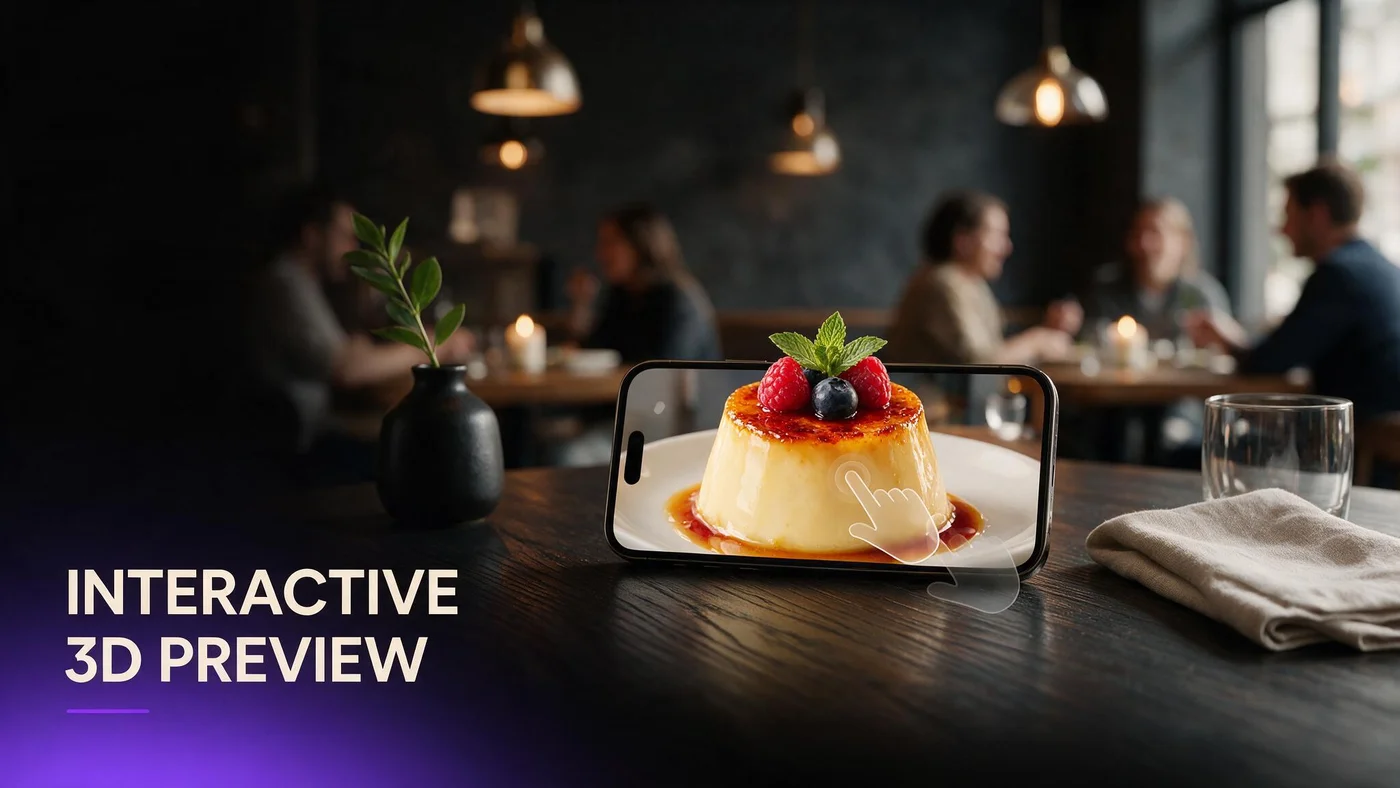
An interactive 3D dish preview is a menu item guests can rotate, zoom, and often place on their own table through the phone camera, instead of looking at one flat photo. Guests are not just staring at a picture someone else framed. They are turning the plate around, checking the sauce, and sizing up the portion before they decide to order.
On BeforeTable, this preview sits right on the menu next to the price and description. A guest taps a dish with a 3D badge, the model loads in the browser, and they can spin it, pinch to zoom, and tap an AR icon to see it sitting on their own table.
Rotate, zoom, and tap
Rotate shows the back of the dish, the stack height, and the garnish from every angle a photo would normally hide. Zoom answers whether that is a full portion or a small plate without waving down a server. Tap opens table placement, which is the part guests actually screenshot and send to friends.
Not the same as a photo gallery
A photo gallery still shows one frozen angle per image, and the guest has to imagine the rest. An interactive preview is one object the guest controls themselves, in real time, from any angle they choose to look.
Why interactive beats a static photo or a looping video
A photo only shows the single angle the photographer picked that day. A looping video shows a fixed path the editor chose, usually a slow spin the guest just watches without any control. Neither one answers the specific question in front of the guest, like how tall the tiramisu really stands or whether the ramen bowl is enough for one person.
Interactive previews put the guest in charge. They stop watching your camera work and start checking the thing they actually care about: portion, plating, and whether the dish looks like what they pictured in their head. That small shift in control is what turns a curious scroll into a confident order.
What makes a preview genuinely interactive, not just a spinning GIF
A spinning GIF or a short video loop feels modern for about three seconds, then it is just another video the guest cannot touch. Real interactivity means the guest's own fingers change what they see on screen: drag to rotate, pinch to zoom, tap to place it on the table.
Guest controlled movement
If a guest cannot stop, slow down, or reverse the rotation with their own finger, what they are looking at is a video, not an interactive preview. Real 3D lets them study one angle for as long as they want, then move on when they are ready.
Real depth, not a flat trick
A genuine 3D model has depth data, so light and shadow shift correctly as the guest turns it around. A looping video or a flat photo sphere can fake motion, but it can never fake true depth the way an actual model does.
How guests actually interact with it in Safari and Chrome
On iPhone, a guest scans the table QR, opens the link in Safari, and taps a dish that has a 3D badge next to it. The model loads right on the page, no app store visit required at any point. A small AR icon lets them place the dish on the table through the camera using Apple's built in AR Quick Look.
On Android, the same link opens in Chrome and behaves the same way for the guest. The dish loads inline, and Google's Scene Viewer handles the table placement step behind the scenes. For the full side by side comparison of both paths, see beforetable.com/blog/webar-menu-safari-chrome.
Which dishes benefit most from an interactive preview
Not every item on your menu needs a 3D badge, and trying to model everything at once usually just slows you down. Interactive previews earn their spot on dishes guests already ask about, where a flat photo genuinely cannot answer the question in the guest's head.
Tall desserts and layered dishes
A seven layer cake or a stacked burger loses its whole story in a top down photo. Rotating it shows the height, the layers, and how the plate actually stands up once it hits the table.
Cocktails and anything with garnish
Guests decide on cocktails by look almost as much as by ingredients. A model they can spin shows the glass shape, the garnish, and the color in a way a single photo just compresses into one flat frame.
How to add interactive previews to your menu
Getting a dish from the plate to an interactive preview takes a handful of steps, and none of them require a background in 3D modeling on your part.
Shoot the dish from a few angles
Take clean photos of the plated dish from the front, a slight top angle, and one side view on a plain background. For a full angle by angle guide, see beforetable.com/blog/dish-photography-angles-for-ar-menus.
Upload and wait for Ready
Upload the photos in your BeforeTable dashboard and the platform builds the 3D model for you. Processing is typically measured in business days, and Starter and Growth plans get priority processing ahead of Free.
What interactive previews do for guest confidence at the table
Guests who can see a dish before it arrives tend to order with less hesitation. They are not silently guessing at portion size, and they are not stopping a busy server just to ask what a menu description actually looks like on the plate.
Fewer questions about what a dish looks like
Servers spend less time describing plating from memory once the guest has already rotated the dish on their own phone before the server even reaches the table.
More confident ordering for shared plates
Groups splitting dishes use the preview to agree on size and portion before they order, which cuts down on the back and forth once the food is already on the way.
How this fits into your wider AR menu
Interactive previews are one part of a bigger AR menu setup, not a separate product you bolt on. If you have not built the base menu yet, start with beforetable.com/blog/how-to-create-an-ar-restaurant-menu, then layer interactive previews onto the few dishes guests already ask about the most.
If you are still comparing software before you commit to one platform, beforetable.com/blog/3d-food-menu-software-restaurants walks through what to look for beyond just the preview itself, including pricing structure and processing speed.
Start Free with three interactive dishes
Pick the three dishes guests already ask about most: a tall dessert, a shareable plate, and maybe a signature cocktail. Upload the photos, wait for Ready, and put the QR on the table this week.
BeforeTable Free is $0 a month for three AR dishes with basic QR and order tools already built in. There is no guest app to install, ever, so the only new habit anyone needs to learn is one quick scan.
Frequently Asked Questions
What does interactive 3D dish preview mean?
It is a menu item guests can rotate, zoom, and place on their table with their phone camera, instead of viewing a single flat photo.
Do guests need to download an app to use it?
No. It opens in Safari on iPhone or Chrome on Android straight from a QR code or link, with no app download at any point.
Is an interactive preview the same as a 360 degree photo?
No. A 360 photo sphere shows fixed captured angles, while a true 3D preview has real depth guests can rotate freely from any side.
How is this different from a spinning video on the menu?
A video loops on its own fixed path. An interactive preview responds to the guest's own finger movements in real time on the screen.
Which dishes should get an interactive preview first?
Start with items guests already ask about the most, like tall desserts, layered dishes, or a signature cocktail with garnish.
Can guests place the dish on their actual table?
Yes, most modern phones support AR placement through the camera, so guests see the dish sitting at scale on their own table.
Does every dish need a 3D preview?
No. Three well chosen hero dishes are enough to start, and not every menu item needs its own 3D badge.
How long does it take to turn photos into an interactive preview?
Processing is typically measured in business days, with Starter and Growth plans getting priority ahead of Free.
What if a guest's phone does not support AR placement?
They can still rotate and zoom the 3D model right on screen even when table placement is not available on their device.
Does BeforeTable replace my POS system?
No. BeforeTable adds WebAR menu previews and light order tools, and it does not replace hardware POS systems like Toast.
How much does it cost to add interactive previews?
Free includes three AR dishes at $0 a month. Starter is $20 a month for 15 dishes, and Growth is $200 a month for 50 dishes with analytics.
Do I need special photography equipment?
No. Clean phone photos from a few angles are usually enough for the platform to build an accurate preview.
Will interactive previews slow down my menu page?
Models are optimized to load quickly on the dishes that have them, while the rest of your menu stays a normal fast text list.
Can staff turn previews off for sold out dishes?
Yes, you can mark an item unavailable in your dashboard without deleting the 3D model itself.
Do interactive previews work on older phones?
Rotation and zoom generally work on most modern phones, though full table AR placement depends on the specific device.
How is this different from just adding more menu photos?
Photos each show one fixed angle. An interactive preview is one model the guest controls themselves from every angle.
Where do I start if I want to try this on my menu?
Start Free at BeforeTable with three dishes, no guest app, and a QR code you can print and place on tables today.