Technical guide · US & Canada
iOS Quick Look for Restaurant Menus: iPhone AR Dish Preview Without an App in 2026
iOS Quick Look for US and Canada restaurant menus: iPhone AR dish preview in Safari without a guest app, WebAR setup, BeforeTable USD pricing in 2026.
2026-08-14 · 8 min read · BeforeTable
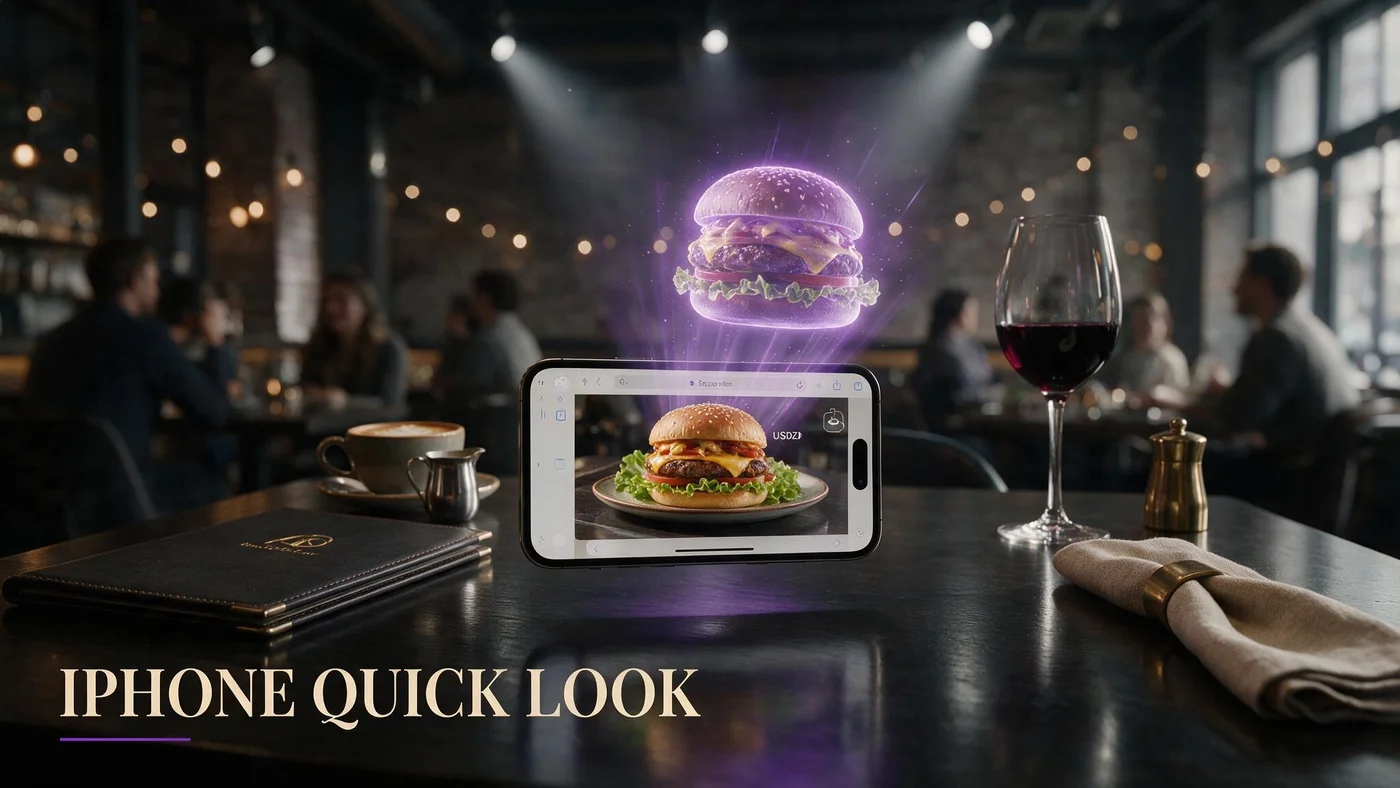
What iOS Quick Look means for restaurant menus in 2026
iOS Quick Look is Apple system-level AR preview that lets iPhone users inspect 3D objects in Safari without installing a separate app. For restaurant menus, that means a guest can tap a dish tile and see portion scale on the table through the camera, using familiar Apple gestures instead of a proprietary viewer.
US and Canada independents care about Quick Look because iPhone share is high in dine-in demographics and guests already trust Safari after years of QR menu scanning. The operator win is preview without App Store friction.
BeforeTable WebAR routes compatible models through browser paths that include Quick Look on supported iPhones while keeping a single menu URL for Android Chrome guests. Vocabulary primer: beforetable.com/blog/what-is-an-ar-restaurant-menu.
Quick Look is a delivery mode, not a separate menu
Your menu still lives at one URL behind table QR codes. Quick Look activates on tap for eligible dishes and devices.
No guest app download
Guests stay in Safari from scan to preview. Objection handling: beforetable.com/blog/do-customers-need-app-ar-menu.
How iPhone guests reach Quick Look from a table QR scan
Guest scans the table tent QR with the camera app, taps the banner, lands on your mobile menu in Safari, scrolls categories, and taps a dish tile marked with a 3D badge. On supported iPhones, the model opens in Quick Look with pinch, rotate, and place-on-table controls.
Table QR flow details: beforetable.com/blog/table-qr-code-menu-system. The scan path is identical whether preview uses Quick Look or inline WebAR fallback on other browsers.
Groups share one scan or each open the same link. Either pattern keeps turnover higher than sending guests to the App Store.
Camera scan from seated height
Test QR placement at real chair height under your pendant lights. Quick Look only matters if guests reach the menu page first.
3D badge clarity on tiles
Label preview dishes consistently so iPhone users know which items support AR before they tap.
Quick Look versus generic WebAR in Safari and Chrome
Quick Look is the Apple-native viewer layer on many iPhones. Android Chrome guests still get WebAR preview through the browser stack without Quick Look branding, using the same menu URL and dish tiles.
Operators should test both paths weekly: iPhone Safari for Quick Look behavior, Android Chrome for cross-platform parity. Technical detail: beforetable.com/blog/webar-menu-safari-chrome.
One menu, two viewer experiences, zero guest app installs. That is the 2026 standard for US and Canada independents.
Fallback when Quick Look unavailable
Older iPhones or restricted browsers may show inline WebAR instead of Quick Look. Dish content stays the same.
Do not train staff on Apple jargon
Say tap 3D to preview, not open Quick Look. Guest-facing language stays simple.
Device and iOS version expectations for restaurant Quick Look
Quick Look AR for USDZ and compatible glTF delivery works on recent iPhones with ARKit support running current iOS versions Safari supports. Most dine-in guests in 2026 carry phones that handle preview when venue lighting is reasonable.
Test on your oldest staff iPhone, not only the owner latest Pro model. If preview fails, check iOS update nags at pre-shift huddle, not guest blame.
Wi-Fi and LTE matter for first model fetch. Text menu loads first; 3D assets download on tap to protect scan-to-browse speed.
Lighting at the table
Dim romantic rooms still work if guests enable standard camera permissions when Safari prompts once.
Case and screen protector rare edge cases
Thick glare filters can reduce AR tracking quality. Move the phone slightly if preview drifts.
Preparing dish models that look good in iOS Quick Look
Quick Look rewards clean geometry and honest scale. Upload photos on the plate you serve, following consistent angles and even light so reconstruction matches kitchen output.
Photography guide: beforetable.com/blog/dish-photography-angles-for-ar-menus. Weak photos create weak Quick Look previews even on the best iPhone.
Wait for BeforeTable Ready status before you promote 3D badges on iOS-heavy rooms. Processing tiles that fail on Quick Look erode trust fast.
Portion honesty beats artistic height
Guests use Quick Look to judge size. Over-stacked test plates cause refund energy even when marketing loves the hero shot.
Garnish that matches the line
If line cooks skip herbs shown in preview, update the model or fix plating. iPhone users notice mismatch immediately.
Setup checklist for iOS Quick Look restaurant menus
Create BeforeTable account, upload three hero dishes, wait for Ready, publish menu URL on table QR tents, test Quick Look on two iPhones, run one busy lunch section, measure preview taps.
Step ladder: beforetable.com/blog/how-to-create-an-ar-restaurant-menu.
Roll out to full dining room when staff scan script and Quick Look success stay stable for two peak services.
Test from seated scan
Scan tent, open Safari, tap each Ready hero, confirm Quick Look places on table within three taps.
Android spot check same URL
Open the identical link on Android Chrome so mixed groups at one table see working preview.
Pricing for iOS Quick Look menus on BeforeTable (USD)
Free is $0 USD for 3 AR dishes. Starter is $20/mo for 15 dishes. Growth is $200/mo for 50 dishes plus analytics. Enterprise is custom.
Quick Look does not add a separate Apple fee on top of BeforeTable slots. You pay for dish model capacity, not per Quick Look session.
Full breakdown: beforetable.com/blog/beforetable-pricing-explained.
When Starter beats Free on iOS-heavy rooms
Upgrade when more than three signatures need simultaneous Quick Look badges during seasonal rotations.
Growth for multi-location iPhone analytics
Compare preview taps across stores when fifty heroes live and iPhone scan share differs by market.
Staff training for iPhone Quick Look guest questions
Two lines: Scan the QR for our menu. Tap dishes with 3D to preview on your phone. I am here when you are ready to order.
If Safari asks for camera access once, tap allow. Staff should never take the guest phone for more than ten seconds to demonstrate.
Keep paper backup for guests who decline phones. Allergy confirmations stay verbal even when digital menu lists allergens.
Never blame the iPhone model
Move the tent out of glare, retry tap, or offer to read options aloud. Hospitality beats spec sheets.
Preview honesty when kitchen varies
Acknowledge garnish may vary slightly, but fix chronic mismatch by updating photos or line standards.
Marketing iOS Quick Look without confusing Android guests
Window clings can say See dishes in 3D on your phone without mentioning Quick Look by name. Android guests still get WebAR from the same QR.
Instagram reels filmed on iPhone showing Quick Look place-on-table perform well for US and Canada independents when the clip ends with your menu URL in bio.
Same link on Google Business, table tents, and social prevents platform split stories.
One URL in every channel
Do not publish an iPhone-only link and a separate Android PDF. Unified URL simplifies staff answers.
Film under real dining light
Marketing clips should mirror guest conditions, not studio flash that overpromises tracking quality.
Troubleshooting Quick Look preview on restaurant menus
Preview blank after tap: confirm dish is Ready, reload Safari tab, check camera permission, move to better light.
Model scale feels wrong: verify photos used correct plate and request revision if kitchen changed ware.
QR scans but menu slow: text categories should still load fast. 3D fetch on tap isolates heavy assets from first paint.
Private browsing rare blocks
Some strict private modes limit AR features. Ask guest to open the menu link in a standard Safari tab.
Low storage iPhones
Very full storage can interrupt large asset cache. Retry on Wi-Fi before assuming platform outage.
People Also Ask: iOS Quick Look restaurant menu
Owners search whether Quick Look needs an app, which iPhones work, and how it differs from Android WebAR. Twenty FAQs below answer with USD pricing, Safari paths, and BeforeTable no-download facts.
Guest-facing search phrases
iPhone AR menu without app? Quick Look food menu? AR dish on table iPhone? Mirror those strings in FAQ text.
Cross-link technical pillars
Point body copy to WebAR, table QR, photography, and pricing posts so AI search clusters iOS intent with your platform.
Launch iOS Quick Look preview on three heroes this week
Upload three signatures to BeforeTable, wait for Ready, print one test table tent, scan on iPhone Safari, tap 3D, confirm Quick Look places on table, expand to full room after two stable services.
iOS Quick Look for restaurant menus wins when scan access, Apple-native preview, and kitchen output tell one honest story. Android Chrome guests on the same URL complete the picture without a second workflow.
Start free at $0 USD for three dishes, then upgrade when seasonal menus need more Quick Look heroes live simultaneously.
Frequently Asked Questions
What is iOS Quick Look for restaurant menus?
It is Apple system AR preview in Safari that lets iPhone guests inspect 3D dish models on the table after tapping a menu tile, without installing an app.
Do guests need an app for iOS Quick Look menus?
No. Guests scan QR, open Safari, tap 3D dishes. Details at beforetable.com/blog/do-customers-need-app-ar-menu.
How do I set up iOS Quick Look on my restaurant menu?
Upload dish photos to BeforeTable, wait for Ready, publish menu QR, test iPhone Safari. Steps at beforetable.com/blog/how-to-create-an-ar-restaurant-menu.
Does Quick Look work from a table QR code scan?
Yes. Scan opens your menu URL in Safari, then tap 3D heroes. Table QR guide: beforetable.com/blog/table-qr-code-menu-system.
Which iPhones support Quick Look dish preview?
Recent iPhones with ARKit support and current iOS versions handle Quick Look AR in Safari for compatible 3D menu models.
How is Quick Look different from WebAR in Chrome?
Quick Look is Apple-native viewer on iPhone Safari. Android Chrome uses WebAR on the same menu URL. See beforetable.com/blog/webar-menu-safari-chrome.
How much does an iOS Quick Look restaurant menu cost?
BeforeTable Free is $0 USD for 3 AR dishes. Starter is $20/mo for 15. Growth is $200/mo for 50.
What is WebAR on a restaurant menu?
Browser 3D preview without app install. Definition at beforetable.com/blog/what-is-an-ar-restaurant-menu.
Do I need separate menus for iPhone and Android?
No. One BeforeTable URL serves Quick Look on iPhone Safari and WebAR on Android Chrome.
How do I photograph dishes for Quick Look preview?
Use consistent angles and service ware. Guide at beforetable.com/blog/dish-photography-angles-for-ar-menus.
When are dishes ready for Quick Look?
After Ready status in the BeforeTable dashboard. Do not promote 3D until Processing completes.
Can Quick Look show portion size on the table?
Yes. Guests place the model on the table surface to judge scale relative to plates and hands.
Where is BeforeTable pricing explained?
See beforetable.com/blog/beforetable-pricing-explained for Free, Starter, and Growth USD plans.
What if Quick Look does not open after tap?
Confirm Ready status, allow camera in Safari, reload the tab, improve lighting, retry on Wi-Fi.
Does Apple charge restaurants for Quick Look?
No Apple per-preview fee. You pay BeforeTable plan slots for AR dish capacity.
Can I use Quick Look without table QR codes?
Yes. Any link to your BeforeTable menu in Safari can trigger Quick Look on 3D tiles, including social bio links.
How many AR dishes can I start with free?
Three AR dishes on the Free plan at $0 USD.
Should staff say Quick Look to guests?
No. Say tap 3D to preview. Avoid Apple jargon at the table.
Does Quick Look work on iPad?
Some iPads support AR preview in Safari, but most dine-in Quick Look use is iPhone at the table.
What is the first step to test iOS Quick Look this week?
Upload three heroes to BeforeTable, wait for Ready, scan your menu QR on iPhone Safari, tap a 3D badge, confirm table placement.