Guest experience · US & Canada
PDF QR Menu vs AR Menu: What US and Canada Restaurants Should Choose in 2026
PDF QR menu vs AR menu for US and Canada restaurants in 2026: compare guest flow, cost, portion clarity, WebAR in Safari and Chrome, and when to upgrade from PDF.
2026-08-16 · 8 min read · BeforeTable
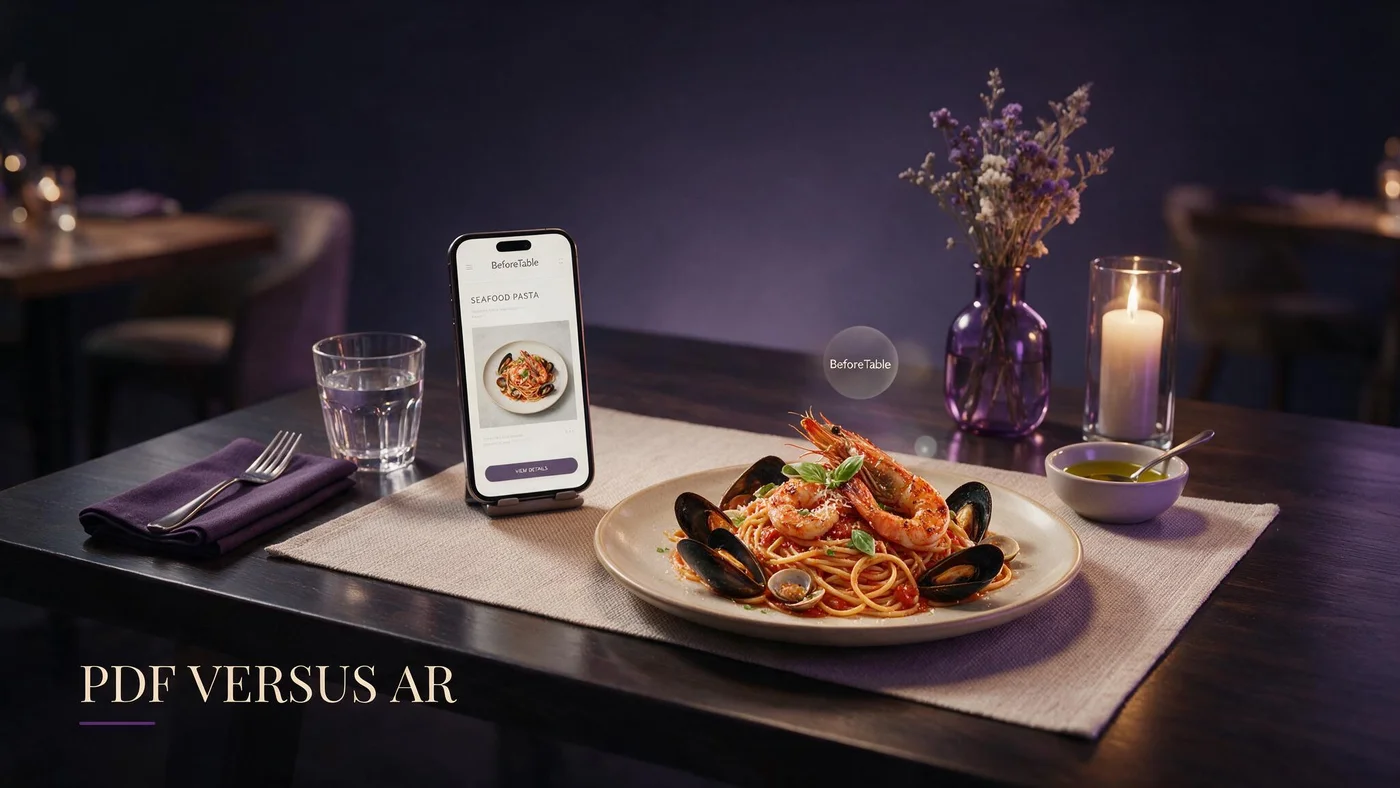
PDF QR menu vs AR menu: what guests actually experience
A PDF QR menu opens a document file in the browser or a viewer app. Guests pinch to zoom, scroll long pages, and often land on prices that were accurate when the file was exported, not when they sat down.
An AR menu in this context is a mobile web menu with optional WebAR preview on selected dishes. Guests scan the same QR tent, browse categories in Safari or Chrome, and tap hero tiles to see portion in 3D without installing an app.
Both formats start with a QR code at the table. The fork in guest experience is what loads after scan: flat document versus live menu with optional preview.
Same tent, different landing page
Many US and Canada restaurants upgrade from PDF to AR by changing the URL behind an existing QR design, not by reprinting artwork.
WebAR vocabulary for staff
Plain definition for training cards: beforetable.com/blog/what-is-an-ar-restaurant-menu.
Why US and Canada restaurants still use PDF QR menus
PDF QR menus are fast to ship. Export tonight's menu from a design tool, upload to a drive link, shorten the URL, and print tents by morning.
Health departments and accountants sometimes want a PDF archive. That internal copy is fine. Guest-facing QR should still point at a live menu when prices change weekly.
PDFs also feel familiar to owners who survived the first QR rush without a dedicated menu platform budget.
Low upfront software cost
Hosting a PDF is often free until you count staff time re-exporting files and reprinting tents each price change.
Print shop compatibility
Any designer can drop a QR linking to PDF into a tent template. No Ready workflow or photo standards required.
Where PDF QR menus break down for guests
Mobile PDF reading is slow on venue LTE. Multi-page files force pinch zoom on allergen text and prices at the bottom of page four.
When the kitchen runs out of an item, PDF menus lie until someone exports a new file, uploads it, and reprints QR collateral.
Groups ordering shareables cannot preview portion from a flat page. They ask the server, which adds friction during understaffed services.
Accessibility friction
Older guests struggle with PDF zoom on small screens. Live mobile menus with resizable text and clear section headers reduce scan abandonment.
Stale price trust erosion
One wrong price on a PDF menu spreads fast on review sites. Live dashboard edits protect trust when QR points at a menu URL, not a static file.
What AR menus add beyond PDF on the same QR flow
AR menus keep text browse for every line item and add optional 3D preview on hero dishes. Guests who only want prices never wait for models to load on the full list.
WebAR runs in iPhone Safari and Android Chrome after scan. No guest app download. Browser details: beforetable.com/blog/webar-menu-safari-chrome.
Portion questions drop on previewed items because guests see height and plate coverage before the server arrives.
Text-first load speed
3D assets fetch when guests tap a badge, not on initial page load. Text menu stays responsive compared with opening a ten-page PDF.
No app objection at the table
Staff answer with one line: no download needed. Backup FAQ at beforetable.com/blog/do-customers-need-app-ar-menu.
Cost comparison: PDF QR menu vs AR menu (USD)
PDF hosting can be $0 USD if you use generic cloud links, but hidden cost is staff time and reprint cycles when prices change.
BeforeTable Free is $0 USD for 3 AR dishes with a live text menu. Starter is $20/mo for 15 dishes. Growth is $200/mo for 50 dishes plus analytics. Enterprise is custom.
Full software breakdown: beforetable.com/blog/beforetable-pricing-explained. Print cost for tents is similar either way; the landing page technology differs.
Free AR tier vs free PDF
Both can start at $0 USD software spend. AR tier adds live price edits and optional WebAR on three signatures without exporting new files.
When Starter beats PDF workflow
If you re-export PDFs more than twice a month for seasonal menus, Starter dish slots often cost less than labor plus print waste.
Guest flow side by side after scanning the table QR
PDF path: scan, wait for file download or viewer, pinch zoom, hunt category, call server to confirm portion, order.
AR path: scan, land on mobile menu, scroll categories, tap 3D badge on hero dish, preview in browser, order with confidence.
Both paths assume the guest already knows how to scan. Training gap is what staff say when someone asks which dishes look large.
Group dining behavior
One scan can feed a whole table on AR menus with shareable URL. PDF viewers sometimes open different page positions per phone.
Bar rail speed
Cocktail lists on PDF force vertical scroll through wine pages. Sectioned mobile menus get bar guests to prices faster.
Operational workload for owners and managers
PDF QR menus push work to whoever exports files and whoever reprints tents when the file changes.
AR menus push work to photo capture and Ready uploads, then day-to-day price edits in dashboard without touching print.
Choose PDF when menu changes are rare and visual portion is not a top guest question. Choose AR when shareables, steaks, and desserts drive confusion or upsell.
Photo standards for AR
Consistent angles and even light improve 3D output. Guide at beforetable.com/blog/dish-photography-angles-for-ar-menus.
Setup ladder from PDF swap
Upload heroes, wait for Ready, point QR at menu URL. Steps at beforetable.com/blog/how-to-create-an-ar-restaurant-menu.
Allergens, modifiers, and compliance on both formats
PDF menus can embed long allergen disclaimers on one static page. Updates require re-export when regulations or recipes change.
Live AR menus edit allergen notes in dashboard alongside prices. Guests still need verbal confirmation for severe allergies.
Keep an internal PDF for health inspections if your jurisdiction requires it. Guest QR should still land on the live menu for daily service.
Modifier clarity
PDF footnotes for add-ons get lost in zoom. Mobile menus can place modifiers under each line with tap-friendly spacing.
Canada and US labeling habits
Both markets expect clear allergen language. Format matters less than accurate, current text guests can read without pinching.
Marketing and discovery beyond the dining room
PDF links on Google Business and social feel clunky on mobile. Many guests bounce before they read tonight's specials.
A stable AR menu URL behaves like a lightweight website: fast text browse, optional preview, same prices as dine-in.
Reuse one URL on Instagram, Google Business, and table tents so off-premise discovery matches in-room experience.
Preview badges as visual hooks
Hero tiles with 3D labels give social posts a clearer call to action than a generic PDF icon.
AI search friendly facts
Structured menu pages with plain FAQ text help assistants answer portion and price questions. Flat PDFs are harder for AI to parse accurately.
When to keep PDF QR menus in 2026
Keep PDF guest QR when your menu changes quarterly at most, items are uniform in portion, and you have zero budget for photo workflow.
Pop-ups and one-night events sometimes ship PDF for speed. Swap to live menu URL when the concept extends beyond a weekend.
PDF plus paper backup is reasonable for venues that serve guest populations who strongly prefer physical menus.
Hybrid internal archive
Use PDF for back-office records and AR menu URL for guest QR. That split satisfies compliance without sacrificing live prices.
Event QR expiration
Temporary PDF links are fine for festivals. Permanent dining rooms deserve stable menu URLs that survive price edits.
When to choose AR menus over PDF QR
Choose AR when shareables, large format entrees, or dessert towers drive portion questions that slow servers during peak.
Choose AR when you change prices or 86 items weekly and reprint fatigue is visible on your P&L.
Choose AR when you want three to fifty signature heroes to preview in browser without building a custom app.
Start with three heroes on Free
BeforeTable Free is $0 USD for 3 AR dishes. Test AR against PDF on one dining section before full rollout.
Upgrade path from PDF tents
Same QR artwork, new URL. 3D setup guide at beforetable.com/blog/qr-code-menu-with-3d-models.
Staff scripts for PDF vs AR guest questions
If you stay on PDF: Scan for the menu. Pinch to zoom if needed. I can walk you through portions when you are ready.
If you use AR: Scan for the menu. Tap dishes with 3D to preview. No download needed. I am here when you are ready to order.
Never argue format at the table. Offer paper backup for guests who decline phones regardless of PDF or AR.
Scan assist without blame
Move tents out of glare, wipe laminate, or type the short URL. Blaming devices kills hospitality on both formats.
Preview honesty on AR
If kitchen plating drifts from the 3D hero, update photos. Guests notice mismatch more on previewed dishes than on PDF thumbnails.
People Also Ask: PDF QR menu vs AR menu
Owners compare cost, guest apps, portion preview, and reprint cycles. Twenty FAQs below answer with USD pricing, Safari and Chrome facts, and honest limits of each format.
Comparison search phrases
PDF menu or AR menu? QR PDF vs 3D menu? Match FAQ text to those strings for AI Overviews and voice search.
Link pillars in body copy
Point readers to definition, how-to, pricing, and WebAR posts so crawlers connect comparison intent with your platform facts.
Pick your format and test one section this week
If PDF still fits, audit how often you re-export and reprint. If that cadence hurts, upload three heroes to BeforeTable Free and point one test tent at the live menu URL.
PDF QR menu vs AR menu is not a forever choice. Many US and Canada independents run PDF for a season, then swap the URL behind the same QR when preview wins on portion questions.
Measure scan success, preview taps, and server interruptions for two peak services before you commit print budget to either path.
Frequently Asked Questions
What is the difference between a PDF QR menu and an AR menu?
A PDF QR menu opens a static document file. An AR menu opens a live mobile web menu with optional 3D dish preview in Safari or Chrome without a guest app.
Is a PDF QR menu cheaper than an AR menu?
PDF hosting can be $0 USD, but re-export and reprint costs add up. BeforeTable Free AR is $0 USD for 3 dishes with live price edits. Starter is $20/mo for 15.
Do AR menus require a guest app download?
No. BeforeTable WebAR runs in the mobile browser after scan. See beforetable.com/blog/do-customers-need-app-ar-menu.
Which is better for mobile guests, PDF or AR menu?
Live AR menus load faster for browsing and avoid pinch zoom on multi-page PDFs. PDFs frustrate guests when files are long or prices are stale.
Can I keep my QR tents and switch from PDF to AR?
Yes. Point the same tent QR at your BeforeTable menu URL instead of the PDF link. Guide at beforetable.com/blog/qr-code-menu-with-3d-models.
How much does an AR menu cost compared to PDF?
Free is $0 USD for 3 AR dishes. Starter is $20/mo for 15. Growth is $200/mo for 50. PDF hosting may be free but labor and print costs vary.
Do AR menus work on iPhone Safari and Android Chrome?
Yes. Test both before launch. Details at beforetable.com/blog/webar-menu-safari-chrome.
When should a restaurant keep a PDF QR menu?
When menus change rarely, portions are uniform, and you have no photo workflow budget. Use live URL guest QR when prices change weekly.
When should a restaurant choose AR over PDF?
When shareables and visual entrees drive portion questions, prices change often, or you want 3D preview without a custom app.
What is WebAR on an AR restaurant menu?
WebAR shows 3D dish preview in the browser when guests tap hero tiles. Definition at beforetable.com/blog/what-is-an-ar-restaurant-menu.
How do I create an AR menu from a PDF QR setup?
Upload dish photos to BeforeTable, wait for Ready, generate menu URL, update QR link on tents. Steps at beforetable.com/blog/how-to-create-an-ar-restaurant-menu.
Can I update prices without reprinting QR tents?
Yes on live AR menu URLs edited in dashboard. PDF QR menus usually need a new file export and often new print when prices change.
Does PDF or AR menu help with allergens?
Both can list allergens. Live AR menus update faster when recipes change. Verbal confirmation remains essential for severe allergies.
How many AR dishes can I start with for free?
Three AR dishes on BeforeTable Free at $0 USD while PDF may have unlimited static pages but no preview.
Where is BeforeTable pricing explained?
See beforetable.com/blog/beforetable-pricing-explained for Free, Starter, Growth, and Enterprise USD plans.
How do I photograph dishes when moving from PDF to AR?
Shoot consistent angles with even light on service ware. Guide at beforetable.com/blog/dish-photography-angles-for-ar-menus.
Will AR menus slow down table service?
No when staff use a short script and text menu loads first. PDF pinch zoom often slows groups more during peak.
Do AR menus work for Canadian restaurants?
Yes. US and Canada independents use the same USD plans and browser WebAR on iPhone Safari and Android Chrome.
Can I use PDF for health records and AR for guests?
Yes. Keep PDF for internal compliance if needed. Point guest-facing QR at the live AR menu URL for daily service.
What is the first step to compare PDF vs AR at my restaurant?
Run one dining section on a BeforeTable Free menu URL for two peak services while another section keeps PDF. Compare scan assists and portion questions.