Operations · US & Canada
Reduce Order Mistakes With a 3D Menu Preview (2026)
See how a 3D dish preview helps guests order the right dish, avoid portion surprises, and ask fewer questions during a busy restaurant rush.
2026-08-28 · 7 min read · BeforeTable
How a 3D preview cuts down order mistakes
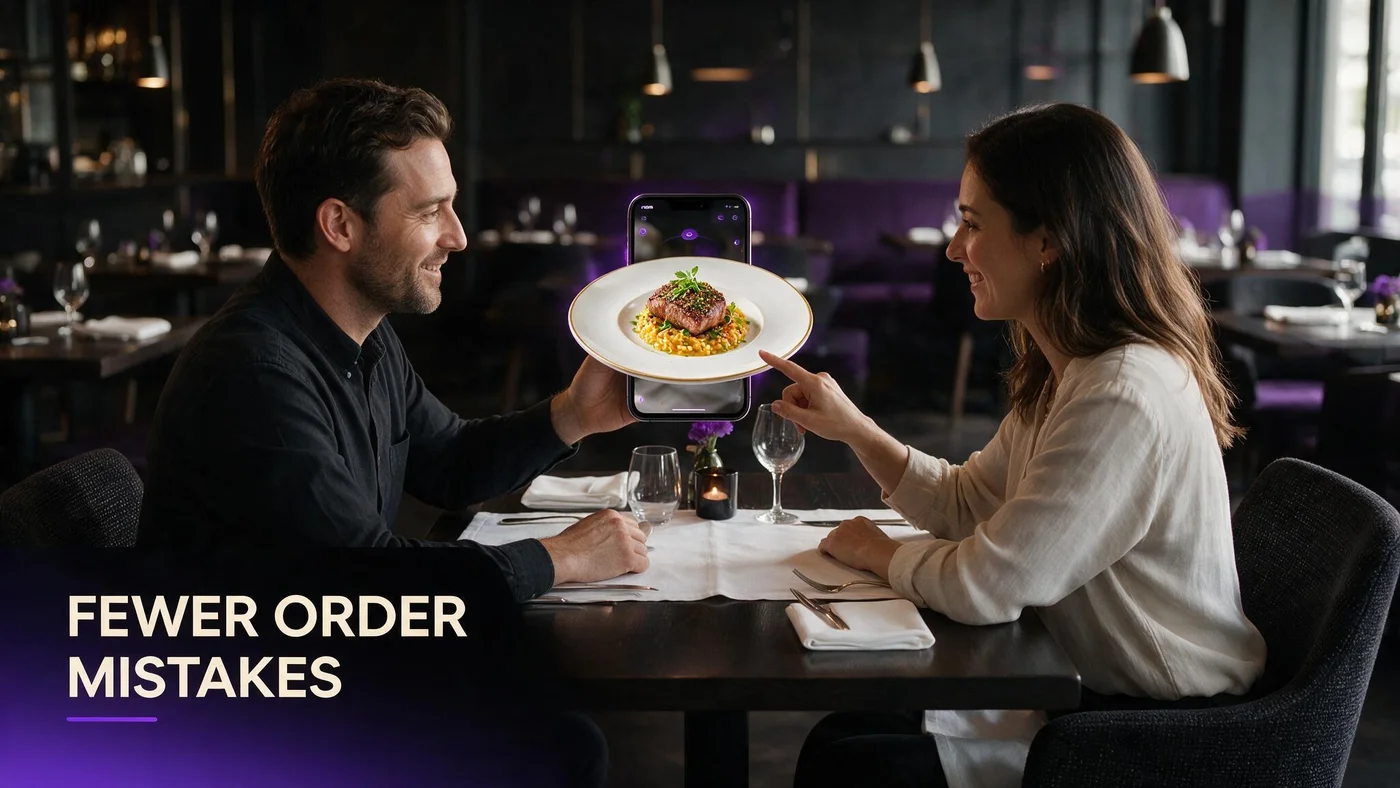
A 3D dish preview reduces order mistakes by letting guests see the actual plate before they commit, instead of guessing from a short menu description. When they can rotate and zoom a dish, fewer people order the wrong thing or get surprised by what arrives.
This is not a promise that mistakes disappear completely. It is a practical way to close the gap between a menu description and the real plate, using tools you already have: a phone, a QR code, and BeforeTable's WebAR menu. See our definition of AR menus at beforetable.com/blog/what-is-an-ar-restaurant-menu for the full guest-facing flow this builds on.
Wrong-dish orders from unclear descriptions
Menu text alone leaves room to guess
A short description like grilled chicken with seasonal vegetables can mean very different things depending on the kitchen. Guests fill in the blanks with their own assumptions, and sometimes those assumptions are wrong.
Seeing the dish first closes the gap
When a guest can rotate a 3D preview before ordering, they see the actual cut, the actual sauce, and the actual plating. That removes a lot of the guesswork that leads to a dish going back untouched.
Portion-size surprises that lead to sent-back plates
Guests judge size better in 3D than in words
Words like generous or hearty mean different things to different people. A 3D preview lets a guest compare the dish to their own appetite before they order, not after the plate lands.
Fewer plates come back when expectations match
Owners who add 3D preview to their biggest or smallest portions often notice fewer complaints tied to size specifically, since the guest already saw roughly what to expect.
Allergy and ingredient confusion at the table
Rotating a dish reveals what is actually in it
Spinning a bowl can show a sauce, garnish, or ingredient a guest was not expecting from the text alone, prompting them to ask before ordering instead of after the first bite.
3D preview supports, it does not replace, asking staff
A visual preview is a helpful first check, not a substitute for a real conversation about allergies. Staff should still confirm anything serious out loud, every time.
Fewer clarifying questions during a busy rush
During a packed dinner service, every extra question at a table slows down the whole section. Owners report fewer clarifying questions about size, ingredients, or plating once guests can preview a dish themselves before the server even arrives.
That is not a guarantee every table stays silent. It just means the preview answers some of the basic questions on its own, so the questions staff do get tend to be more specific and faster to answer.
A short staff script for repeat questions
What to say when a guest hesitates
Try this: you can tap the picture to see it spin in 3D, that shows you the portion and the plating. It takes ten seconds and often answers the question before you have to explain it yourself.
When to still walk over and explain
If a guest has a real allergy concern or a specific substitution request, skip the preview line and answer directly. The 3D menu handles curiosity, not safety conversations.
What owners report after adding 3D preview
We are careful here: BeforeTable does not publish invented percentages or fabricated return-on-investment numbers, and you should be skeptical of any menu tool that does. What owners tell us, in plain terms, is fewer clarifying questions on hero dishes and fewer confused looks when a plate arrives.
Some also mention that new servers ramp up faster, since the menu itself now answers a chunk of the questions a guest used to ask a person instead.
Where this fits with your existing POS
BeforeTable does not replace a full hardware POS system like Toast. It sits alongside whatever you already use to fire tickets and run payments, adding a visual layer guests see before and while they order.
Think of it as reducing the number of confused questions that reach your POS in the first place, not as a system you rip out and replace with something new.
Picking your first three dishes to preview
Start with your most-questioned items
Ask your servers which two or three dishes get the most repeat questions about size, spice, or ingredients. Those are your best candidates for the first 3D previews, not necessarily your best sellers.
Add the rest once the pattern holds
If the first three dishes clearly cut down on questions for a couple of weeks, expand from there. You do not need your whole menu in 3D to see the benefit on your busiest items.
Start Free and preview your first three dishes
Create a BeforeTable account, upload photos of the three dishes your staff gets asked about most, and let guests preview them in 3D at $0 on the Free plan. See our full 3D preview overview at beforetable.com/blog/interactive-3d-dish-preview-menu.
When you are ready to cover more of the menu, Starter is $20 a month for 15 AR dishes. Full plan details are at beforetable.com/blog/beforetable-pricing-explained. Start with the dishes causing the most confusion tonight.
Frequently Asked Questions
Does a 3D menu preview actually reduce order mistakes?
It helps guests see the real dish before ordering, which owners report leads to fewer clarifying questions and fewer surprised reactions when the plate arrives.
Can a 3D preview stop every wrong order?
No. It reduces guesswork from unclear descriptions, but it does not replace clear menu writing or attentive service.
How does 3D preview help with portion size complaints?
Guests can judge size for themselves by rotating the dish, instead of relying on words like generous, which closes a common gap between expectation and reality.
Does BeforeTable use fake statistics about order accuracy?
No. We avoid invented percentages. Owners describe fewer clarifying questions in plain terms, not fabricated return-on-investment numbers.
Can a 3D preview help with allergy questions?
It can surface an ingredient a guest was not expecting, prompting them to ask sooner. It should never replace a direct conversation about serious allergies.
What should staff say when a guest is unsure about a dish?
A short line works well: tap the picture to see it spin in 3D, that shows the portion and plating in a few seconds.
Does 3D preview slow down busy service?
No, it typically speeds things up by answering basic questions before the server arrives, leaving fewer repeat explanations during a rush.
Which dishes should I preview first to reduce mistakes?
Start with the two or three dishes your staff gets the most questions about, not necessarily your top sellers.
Does BeforeTable replace my POS system?
No. BeforeTable adds a visual menu layer alongside your existing POS, including hardware systems like Toast, rather than replacing it.
How much does it cost to add 3D preview to my menu?
Free is $0 for 3 AR dishes. Starter is $20 a month for 15 dishes with priority processing.
Do guests need an app to see the 3D preview?
No. The preview opens in Safari or Chrome from a QR scan or link, with no app download required.
Can new servers use 3D preview to learn the menu faster?
Many owners say new hires ramp up faster because the menu itself answers some questions guests used to only ask a person.
Does a 3D preview replace a written menu description?
No. It works alongside your existing description and pricing, adding a visual layer rather than removing the text.
Will a 3D preview fix every sent-back plate?
No single tool prevents every mistake. It closes a real gap between menu words and the actual plate, which can reduce some of these issues.
How do I know if 3D preview is working for my restaurant?
Watch for fewer repeat questions on the dishes you previewed and fewer plates coming back for size or ingredient reasons over a couple of weeks.
Should staff still explain allergies even with a 3D preview?
Yes, always. The preview supports curiosity about a dish. It never replaces a direct, verbal allergy conversation.
Where can I read more about 3D dish previews?
See beforetable.com/blog/interactive-3d-dish-preview-menu for a full look at how the preview works for guests.