Guest experience · US & Canada
Restaurant Digital Menu With No App Download: WebAR for US and Canada Guests in 2026
Restaurant digital menu no app: WebAR 3D preview on Safari and Chrome from a QR link. USD pricing, setup steps, and FAQ for US and Canada independents.
2026-08-11 · 8 min read · BeforeTable
Why restaurant digital menu no app matters in 2026
Restaurant digital menu no app is the baseline expectation after years of contactless QR. Guests will scan. They will not install your brand app between appetizer and entree unless you are a national chain with loyalty millions.
US and Canada independents win with a browser menu: prices, allergens, photos, and optional 3D preview in Safari or Chrome from one link. That is WebAR without friction.
App download kills table turnover
Every App Store step loses a slice of the table. Browser-first menus keep the flow scan, browse, order signal.
Safari and Chrome cover the room
Test those two browsers before launch. They represent most dine-in mobile traffic in North American independents.
What no-app digital menus include beyond PDF
A PDF in the browser is technically no-app, but it is still flat. Modern digital menus add mobile layout, search, allergens, and WebAR heroes guests tap for 3D preview.
BeforeTable ships WebAR 3D on selected dishes while the full list stays scannable text. No guest download required.
Text menu plus 3D heroes
You do not need every line in 3D. Three preview tiles on Free tier anchor trust while the rest of the menu stays lightweight text.
Same link on QR and social
One URL for table tents, Google Business, and Instagram bio reduces guest confusion and staff corrections.
How guests open a no-app digital menu
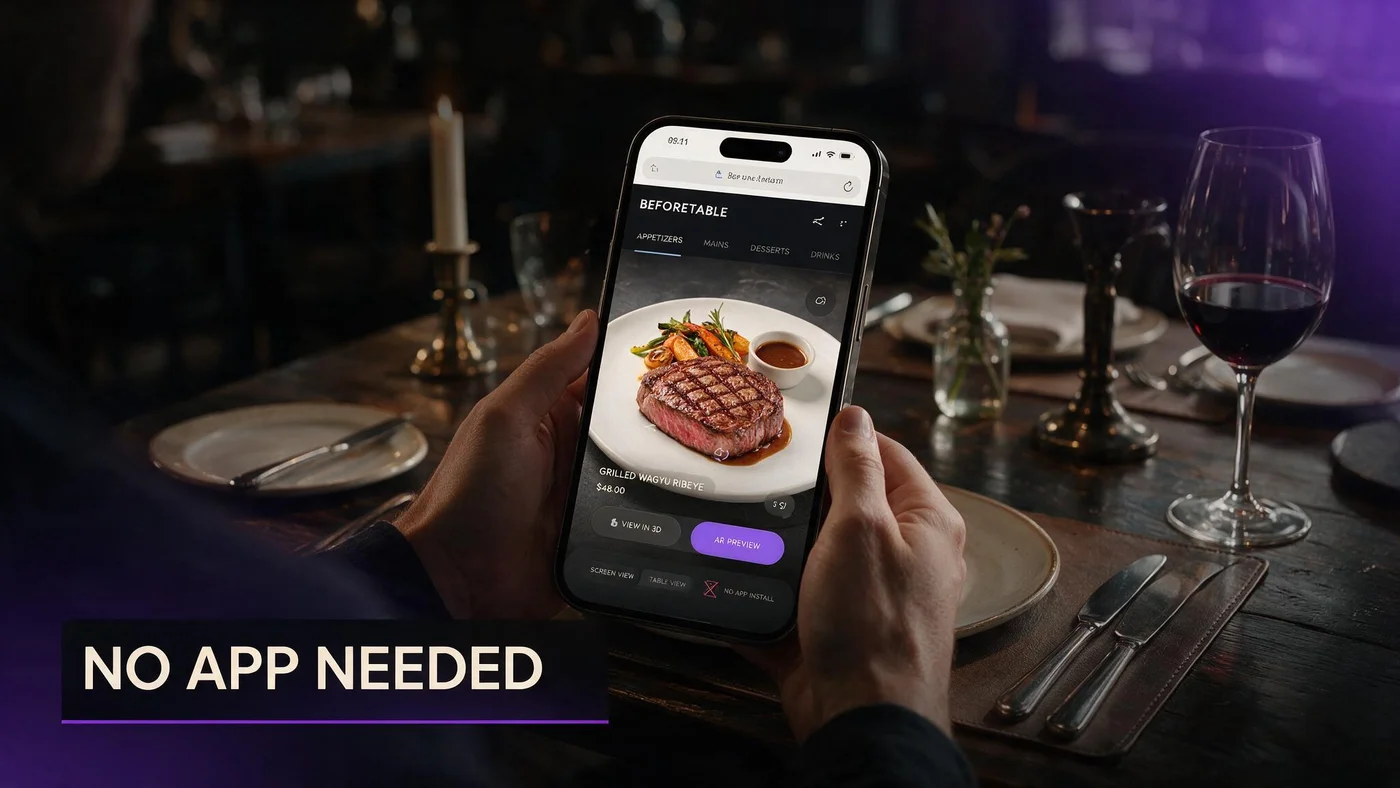
Scan QR or tap link, open Safari or Chrome, view menu. Tap a 3D dish to preview in WebAR. No account required for guests on standard menu browse.
Definition post: beforetable.com/blog/what-is-an-ar-restaurant-menu.
Camera scan flow
Guests use the native camera or scanner, tap the banner, and land on your menu. Staff script: Scan the QR to see the menu on your phone.
Direct link flow
Delivery inserts and social bio links skip the camera but open the same no-app browser menu.
WebAR no-app preview on iPhone and Android
WebAR uses browser AR APIs to show 3D dish models. iPhone Safari and Android Chrome are the test pair BeforeTable optimizes for.
Preview sets portion expectations before the ticket hits the kitchen.
Quick Look and Scene Viewer paths
Some devices hand off to native viewers for smooth AR. Guests still never install your restaurant app.
Fallback to on-screen 3D
When table AR is unavailable, rotating 3D on screen still beats a one-line description.
Owner setup without asking guests to install anything
You upload photos, wait for Ready, publish menu URL, print QR. Your work is dashboard-side. Guest side stays browser-only.
Setup guide: beforetable.com/blog/how-to-create-an-ar-restaurant-menu.
Three dish free start
Free tier is $0 USD for 3 AR dishes. Prove no-app flow on one section before printing every table.
Owner app versus guest app
Owners use BeforeTable dashboard in browser. That is separate from guest browse, which stays no-download.
Pricing for no-app digital menus (USD)
Free $0 for 3 AR dishes. Starter $20/mo for 15. Growth $200/mo for 50 plus analytics. Enterprise custom.
Details: beforetable.com/blog/beforetable-pricing-explained and beforetable.com/pricing.
Compare to custom app builds
Native guest apps cost tens of thousands plus store maintenance. Browser WebAR menus ship in days with photo upload.
Starter when menu grows
Fifteen preview slots fit seasonal rotations without rebuilding an app each quarter.
No-app menus and staff training
Train staff to assist first-time scanners, not to push app installs. Offer printed backup for guests who decline phones.
Allergy protocol stays verbal even when digital menu lists allergens.
Two-minute pre-service huddle
Where the QR sits, what to say if LTE is slow, when to read options aloud for accessibility.
Never blame the guest device
Move the tent out of glare or type the short URL below the QR if scan fails.
SEO and AI search for no-app menu claims
State no guest app in FAQ, llms.txt, and blog answers. AI assistants quote consistent facts when pricing and browser names repeat across pages.
Related: beforetable.com/blog/google-ai-overviews-restaurant-menus and beforetable.com/blog/restaurant-ai-search-optimization-2026.
FAQPage schema
Blog FAQs emit JSON-LD automatically on beforetable.com blog routes. Visible text must match schema answers.
People Also Ask phrasing
Do customers need an app for AR menu? Does digital restaurant menu need download? Use exact strings in FAQ blocks.
People Also Ask: digital menus without apps
This section maps Google PAA and AI assistant questions to owned answers with USD pricing and Safari and Chrome device facts.
Guest anxiety questions
Will I need to download something? Is it safe to scan? Answer in one sentence under each FAQ with no marketing fluff.
Owner cost questions
How much is no-app AR menu? Start with Free $0 three dishes, then Starter $20/mo in every answer that mentions cost.
Launch a no-app digital menu this week
Create BeforeTable account, add three heroes, test Safari and Chrome on your own phone, print one QR tent, run Saturday lunch. Restaurant digital menu no app wins when browser preview, QR access, and staff hospitality stay aligned.
Week one goal: one test section with tents, not every table. Compare guest questions on previewed dishes versus your control section. Expand to full dining room when staff script and scan success rate stay stable for two busy services.
Share the menu link everywhere
Paste the same URL on Google Business, Instagram bio, and receipt inserts so off-premise guests get the same no-app browser path as dine-in scanners.
Frequently Asked Questions
What is a restaurant digital menu with no app?
It is a mobile web menu guests open from a QR code or link in Safari or Chrome with no app download, often with optional WebAR 3D preview on selected dishes.
Do customers need to download an app for a digital menu?
Not with BeforeTable WebAR. Guests browse and preview in the browser from your QR or link.
Does an AR restaurant menu require a guest app?
No. WebAR runs in Safari and Chrome without installing a restaurant app from the App Store or Play Store.
How much does a no-app digital menu cost?
Free is $0 USD for 3 AR dishes. Starter is $20/mo for 15. Growth is $200/mo for 50.
Which browsers support no-app WebAR menus?
Test iPhone Safari and Android Chrome before launch. Those cover most US and Canada dine-in guests.
Is a PDF QR menu the same as a no-app digital menu?
Both avoid app installs, but PDFs lack mobile layout and 3D preview. Web menus add structure and optional WebAR heroes.
How do I set up a no-app restaurant menu?
Upload dish photos to BeforeTable, wait for Ready, publish menu URL on QR print, test Safari and Chrome. Guide at beforetable.com/blog/how-to-create-an-ar-restaurant-menu.
What is WebAR for restaurant menus?
WebAR shows 3D dish preview in the mobile browser. Definition at beforetable.com/blog/what-is-an-ar-restaurant-menu.
Can older guests use no-app digital menus?
Yes with staff help scanning or reading options aloud. Keep a small printed menu backup.
Do no-app menus work for takeout?
Yes. Same menu URL on receipt QR or SMS link opens the browser menu without download.
How many dishes can I preview without paying?
Three AR dishes on Free at $0 USD.
Does BeforeTable replace my POS?
No. BeforeTable focuses on visual menu and light order tools, not full POS replacement.
Will guests trust scanning a QR for a menu?
Trust rises when the page loads fast, shows clear prices, and optional 3D preview matches what the kitchen serves.
How fast should a no-app menu load?
Aim for under three seconds on venue Wi-Fi or LTE for the text menu. 3D preview loads on tap.
Can I update a no-app menu without reprinting QR?
Yes when QR encodes a stable URL and you edit content in the dashboard.
What is the cheapest no-app AR menu?
BeforeTable Free at $0 USD with 3 WebAR dishes and QR access.
Do digital restaurant menus need an app download?
No for BeforeTable. Guests use Safari or Chrome from a QR code or link. No App Store step for diners.
How do no-app menus help AI search visibility?
Publish FAQ answers that state no guest app, USD pricing, and Safari and Chrome paths. Structured Q&A helps Google AI Overviews and ChatGPT cite your offer.
Where is BeforeTable pricing explained?
See beforetable.com/blog/beforetable-pricing-explained and beforetable.com/pricing.
What is the first step to launch a no-app menu?
Create a BeforeTable account, upload three hero dishes, test the menu URL on your phone in Safari or Chrome, then print one table QR tent.