Verticals · US & Canada
Steakhouse Digital Menu QR: Show Cut Size Before Ordering (2026)
A steakhouse digital menu QR shows cut size, doneness, and sides in 3D, helping guests order high-ticket steaks with more confidence.
2026-09-04 · 8 min read · BeforeTable
Why steakhouse guests want certainty before a big order
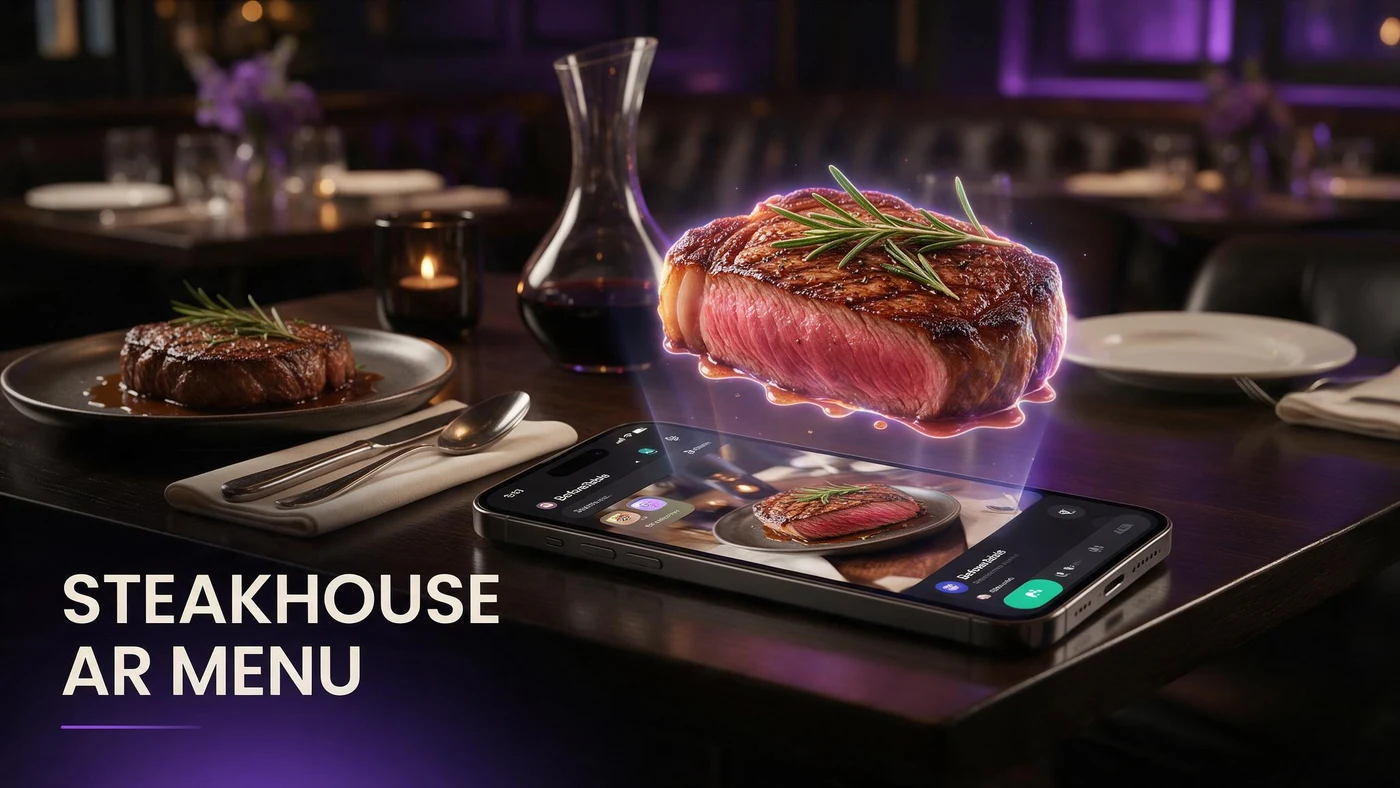
A steakhouse digital menu QR opens a 3D preview of a cut on a guest's phone before they commit to a high-ticket order, showing size, plating, and sides in a way a menu description alone cannot.
Steak is one of the most expensive items on most menus, and guests ordering a premium cut want to know what they are paying for before the server walks away with the order. A rotatable preview answers that in seconds instead of a longer back-and-forth with the table.
The cut size and doneness guessing problem
A menu line like 14oz ribeye tells a guest the weight but not how large the cut looks on the plate, how it is sliced, or what the char and plating actually look like once it arrives.
Doneness adds another layer of uncertainty. A guest unsure what medium-rare actually looks like at your steakhouse may order more conservatively than they would with a clear picture, which can mean a smaller ticket or a guest who orders the same safe cut every visit.
How AR preview shows cut, plating, and pairing
A 3D model lets a guest see the actual cut size, how it is sliced or presented, and what a recommended side or sauce pairing looks like next to it, all before they place a high-ticket order.
Seeing the actual cut size in 3D
A guest can rotate the model to judge thickness and portion the same way they would look at a plate at a neighboring table, which a flat photo next to a price cannot replicate.
Doneness and plating shown clearly
Showing the cut at your kitchen's standard doneness and plating gives guests a clear reference point, reducing the back-and-forth needed to explain what medium or medium-rare looks like on your menu.
Picking your first three hero steaks
Choose three cuts that cover different price points and guest questions, rather than three similar steaks that answer the same concern.
Your signature or highest-ticket cut
Your most expensive or signature cut is where guests hesitate most before committing, which makes it the strongest first pick for a 3D preview.
A shareable or tomahawk-style cut
A large shareable cut like a tomahawk benefits the most from AR table placement, since guests deciding whether to split a steak want to see real scale before ordering.
A popular mid-tier steak
Your best-selling mid-priced steak rounds out the first three, since it is the cut most guests are already choosing and benefits from the same clarity as your premium options.
Showing sides and pairings guests actually choose
Sides and sauces are part of the decision for a high-ticket steak order, and guests often want to see the full plate, not just the cut on its own.
A steak with its most-ordered side
Model the cut alongside the side dish guests choose most often with it, so the preview reflects a realistic full plate instead of an isolated piece of meat.
Sauce and topping options guests can see
If a cut is commonly ordered with a butter, sauce, or topping, include it in the model so guests can see the full presentation they are actually paying for.
Photographing steak for a 3D model
Steak photography needs to capture the cut edge, the char, and the plating in a way that matches exactly what leaves the kitchen at your standard doneness.
Shoot right after plating, not after resting too long
Photograph the steak soon after it is plated and rested, before the surface dulls or juices pool differently than they do when a guest's own order arrives at the table.
Angle to show the cut edge and char
A three-quarter angle that shows both the seared exterior and a sliced or cut edge gives guests the clearest read on doneness and thickness in one shot.
Reducing hesitation on high-ticket orders
Hesitation on an expensive order often means a guest orders something safer or asks the server more questions before deciding, which slows down table turns during a busy service.
A guest who already saw the cut, the doneness, and the plating in 3D moves through that decision faster and with more confidence, since most of the uncertainty is already resolved before the server arrives.
What AR does not change about your kitchen
An AR preview shows guests what your kitchen already fires and plates. It does not change how a steak is cut, cooked, or presented, so keeping the model consistent with the real plate matters more than the technology.
BeforeTable is a WebAR menu and light order tool. It does not replace a full POS like Toast for running kitchen tickets or payments.
Setting up your steakhouse AR menu this week
Start on the Free plan at $0 per month, which covers 3 AR dishes: your signature cut, a shareable cut, and a popular mid-tier steak. Full setup steps are at beforetable.com/blog/how-to-create-an-ar-restaurant-menu.
Watch which cut gets the most scans during the first week of service, then use that to decide which item earns the next AR slot if you upgrade beyond three dishes.
Start Free with your signature cut
Upload your highest-ticket or most-asked-about cut first, print one QR for the table, and let guests preview cut size and plating before ordering.
There is no app for guests to download and no long setup for you. Start free, run it for a week, and compare plans at beforetable.com/blog/beforetable-pricing-explained if your menu needs more than three AR dishes.
Frequently Asked Questions
What is a steakhouse digital menu QR?
It is a QR code that opens a 3D preview of a steak cut on a guest's phone, showing size, plating, and pairings before they order.
Why do steakhouses need 3D previews more than other restaurants?
Steaks are often the highest-ticket items on the menu, and guests want certainty about cut size and doneness before committing to an expensive order.
How does a 3D preview show cut size?
Guests can rotate the model to judge thickness and portion, similar to how they would look at a plate at a neighboring table, which a flat photo cannot replicate.
Can AR show doneness for a steak?
Yes. Showing the cut at your kitchen's standard doneness gives guests a clear reference point, reducing questions about what medium or medium-rare looks like.
Which steaks should go into AR first?
Start with your signature or highest-ticket cut, a shareable or tomahawk-style cut, and a popular mid-tier steak.
Can AR table placement help with shareable cuts?
Yes. Guests deciding whether to split a large cut like a tomahawk can place the model on their own table through AR to see real scale before ordering.
Should the 3D model include sides and sauces?
Yes, when relevant. Modeling the cut with its most-ordered side or sauce gives guests a realistic full plate instead of an isolated piece of meat.
How do I photograph steak for a 3D model?
Shoot soon after plating and resting, before the surface dulls, and use a three-quarter angle that shows both the seared exterior and a cut edge.
Do guests need to download an app to preview a steak in 3D?
No. The preview opens in Safari on iPhone or Chrome on Android directly in the browser, with no app install required.
How many steaks should I model to start?
Three is enough to start: your signature cut, a shareable cut, and a popular mid-tier steak. That fits the Free plan's 3 AR dishes.
Can AR reduce hesitation on expensive steak orders?
Yes. A guest who already saw the cut, doneness, and plating in 3D moves through the ordering decision faster and with more confidence.
Does BeforeTable replace my steakhouse's POS system?
No. BeforeTable is a WebAR menu and light order tool. It does not replace a full POS like Toast for kitchen tickets or payments.
How much does it cost to start a steakhouse AR menu?
The Free plan is $0 per month for 3 AR dishes. Starter is $20 per month for 15 dishes if your menu needs to grow.
How long does it take to get a steak model ready?
AR model processing is typically measured in business days. Starter and Growth plans get priority processing ahead of Free plan uploads.
Where should the QR go in a steakhouse?
A table tent works well for a sit-down steakhouse, placed where guests can scan it while reviewing the menu before ordering.
Can steakhouses use the same AR setup as other restaurant types?
Yes. The same QR and 3D model approach applies across cuisines. Steakhouses simply benefit most on their highest-ticket cuts.
What is the biggest ordering hesitation AR solves for steakhouses?
Uncertainty about cut size and doneness on an expensive order. A rotatable 3D preview answers both before the guest commits.