Verticals · US & Canada
Sushi AR Menu for Restaurants: Free QR Setup (2026)
Sushi names can confuse new guests. See how a 3D AR preview shows roll size, ingredients, and plating so guests order with more confidence.
2026-08-30 · 8 min read · BeforeTable
Why sushi menus benefit from a 3D preview
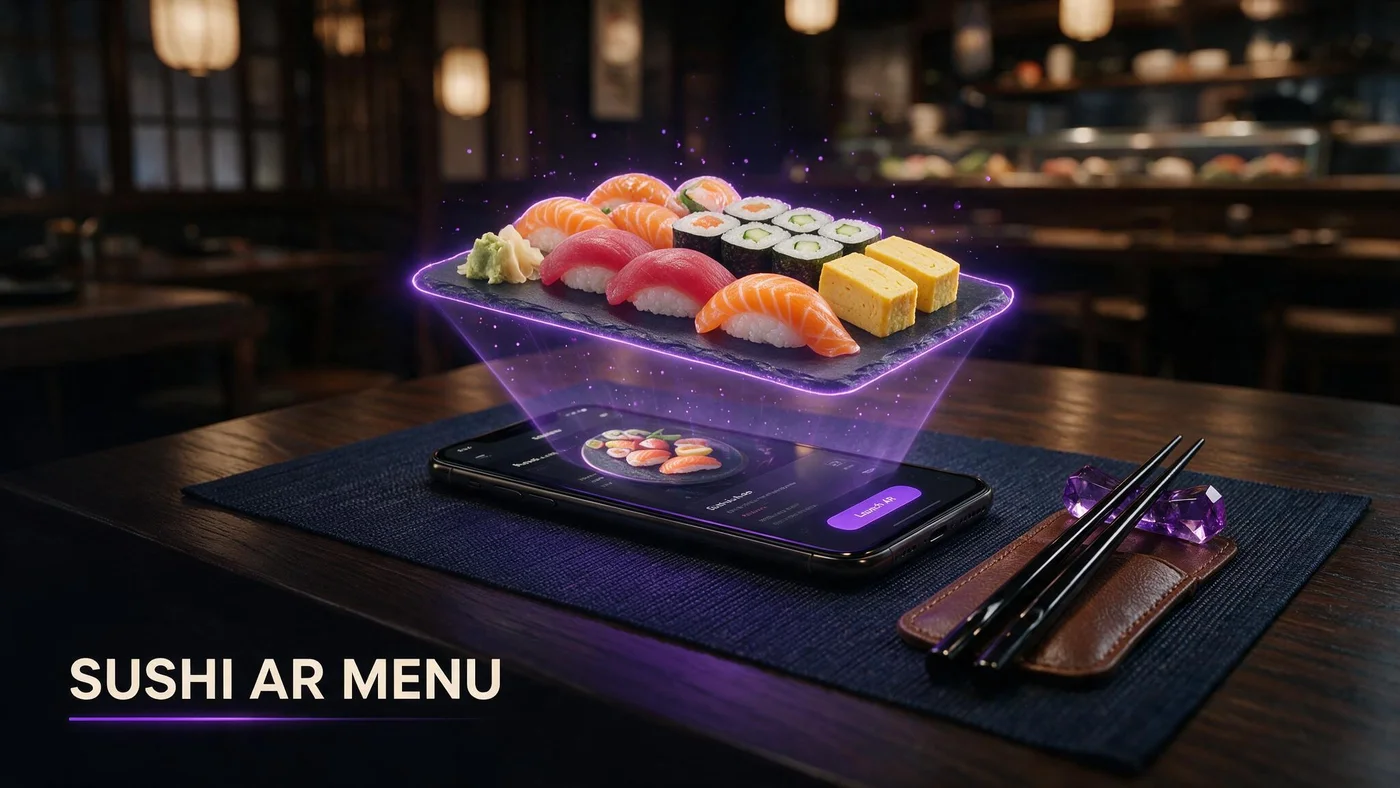
A sushi AR menu lets guests see a roll or platter rotate in 3D on their phone before they order, so they know the size, the visible ingredients, and how it is plated, not just a name they may not recognize. For sushi specifically, that solves a problem plain text menus create: guests who cannot picture a dish from its name alone.
Many sushi menus lean on Japanese-derived names that regular guests know by heart but new guests do not. A photo helps a little. A 3D preview they can rotate helps more, especially for rolls with ingredients hidden inside.
The naming problem sushi menus have
Names like uramaki, temaki, or a house special roll named after the chef tell a new guest almost nothing about what is inside or how big it is. Guests either ask the server to explain every unfamiliar name or default to a roll they already know, like a California roll, even when they might prefer something else.
Text descriptions only go so far
A line like spicy tuna, cucumber, avocado tells you ingredients but not portion size, roll count, or how the pieces are cut and stacked on the plate.
Photos help, 3D helps more
A flat photo shows one angle. A rotating 3D model shows the roll from the side, so guests can judge how many pieces they are actually getting.
Picking your first three hero rolls
You do not need your whole sushi menu in AR to start. Three items that cover your menu's range work better than three similar rolls.
A signature or specialty roll
Pick the roll with the most unfamiliar name or the most visually striking presentation, since that is where guests hesitate the most without a preview.
A sashimi platter
A sashimi platter shows portion size and cut style clearly in 3D, which matters for guests unsure how much fish they are ordering for the price.
A combo or set
Combo sets are often the biggest source of size confusion. A 3D preview answers is this enough for two people before the guest has to ask.
Photographing sushi for AR
Sushi has its own photography challenges: glossy rice, small visible ingredients, and a soy sauce dish that throws glare if it sits in frame. A clean shot avoids all three.
Keep the soy sauce dish out of frame
A small dish of soy sauce or a shiny plate glaze can create glare that confuses the model. Shoot the roll on its own plate without reflective extras nearby.
Angle to show the top and the cut edge
A slight three-quarter angle shows both the topping on each piece and the cross-section of what is rolled inside, which is exactly what a hesitant guest wants to see. More detail on angles is at beforetable.com/blog/dish-photography-angles-for-ar-menus.
Even lighting keeps rice looking fresh
Harsh direct light makes glossy rice look wet or overexposed. Soft, even lighting keeps the rice looking freshly made instead of shiny or blown out.
Reducing mis-ordering for unfamiliar guests
Mis-ordering usually comes from guessing, not carelessness. A guest who orders the wrong roll because they misread the name, or gets a smaller portion than expected, is less likely to order dessert or come back soon.
Fewer sent-back plates
When a guest sees the actual roll before ordering, there are fewer moments of that is not what I expected once the plate arrives.
More confident first-time orders
New guests who can preview a roll are more willing to try something beyond a California roll, since they already know roughly what they are getting.
Setting up the QR at a sushi counter or table
A table tent works for dining room seating, while a small counter card works better at a sushi bar where guests sit closer to the chef. Either way, keep the code visible and easy to scan one-handed while holding chopsticks in the other.
Learn more about pairing QR placement with 3D models at beforetable.com/blog/qr-code-menu-with-3d-models, which covers table and counter setups in more detail.
What AR does not change about your kitchen
An AR preview does not change how your rolls are made or plated. It shows guests what your kitchen is already producing, so consistency between the model and the actual plate matters more than the technology itself.
BeforeTable is a WebAR menu and light order tool. It does not replace a full POS like Toast for running your kitchen ticket system or payments.
Launching your sushi AR menu this week
Start on the Free plan at $0 per month, which covers 3 AR dishes, enough for your signature roll, a sashimi platter, and a combo set. Full setup steps are at beforetable.com/blog/how-to-create-an-ar-restaurant-menu.
Give it one full week of service, watch which roll gets the most scans, and use that to decide which dish earns the next AR slot if you upgrade. If your restaurant also serves other cuisines, the same playbook applies elsewhere, like the pizzeria setup at beforetable.com/blog/pizza-interactive-3d-menu-qr.
Start Free with your signature roll
Upload your most photogenic or most unfamiliar-named roll first, print one QR for the counter or table, and let guests preview it before they order.
There is no app for guests to download and no long setup for you. Start free, watch the first week, and grow from there. Compare plans at beforetable.com/blog/beforetable-pricing-explained if your menu needs more than three AR dishes.
Frequently Asked Questions
What is a sushi AR menu?
It is a 3D preview of a roll or platter that guests view on their phone before ordering, showing size, visible ingredients, and plating without an app download.
Why do sushi menus need 3D previews more than other cuisines?
Many sushi menu names come from Japanese terms that new guests do not recognize. A 3D preview shows what is actually inside and how it looks, which a name alone cannot.
Which sushi items should go into AR first?
Start with a signature or specialty roll, a sashimi platter, and a combo set, since those three cover the range of questions guests usually have.
How do I photograph sushi without glare?
Keep the soy sauce dish and any glossy extras out of frame, and use soft, even lighting so the rice does not look overexposed or wet.
Does a 3D sushi preview reduce sent-back plates?
It can. Guests who see the actual roll before ordering are less likely to be surprised by size or ingredients once the plate arrives.
Can new sushi guests use AR to try something beyond a California roll?
Yes. A preview gives unfamiliar guests a reference point, which makes them more willing to order a specialty roll instead of defaulting to something they already know.
Where should the QR go at a sushi counter?
A small counter card works well at a sushi bar, while a table tent works for dining room seating. Keep it visible and easy to scan with one hand.
Do guests need to download an app to preview sushi in 3D?
No. The preview opens in Safari on iPhone or Chrome on Android directly in the browser, with no app install required.
How many rolls should I put in AR to start?
Three is enough for a first test: one signature roll, one sashimi platter, and one combo set. The Free plan covers exactly 3 AR dishes.
What if my roll has ingredients rolled inside that a flat photo cannot show?
A 3D model that guests can rotate shows more of the cross-section and shape than a single flat photo angle, which helps with rolls that hide ingredients inside.
Does BeforeTable replace my sushi restaurant's POS system?
No. BeforeTable is a WebAR menu and light order tool. It does not replace a full POS like Toast for kitchen tickets or payments.
How much does it cost to start a sushi AR menu?
The Free plan is $0 per month for 3 AR dishes. Starter is $20 per month for 15 dishes if your menu needs to grow.
How long does it take to get a sushi roll model ready?
AR model processing is typically measured in business days. Starter and Growth plans get priority processing ahead of Free plan uploads.
Can a combo set preview answer is this enough for two people?
Yes. Seeing the actual portion and roll count in 3D helps guests judge whether a combo set fits their group before they order it.
Should I model every roll on my sushi menu?
No. Start with three hero items that cover different questions, then expand only if guests respond well to the first round.
Can sushi restaurants use the same AR setup as other cuisines?
Yes. The same QR and 3D model approach works across cuisines. See beforetable.com/blog/pizza-interactive-3d-menu-qr for how a pizzeria applies it.
What is the biggest mis-ordering issue AR solves for sushi?
Guests guessing at unfamiliar names and getting a different size or ingredient mix than expected. A preview removes most of that guesswork before the order is placed.