Guest experience · US & Canada
Update Digital Menu Without Reprinting QR (Free, 2026)
Update your digital menu without reprinting QR codes. Live prices in dashboard, same table tent URL, WebAR in Safari and Chrome, and USD plans for US and Canada.
2026-08-20 · 8 min read · BeforeTable
What update digital menu without reprinting means for QR tables
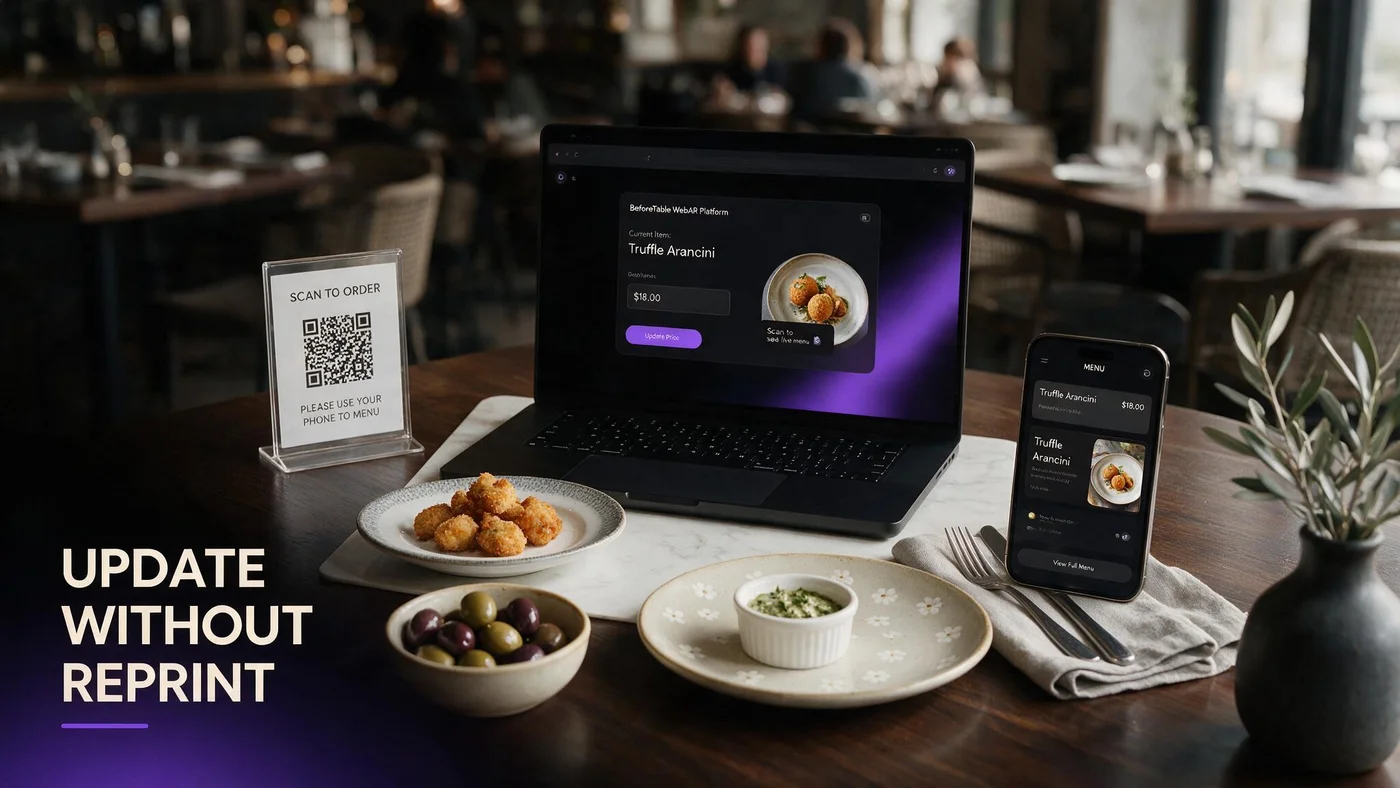
Update digital menu without reprinting means your table QR encodes a stable menu URL. When you change prices, descriptions, or hero dishes in your dashboard, the next guest scan shows fresh data without new print shop runs.
This fails when QR points at a static PDF file, a JPEG menu image, or a drive folder link tied to one exported document version.
BeforeTable menus use one persistent URL for text, prices, allergens, and optional WebAR heroes. Baseline vocabulary: beforetable.com/blog/what-is-an-ar-restaurant-menu.
URL menu versus file menu
A URL menu is a live web page. A file menu is a snapshot that goes stale the moment you change a price in the kitchen spreadsheet.
Same tent, new content
Laminated QR artwork from last season still works when the encoded link resolves to your current dashboard publish.
Why US and Canada restaurants reprint QR menus too often
Many operators exported PDF menus during the first QR rush and linked tents directly to those files. Every price tick required re-export, re-upload, and often new print proofs.
Seasonal specials and supply cost swings in 2026 make monthly reprint cycles expensive for independents running tight margins.
Switching the QR target to a live menu URL breaks that loop while keeping hygiene benefits of contactless browse.
Hidden labor in PDF workflows
Staff time re-exporting files and coordinating print proofs often exceeds a modest Starter subscription at $20/mo.
Guest trust erodes on stale PDFs
When the scanned price differs from the check, guests blame the restaurant, not the outdated file.
How stable QR URLs enable live menu updates
Generate one menu URL and QR from BeforeTable. Encode that link on tents, window clings, receipt inserts, and Google Business.
Edits in dashboard propagate to every surface pointing at the URL. Hero dish swaps for WebAR follow the same publish flow without new QR art.
QR setup with optional 3D: beforetable.com/blog/qr-code-menu-with-3d-models.
Short link fallback stays valid
Typed backup URLs under the code also resolve to the live menu after you edit prices.
Social and dine-in parity
Instagram bio and table tent share one link so discovery prices match seated browse.
BeforeTable pricing for live menu updates (USD)
Free is $0 USD for 3 AR dishes plus full text menu with live price edits on a stable URL. Starter is $20/mo for 15 dishes. Growth is $200/mo for 50 dishes plus analytics.
Enterprise is custom for multi-location groups needing centralized menu governance across regions.
Plan breakdown: beforetable.com/blog/beforetable-pricing-explained.
Free still includes live text edits
Price changes do not require paid tier. Free covers three WebAR heroes and unlimited text line edits on the same QR.
Growth for multi-location sync
Groups comparing locations benefit from dashboards when many rooms share one menu operations playbook.
Step-by-step: switch PDF QR to live menu without reprint
Create BeforeTable account, rebuild menu items with current prices, upload up to three hero photos if you want WebAR, wait for Ready, generate QR.
Confirm the new QR URL matches what you will encode. Update existing tent artwork files to point at the live URL instead of the PDF path. Reprint only if the encoded link changes, not for every future price edit.
Replace PDF guide: beforetable.com/blog/pdf-qr-menu-vs-ar-menu.
One reprint cycle to fix the link
If old tents still point at PDF, print once with the live URL, then enjoy edit freedom afterward.
Keep PDF internal if required
Some auditors want a printable archive. Guest-facing QR should still land on the live menu.
What you can update without touching QR print
Prices, item names, descriptions, allergen notes, category order, out-of-stock hides, and which three heroes carry WebAR badges on Free.
Seasonal LTO rotations swap in dashboard when you retire a hero upload and publish a replacement on the same menu URL.
Free tier context: beforetable.com/blog/free-ar-menu-for-restaurants.
86 items in real time
Hide a sold-out special before the next scan instead of scribbling chalkboards alone.
Swap WebAR heroes nightly
Replace dessert preview when pastry case changes without reprinting tents.
WebAR hero updates on the same QR scan
Guests still scan the same code after you upload a new hero model. Safari and Chrome fetch the latest badge assignment on next menu load.
Plan one business day for Ready processing when you submit new hero photos. Communicate to staff when preview tiles change so they can mention the new signature.
Guest preview path: beforetable.com/blog/how-guests-scan-food-in-ar.
Browser cache rare edge case
Ask guests to pull-to-refresh if they scanned before you published a major rebrand mid-service.
Kitchen must match new hero
When you swap preview dishes, expo plating should match the new model before you promote it on Instagram.
Staff workflow when prices change mid-week
Owner or manager edits prices in dashboard before lunch or dinner service. Pre-shift huddle notes any major moves so servers are not surprised at the table.
Guests scanning after publish see new numbers immediately. No tent swap, no sticker over old prices on laminate cards.
Staff training on digital menus: beforetable.com/blog/how-to-create-an-ar-restaurant-menu.
Sync POS verbally until integrated
If POS updates separately, align both systems the same morning to avoid check disputes.
Paper backup date stamp optional
Some rooms keep a dated paper special insert for older guests while QR stays primary.
When you still need to reprint QR collateral
Reprint when the encoded URL itself changes, branding requires new artwork, or tents are damaged, faded, or missing from tables.
You do not reprint for routine price edits, copy tweaks, or hero rotations when the underlying menu URL stays constant.
WebAR browser notes: beforetable.com/blog/webar-menu-safari-chrome.
Domain or slug changes are rare
Pick your canonical menu URL early and keep it through seasons to avoid one-time reprint events.
Matte laminate extends tent life
Physical wear drives reprint more often than digital menu edits for most independents.
Stop reprinting menus every price change
Move table QR to a live BeforeTable menu URL, edit prices in dashboard, and keep tents on tables through seasons.
Update digital menu without reprinting works when scan, live text, optional WebAR preview, and kitchen output stay aligned.
Start on Free at $0 USD for three WebAR heroes plus unlimited text edits, then upgrade to Starter at $20/mo when you need more preview slots.
Frequently Asked Questions
Can I update a digital menu without reprinting QR codes?
Yes when your QR encodes a stable BeforeTable menu URL and you edit items in the dashboard. The same scan opens fresh prices.
Why do PDF QR menus force reprints?
PDF links point at static files. Price changes require new exports and often new print runs.
How do I switch from PDF to live menu QR?
Build menu in BeforeTable, generate URL, encode on tents once. Compare at beforetable.com/blog/pdf-qr-menu-vs-ar-menu.
Does BeforeTable Free allow price updates without reprint?
Yes. Free is $0 USD for 3 AR dishes plus live text menu edits on one stable URL.
How much does live menu update software cost?
Free is $0 USD. Starter is $20/mo. Growth is $200/mo. Details at beforetable.com/blog/beforetable-pricing-explained.
Can I swap WebAR hero dishes without new QR print?
Yes. Replace hero uploads in dashboard on the same menu URL after Ready processing completes.
Do guests need an app to see updated menus?
No. Safari and Chrome open the live URL after scan. See beforetable.com/blog/do-customers-need-app-ar-menu.
Will guests see price changes immediately?
Yes after dashboard publish. Rare browser cache cases resolve with refresh.
Can I update menus in Canada without reprinting?
Yes. US and Canada restaurants use the same USD plans and stable URL workflow.
What should QR encode instead of a PDF?
Your BeforeTable menu URL with live text and optional WebAR heroes.
How do I hide an 86 item without reprint?
Mark sold out or hide the item in dashboard. Next scan omits it from guest view.
Do I reprint when I upgrade from Free to Starter?
No. Plan upgrade adds hero slots on the same menu URL and QR.
How do seasonal specials update on the same QR?
Edit categories and hero uploads in dashboard when LTO menus rotate.
What is the first step to stop menu reprints?
Create a BeforeTable account, publish menu at a stable URL, and point table QR at that link instead of a PDF.
Can Google Business use the same live menu URL?
Yes. Reuse the link on Google, social, and tents for one price story.
How does WebAR work after menu updates?
Same scan opens updated text and hero badges in Safari or Chrome. Path at beforetable.com/blog/webar-menu-safari-chrome.
When must I reprint QR tents?
When the encoded URL changes, artwork rebrands, or physical tents are damaged or missing.
Can multiple locations share update workflow?
Growth and Enterprise tiers support multi-location menu governance. Most independents start on Free or Starter at one site.
How long until new hero models go live?
Plan one business day for Ready processing after you upload new hero photos.
Where is setup guide for live menu QR?
beforetable.com/blog/how-to-create-an-ar-restaurant-menu.