Verticals · US & Canada
Vegan Restaurant 3D Menu: Show What Guests Are Ordering (2026)
A vegan restaurant 3D menu shows portion size and plant-based ingredients clearly, helping first-time vegan diners order with confidence.
2026-09-03 · 8 min read · BeforeTable
Why a vegan restaurant 3D menu helps first-time diners
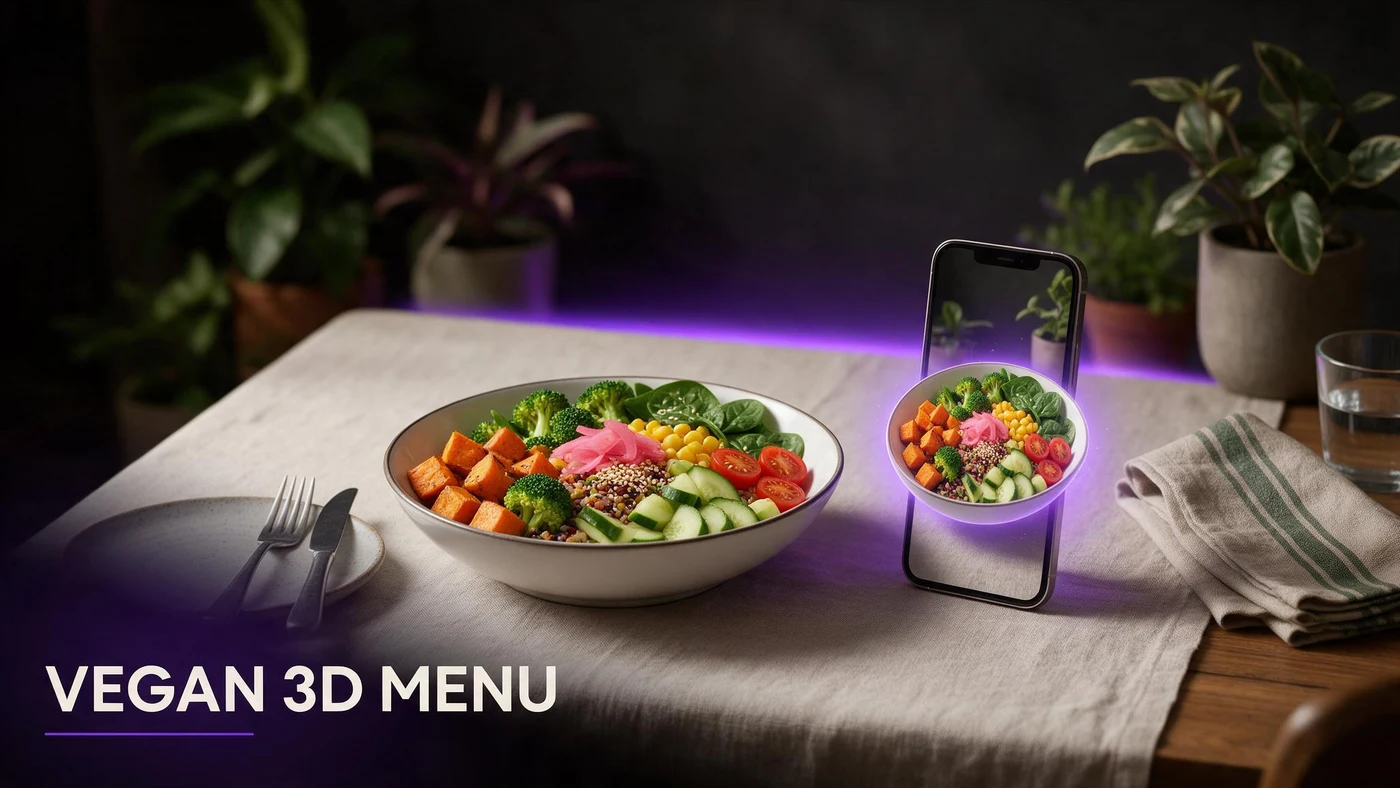
A vegan restaurant 3D menu lets a guest rotate a dish on their phone before ordering, so they can see the actual portion, the ingredients on top, and how the plate is put together, instead of guessing from a name they may not recognize.
Plant-based menus carry more unfamiliar territory than most cuisines for a large share of guests, since many diners have never ordered jackfruit, tempeh, or a cashew-based sauce before. A 3D preview gives them a reference point a text description alone cannot provide.
The unfamiliar ingredient problem vegan menus face
A menu line like braised jackfruit, smoked cashew cream, charred greens tells a curious guest almost nothing about what the dish actually looks or tastes like if they have never eaten any of those ingredients before.
Regular vegan guests already know their favorites and order with confidence. First-time or curious diners, including guests who are not vegan but want to try a plant-based option, hesitate the most, and hesitation often means they default to something safer or skip your restaurant entirely.
Building confidence for first-time plant-based diners
Confidence is the real barrier for a lot of plant-based ordering, not price or taste preference. A guest who is unsure what a dish looks like is less likely to order it, even if it is exactly the kind of food they would enjoy.
Guests who are not vegan yet
Many guests trying a vegan restaurant for the first time are not vegan themselves. A 3D preview lowers the barrier for someone who is curious but unsure what to expect from an unfamiliar cuisine.
Portion size worries on unfamiliar dishes
A common hesitation is whether a plant-based dish will actually be filling. Seeing the real portion in 3D answers that question before the guest commits to the order.
Showing portion size clearly in 3D
Portion size questions come up constantly on vegan menus, especially for guests used to protein-heavy meals who wonder if a plant-based plate will leave them satisfied.
AR table placement shows real scale
On supported phones, guests can place the dish model on their own table through the camera, seeing the actual size relative to their table instead of guessing from a photo's frame.
Comparing a vegan bowl to a familiar plate
A rotatable model lets a guest compare a bowl or plate they have never ordered to a familiar dish they already know the size of, closing the gap between the two.
Picking your first three hero vegan dishes
Choose three dishes that cover different guest hesitations rather than three dishes that look similar on the plate.
Your most unfamiliar-sounding dish
Pick the dish with the ingredient names guests are least likely to recognize, since that is where a preview removes the most guesswork before ordering.
A hearty entree that reads filling
Include one substantial entree that visibly reads as a full meal, directly answering the is this enough food question that holds a lot of first-time diners back.
A dessert or snack that surprises people
A plant-based dessert or snack that looks indistinguishable from a traditional version is a strong third pick, since it often surprises guests who assume vegan desserts look or taste different.
Photographing plant-based dishes for AR
Plant-based dishes often rely on color, texture, and layering to look appetizing, since they do not always have the visual cues guests associate with meat-based plates.
Bright, natural color without over-editing
Keep colors true to the actual ingredients. Over-editing a photo to look more vibrant than the real dish creates a mismatch once the guest sees the plate in person.
Show texture and layers, not just color
A side or three-quarter angle that shows layers, like a grain bowl's stacked ingredients, gives guests more information than a flat top-down shot that flattens everything into one color block.
Reducing hesitation at order time
Menu hesitation slows down service and often ends with a guest ordering the same safe dish every visit instead of trying something new on your menu.
A 3D preview a guest can rotate before deciding gives them the confidence to try a dish they would have skipped based on the name alone, which helps your less-ordered items get a fair chance.
What AR does not change about your kitchen
An AR preview shows guests what your kitchen already makes. It does not change your recipes or plating, so keeping the model consistent with the real dish matters more than the technology behind it.
BeforeTable is a WebAR menu and light order tool. It does not replace a full POS like Toast for running kitchen tickets or payments.
Setting up your vegan restaurant AR menu this week
Start on the Free plan at $0 per month, which covers 3 AR dishes: your most unfamiliar item, a hearty entree, and a dessert or snack. Full setup steps are at beforetable.com/blog/how-to-create-an-ar-restaurant-menu.
Watch which dish gets the most scans during the first week of service, then use that to decide what earns the next AR slot if you upgrade beyond three dishes.
Start Free with your most unfamiliar dish
Upload the dish with the ingredient names guests recognize least first, print one QR for the table, and let guests preview it before they order.
There is no app for guests to download and no long setup for you. Start free, run it for a week, and compare plans at beforetable.com/blog/beforetable-pricing-explained if your menu needs more than three AR dishes.
Frequently Asked Questions
What is a vegan restaurant 3D menu?
It is a 3D preview of a plant-based dish that guests view on their phone before ordering, showing portion size and ingredients without an app download.
Why do vegan menus need 3D previews more than other cuisines?
Many plant-based ingredients and preparations are unfamiliar to guests who have not ordered them before. A 3D preview shows what is actually on the plate, which a name alone cannot.
Can a 3D preview help guests who are not vegan yet?
Yes. Curious first-time diners often hesitate because they do not know what to expect. A preview lowers that barrier before they commit to an order.
How does AR answer the is this enough food question?
Guests can rotate the model or place it on their own table through AR, seeing the real portion size instead of guessing from a flat photo.
Which vegan dishes should go into AR first?
Start with your most unfamiliar-sounding dish, a hearty entree that reads as filling, and a dessert or snack that surprises people.
How do I photograph plant-based dishes without making colors look fake?
Keep colors true to the real ingredients. Over-editing a photo to look more vibrant than the actual dish creates a mismatch once the plate arrives.
Does a 3D preview show texture, not just color?
A side or three-quarter angle captures layers and texture, giving guests more information than a flat top-down shot that flattens everything into one color.
Do guests need to download an app to preview a vegan dish in 3D?
No. The preview opens in Safari on iPhone or Chrome on Android directly in the browser, with no app install required.
How many vegan dishes should I put in AR to start?
Three is enough to start: one unfamiliar dish, one hearty entree, and one dessert or snack. That fits the Free plan's 3 AR dishes.
Can AR help less-ordered vegan dishes get tried more often?
Yes. Guests who can preview a dish before ordering are more willing to try something unfamiliar instead of defaulting to the same safe choice every visit.
Does BeforeTable replace my vegan restaurant's POS system?
No. BeforeTable is a WebAR menu and light order tool. It does not replace a full POS like Toast for kitchen tickets or payments.
How much does it cost to start a vegan restaurant AR menu?
The Free plan is $0 per month for 3 AR dishes. Starter is $20 per month for 15 dishes if your menu needs to grow.
How long does it take to get a vegan dish model ready?
AR model processing is typically measured in business days. Starter and Growth plans get priority processing ahead of Free plan uploads.
Can AR table placement show real portion size for a vegan bowl?
Yes. On supported phones, guests can place the model on their own table through the camera, seeing the dish at real scale next to what is already there.
Should I model every vegan dish on my menu?
No. Start with three hero items that cover different hesitations, then expand only if guests respond well to the first round.
Can vegan restaurants use the same AR setup as other restaurant types?
Yes. The same QR and 3D model approach applies across cuisines, whether the menu is fully plant-based or has a mix of options.
What is the biggest hesitation AR solves for vegan menus?
Uncertainty about unfamiliar ingredients and portion size. A rotatable 3D preview answers both before the guest places the order.