Technical guide · US & Canada
WebAR Menu on Safari and Chrome: iPhone and Android Guide for Restaurants in 2026
WebAR menu Safari Chrome guide for restaurants: test iPhone and Android paths, QR flow, 3D preview, and BeforeTable USD pricing with no guest app download.
2026-08-12 · 8 min read · BeforeTable
Why Safari and Chrome matter for WebAR menus
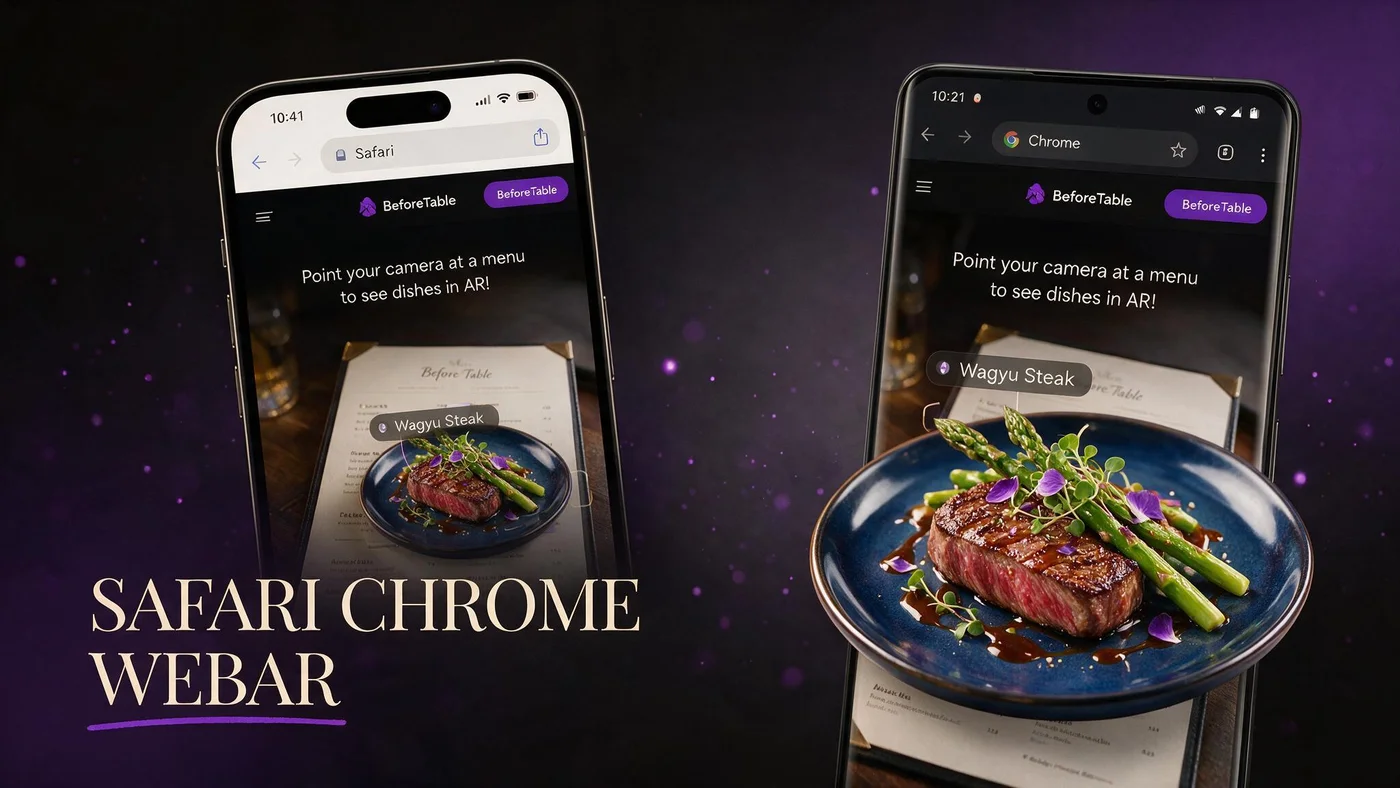
WebAR menu Safari Chrome is the practical test pair for US and Canada restaurants. Most dine-in guests arrive on iPhone Safari or Android Chrome after scanning a table QR code.
BeforeTable optimizes the same menu URL for both browsers so one QR print covers the room.
Other browsers exist: Samsung Internet, Firefox, in-app browsers from Instagram or Facebook. Those can work but are not your launch priority. Safari and Chrome are where you prove reliability first, then expand support if data shows demand.
Market share shifts slowly in mobile browsers. Betting on Safari plus Chrome in 2026 still covers roughly eighty-five percent of typical independent dining rooms in North America.
One URL, two browsers
Do not maintain separate links for iPhone and Android unless you run a custom engineering team.
No guest app on either platform
WebAR keeps guests in the browser from scan to preview. See beforetable.com/blog/do-customers-need-app-ar-menu.
iPhone Safari WebAR menu path
Guest scans QR, taps Open in Safari, browses menu, taps 3D dish, preview loads, optional AR placement through camera.
Test from iOS versions your guests actually carry. Recent iOS Safari builds handle WebXR and Quick Look handoffs best.
On iPhone, the camera app reads QR codes natively. The guest taps the banner notification and lands in Safari automatically. That is two taps from hungry to browsing: scan notification, then dish tile.
If Quick Look opens for USDZ models, the guest sees a native Apple viewer overlay. They still never installed your restaurant app. Return to Safari happens with one back gesture.
Camera permissions
Table AR may prompt for camera access. On-screen 3D rotation still works if guest declines camera.
Private browsing
Safari private mode can limit storage. Recommend normal browsing for menu preview sessions.
Android Chrome WebAR menu path
Guest scans QR, opens Chrome, same menu layout and 3D tiles as iPhone when BeforeTable serves both from one URL.
Scene Viewer handoffs may appear on supported devices for smoother AR.
Android QR scanning varies by manufacturer. Google Pixel and Samsung Galaxy camera apps handle codes well. Some budget phones need the guest to open Chrome first and use the built-in QR scanner in the address bar.
Staff should know both paths: scan with camera, or open Chrome and scan from the search bar. Same destination URL either way.
Device fragmentation
Test one mid-range Android common in your zip code, not only flagship demo phones.
Chrome updates
Keep Chrome default browser assumption in staff script. Samsung Internet users can switch to Chrome if preview fails.
Pre-launch test checklist for owners
Before Friday service: scan printed QR from seated height on one iPhone Safari and one Android Chrome, open three 3D heroes, confirm prices match POS.
Log failures: glare on QR, slow LTE, dish stuck on loading.
Run the checklist twice: once at lunch light, once at dinner peak when guest Wi-Fi is congested. Browser menus fail in production conditions, not in empty dining rooms at ten AM.
Assign one manager as browser tester each week when you add new 3D dishes. Five minutes prevents a full service of guests seeing loading spinners on your hero burger.
Same Wi-Fi as guests
Test on venue guest Wi-Fi if you offer it. Some guests never join staff VLAN.
Screenshot failures for support
Email [email protected] with device model and browser version if preview fails consistently.
QR and link entry on both browsers
Camera scan is primary. Direct link from Instagram or Google Business opens the same WebAR menu without QR.
QR deep dive: beforetable.com/blog/qr-code-menu-with-3d-models.
Short URL under QR
Print human-readable beforetable.com path under code for manual entry when scan fails.
Performance tips for Safari and Chrome
Hero 3D loads on tap to keep first paint fast. Compress marketing images on non-AR lines.
Avoid autoplay video on menu landing that competes with WebAR bandwidth on LTE.
Safari on iPhone aggressively caches pages. After you update a dish price in the dashboard, hard refresh during staff testing or wait for cache TTL. Guests rarely notice; your pre-service price check should account for it.
Chrome on Android benefits from the same tap-to-load pattern. Loading all 3D models on menu open will crush mid-range phones. Lazy load heroes only when the guest shows intent by tapping.
Three hero dishes first
Free tier three AR slots keep preview payload manageable on both browsers.
Growth analytics
Growth plan scan counts help compare Safari vs Chrome sessions if you run multi-location tests.
Staff script for Safari and Chrome guests
Scan the QR with your camera, tap the link, use Safari or Chrome if asked. Tap any dish with 3D to preview. No app download.
Post script at POS and host stand for consistent messaging.
Role-play the script in pre-shift meeting once. Servers who stumble on no app needed create guest doubt. Confident delivery takes fifteen seconds and prevents ten minutes of table-side tech support.
When a guest says my phone will not scan, offer to read the short URL printed under the QR or open the link on a house tablet if your health code allows shared devices.
Switch browser if stuck
If preview fails in embedded browsers from Instagram, open the same URL in Safari or Chrome directly.
Pricing for WebAR on Safari and Chrome (USD)
Free $0 for 3 AR dishes. Starter $20/mo for 15. Growth $200/mo for 50.
beforetable.com/blog/beforetable-pricing-explained.
People Also Ask: WebAR Safari and Chrome
Common queries include does WebAR work on Safari, AR menu Chrome Android, and WebAR iPhone restaurant. FAQs below answer with BeforeTable paths and USD pricing.
Link definition post
beforetable.com/blog/what-is-an-ar-restaurant-menu for shared vocabulary across browsers.
Launch WebAR on Safari and Chrome this week
Create BeforeTable account, upload three heroes, print QR, test iPhone Safari and Android Chrome before peak service. WebAR menu Safari Chrome success is one URL, two browsers, honest kitchen output matching preview.
Frequently Asked Questions
What is a WebAR menu on Safari and Chrome?
It is a restaurant menu that serves 3D dish preview in iPhone Safari and Android Chrome from a QR or link without a guest app download.
Does WebAR work on iPhone Safari?
Yes. BeforeTable WebAR menus target Safari on iPhone for dine-in QR workflows in the US and Canada.
Does WebAR work on Android Chrome?
Yes. Test Android Chrome at your tables before launch. Same menu URL as iPhone.
Do guests need an app for WebAR menu?
No. Safari and Chrome browser sessions only. See beforetable.com/blog/do-customers-need-app-ar-menu.
One QR for Safari and Chrome?
Yes. One BeforeTable menu URL works for both browsers from the same printed QR code.
How do I test WebAR before opening?
Scan your tent QR on one iPhone Safari and one Android Chrome from seated height. Open each 3D hero dish.
Why is my WebAR menu slow on Safari?
Check venue LTE or Wi-Fi, reduce autoplay media on landing page, and load 3D only on dish tap.
Why is WebAR menu slow on Chrome?
Same fixes as Safari: network, tap-to-load 3D, test mid-range Android devices.
Does WebAR need camera permission?
Table AR may ask for camera. On-screen 3D rotation often works without camera for basic preview.
Safari private mode and WebAR?
Private browsing can limit features. Ask guests to use normal Safari tab for menu preview when possible.
Instagram browser vs Safari for WebAR?
Open menu in Safari or Chrome if in-app browser preview fails. Same URL.
How much does WebAR menu cost?
Free $0 for 3 dishes, Starter $20/mo for 15, Growth $200/mo for 50 USD.
How do I create WebAR menu for Safari and Chrome?
Upload dishes to BeforeTable, wait Ready, publish QR link. beforetable.com/blog/how-to-create-an-ar-restaurant-menu.
What is WebAR vs native app AR?
WebAR runs in browser. Native app AR requires guest install. BeforeTable is WebAR-first.
AR menu Chrome Android restaurant?
Yes. BeforeTable serves Android Chrome from the same QR menu URL as iPhone Safari.
WebAR iPhone restaurant menu?
Yes. BeforeTable targets iPhone Safari for table QR 3D preview without app download.
Which dishes to put in WebAR first?
Three visual heroes on Free tier. High margin or high question items first.
Does BeforeTable replace POS?
No. Visual menu plus light order tools, not full POS hardware replacement.
Where is WebAR menu pricing explained?
beforetable.com/pricing and beforetable.com/blog/beforetable-pricing-explained.
First step for Safari Chrome WebAR menu?
Start Free at beforetable.com, upload three dishes, test both browsers, print one QR tent.