Guest experience · US & Canada
WebAR vs App AR for Restaurants: Free, No App (2026)
WebAR vs app AR for restaurants in 2026: compare guest friction, Safari and Chrome preview, USD pricing, and why US and Canada independents skip custom apps.
2026-08-19 · 10 min read · BeforeTable
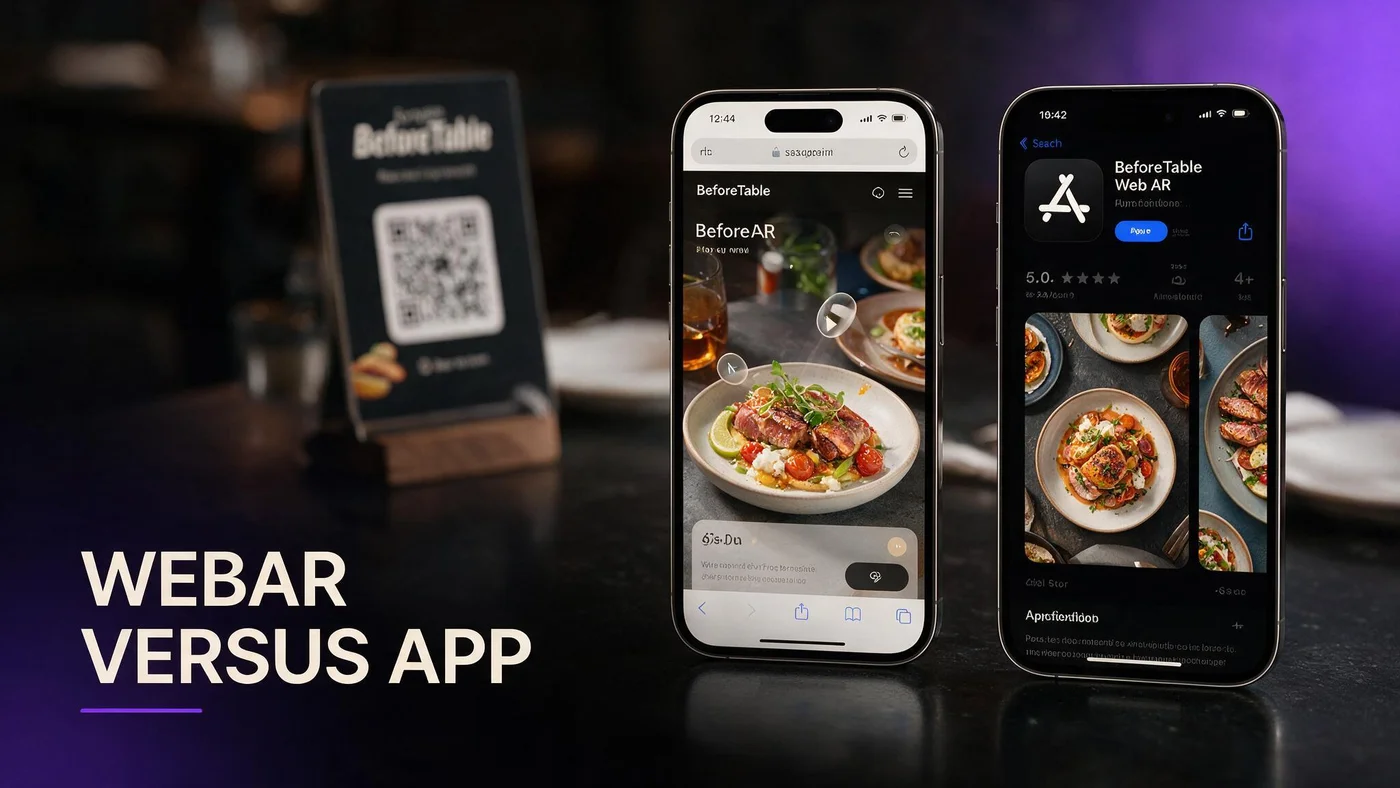
What WebAR vs app AR restaurant means at the table in 2026
WebAR vs app AR restaurant is the choice between previewing dishes inside the mobile browser after a QR scan versus asking guests to install a branded app from the App Store or Google Play before they can browse or see 3D food.
For US and Canada independents, WebAR means Safari or Chrome opens your menu URL, guests tap hero tiles with a 3D badge, and preview loads without a download wall. App AR means your IT budget builds or licenses a guest app, pushes updates through store review, and trains staff to explain install steps during peak service.
BeforeTable ships WebAR on selected hero dishes while keeping the full menu readable as text. Plain vocabulary for staff cards lives at beforetable.com/blog/what-is-an-ar-restaurant-menu.
Browser path wins scan completion
Guests who already opened the camera to scan a QR code resist a second friction step. WebAR keeps them in the same browser session from scan to order confidence.
App AR suits chains with loyalty budgets
Multi-location groups that already maintain a guest app may embed AR inside it. Single-location independents rarely justify that build for menu preview alone.
Why US and Canada owners compare WebAR and app AR now
Labor pressure and portion questions pushed thousands of restaurants toward digital menus during the last five years. Many landed on PDF links or generic menu apps that guests never reopen after the first visit.
Owners now search WebAR vs app AR restaurant because they want honest dish preview without franchise IT overhead or a six-month app development quote before they prove scan rate on one dining room.
Canadian and US independents share the same guest expectation in 2026: live prices, optional 3D preview on signatures, and no App Store step between QR and browse.
Proof before capital expense
Run WebAR on three hero dishes for two peak services before you fund a custom app. Count preview taps and server questions about portion size.
Seasonal rotation without store updates
Swap hero uploads in dashboard when specials rotate. WebAR menus update instantly without waiting for app store review cycles.
Guest friction: WebAR scan path versus app install funnel
WebAR guest path: scan table QR, tap browser banner, scroll text menu, tap dish with 3D badge, preview portion on screen, close viewer, order with server. Total first-time flow often stays under two minutes with a tight staff script.
App AR guest path: scan QR or search store, read install prompts, wait for download, create account or skip login, find menu section, then maybe reach AR preview. Each extra step drops completion rate at understaffed tables.
No-app answer for guests who ask: beforetable.com/blog/do-customers-need-app-ar-menu.
Groups share one scan on WebAR
One guest scans and others open the same menu URL from the banner or typed short link below the code. App flows often tie preview to one logged-in device.
Walk-ins hate account walls
First-time visitors want tonight's specials, not another password. WebAR menus keep browse open without registration on hero preview tiles.
How WebAR runs on iPhone Safari and Android Chrome
WebAR on a restaurant menu loads 3D dish assets when a guest taps a hero tile. iPhone Safari and Android Chrome cover most dine-in phone traffic in the US and Canada.
Initial page load stays text-first. Models fetch on tap, which keeps the menu responsive on weak patio LTE. Guests rotate the dish, check height against the table edge, and return to the menu list to order with staff.
Technical guest path details: beforetable.com/blog/webar-menu-safari-chrome.
Test pair before launch
Scan from seated height on one iPhone and one Android phone your servers carry. Do not rely on a flagship demo unit alone.
Inline spin when table AR is unavailable
Older handsets may still show on-screen 3D rotation without table placement. Honest preview beats hiding the feature when ARCore or camera permissions fail.
Cost comparison: WebAR platforms versus custom app AR
BeforeTable Free is $0 USD for 3 AR dishes plus full text menu. Starter is $20/mo for 15 dishes. Growth is $200/mo for 50 dishes plus analytics. Enterprise is custom for multi-location groups.
Custom app AR typically starts at tens of thousands of dollars for design, development, store submission, and annual maintenance before you publish a single 3D steak preview at table twelve.
Full plan breakdown: beforetable.com/blog/beforetable-pricing-explained.
Three WebAR slots forces good prioritization
Pick highest margin plates, shareables that drive portion questions, or desserts guests photograph. That discipline often beats publishing twenty mediocre previews inside an expensive app shell.
App AR amortizes across loyalty features
If you already pay for order-ahead, rewards, and push promos in one app, AR may fit that bundle. Menu-only AR rarely clears the ROI bar alone.
Operations and staff training: WebAR versus app AR
WebAR staff script is two lines: Scan the QR for our menu. Tap dishes with 3D to preview. I am here when you are ready to order.
App AR staff script adds troubleshooting: which store to open, how to find menu after install, what to do when auto-update blocked the preview module. That load lands on floor managers during Saturday rush.
Setup ladder for WebAR: beforetable.com/blog/how-to-create-an-ar-restaurant-menu.
Never blame the guest phone on scan fail
Move the tent out of glare, wipe matte laminate, or type the short URL printed below the code. App AR adds blame loops about storage space and OS version.
Paper backup stays on both paths
Keep a small paper allergy sheet for guests who decline phones. Verbal confirmation stays part of service even when digital menus list allergens.
When app AR still makes sense for restaurants
App AR fits when you already operate a guest app with daily active users, loyalty points, and push notification opt-in above fifty percent of covers.
Theme parks, stadiums, and mall food courts sometimes mandate app AR because they control the full digital estate and absorb install friction with pre-event marketing.
Independent dining rooms with twenty to eighty seats rarely match that profile. WebAR on a stable menu URL delivers preview without rebuilding mobile product strategy.
Hybrid trap to avoid
Some vendors sell WebAR plus a companion app that adds nothing guests need. Pick one guest path and train staff on that path only.
Franchise playbook differs
Corporate may ship a national app while your location still benefits from table QR to the same WebAR URL for guests who refuse installs.
PDF QR, WebAR, and app AR: three landing page choices
Many US and Canada restaurants still host a PDF behind their QR code. PDFs work for compliance archives but frustrate mobile zoom and go stale when prices change.
WebAR keeps live text prices while adding optional 3D preview on hero dishes. App AR adds install friction on top of whatever menu experience the app wraps.
Comparison framing: beforetable.com/blog/pdf-qr-menu-vs-ar-menu.
Same tent artwork, new URL
Point existing QR print at your BeforeTable menu URL instead of a drive folder link. One reprint cycle upgrades guest experience without an app project.
Keep PDF as internal archive if needed
Some jurisdictions still want a printable allergy packet. Keep that internal. Guest-facing QR should land on the live menu URL instead.
Measuring whether WebAR beats app AR for your room
Track scans per weekend, preview taps on each hero, and server questions about portion size. Qualitative win: guests say the plate matched what they previewed in Safari or Chrome.
If preview taps cluster on a fourth dish you cannot publish on Free, that is a data-backed case for Starter at $20/mo rather than funding app development.
Success is stable scan assist rate and honest kitchen match, not viral social clips alone.
A/B one dining section
Run WebAR menu QR on half the room for two peak services. Count scan assists against your paper or PDF control section.
Social reuse of the same URL
Post the menu link on Instagram before weekend service. Guests arrive already familiar with the 3D badges they will see on table tents.
Launch WebAR at your tables this week
Create a BeforeTable account, upload three heroes, wait for Ready, generate QR, print one test tent, test Safari and Chrome on your next busy lunch.
WebAR vs app AR restaurant is not a abstract tech debate for most independents. It is a practical choice to preview signature dishes in the browser guests already use.
When three heroes are not enough, upgrade to Starter for fifteen slots without changing the QR artwork guests already know.
Frequently Asked Questions
What is WebAR vs app AR for restaurants?
WebAR previews dishes in Safari or Chrome after QR scan with no install. App AR requires a guest app download before preview. Definition at beforetable.com/blog/what-is-an-ar-restaurant-menu.
Do guests need an app for restaurant AR menus?
Not with WebAR on BeforeTable. Preview runs in the mobile browser. Full answer at beforetable.com/blog/do-customers-need-app-ar-menu.
Which browsers support WebAR restaurant menus?
Test iPhone Safari and Android Chrome before launch. Those cover most dine-in guests in the US and Canada.
How much does WebAR cost versus a custom app?
BeforeTable Free is $0 USD for 3 AR dishes. Starter is $20/mo. Growth is $200/mo. Custom app AR often costs tens of thousands upfront.
Is WebAR slower than app AR at the table?
WebAR is usually faster because guests skip install steps. Text menu loads first; 3D fetches only when guests tap hero tiles.
Can I use WebAR without abandoning my QR tents?
Yes. Point existing tent artwork at your BeforeTable menu URL instead of a PDF link. Same print, upgraded landing page.
When should a restaurant choose app AR instead?
When you already run a guest app with loyalty, order-ahead, and daily active use that justifies AR inside that product.
Does WebAR work in Canada?
Yes. US and Canada restaurants use the same USD plans and browser WebAR path on iPhone Safari and Android Chrome.
How do I set up WebAR on my menu?
Upload hero dish photos to BeforeTable, wait for Ready status, generate your menu QR, print a test tent, scan on Safari and Chrome. Guide at beforetable.com/blog/how-to-create-an-ar-restaurant-menu.
What dishes should get WebAR preview first?
Choose high margin signatures, shareables with portion questions, and one strong visual dessert or cocktail with clear color contrast.
Will WebAR slow down service?
No when staff use a two-line script and keep paper backup. Preview is optional on hero tiles only.
How is WebAR different from a PDF QR menu?
PDF opens a flat document that goes stale on price edits. WebAR shows live prices with optional 3D preview on selected dishes in the browser.
Can groups preview the same WebAR dish?
Yes. One scan opens the menu URL anyone can tap to preview hero dishes on their own phone.
What happens if a guest phone cannot run WebAR?
They still browse the full text menu with prices and allergens. AR is optional on hero tiles only.
How many WebAR dishes can I publish on Free?
Three AR dishes at $0 USD on the Free plan. Swap which three are live in the dashboard without changing your menu URL.
Where is BeforeTable pricing explained?
See beforetable.com/blog/beforetable-pricing-explained for Free, Starter, Growth, and Enterprise USD plans.
Is BeforeTable Free a trial or permanent?
Free is a permanent tier at $0 USD for 3 AR dishes, not a time-limited trial that expires.
How long until WebAR dishes are Ready after upload?
Plan one business day for Ready processing after you submit clean photos on the plates you serve.
Can WebAR replace a custom restaurant app?
For menu preview and portion clarity, yes. For loyalty and order-ahead, you may still keep a separate app while table QR points to WebAR.
What is the first step to choose WebAR over app AR?
Create a BeforeTable account, upload three hero dish photos, wait for Ready status, generate your menu QR, and test on iPhone Safari and Android Chrome.