Trends · US & Canada
Restaurant Guest Experience Tech in 2026: What Independents Actually Need
Restaurant guest experience tech in 2026 does not need a buzzword stack. Table QR WebAR previews, real WiFi, and three hero dishes come first.
2026-09-20 · 8 min read · BeforeTable
What restaurant guest experience tech actually means in 2026
Restaurant guest experience tech in 2026 gets sold as a long list of features: kiosks, loyalty apps, table tablets, AI hostesses, and a dozen integrations that promise to modernize a dining room overnight. Most independents do not need most of that list. What guests actually notice is much smaller: can they see what a dish looks like before ordering, is the WiFi fast enough to load a page, and does anything require them to download something first.
The independents getting real results in 2026 are not buying the biggest stack. They are fixing the three or four things guests actually touch at the table and skipping the rest until there is a clear reason to add it.
The buzzword problem happening right now
Vendors selling AI-powered guest experience platforms often bundle features an independent will never use, priced for a chain with a tech budget. The label sounds impressive on a sales call, but a single owner running the floor and the kitchen rarely benefits from a feature they never open.
What guests actually notice at the table
A guest notices a slow WiFi login, a QR code that leads to a blurry photo, or a menu that does not say what a dish looks like. They rarely notice, and never ask about, whatever backend system is running behind the scenes.
Skip the buzzword stack, start with what guests touch
Before buying anything new in 2026, list what a guest physically interacts with during one visit: the door, the host stand, the table, the menu, the check. Guest experience tech should improve one of those touchpoints directly, or it is solving a problem guests are not having.
The three things worth spending on first
A working QR menu with a 3D dish preview, guest WiFi that actually loads a page in a few seconds, and a printed table tent guests notice. Nothing on that list requires a developer or a long contract.
The tech that looks impressive but guests never use
A talking AI host, a loyalty app requiring an account before a first visit, and a tablet bolted to every table all look modern in a demo, then sit mostly unused once the novelty passes in a normal independent dining room.
Table QR plus WebAR dish preview beats an app download
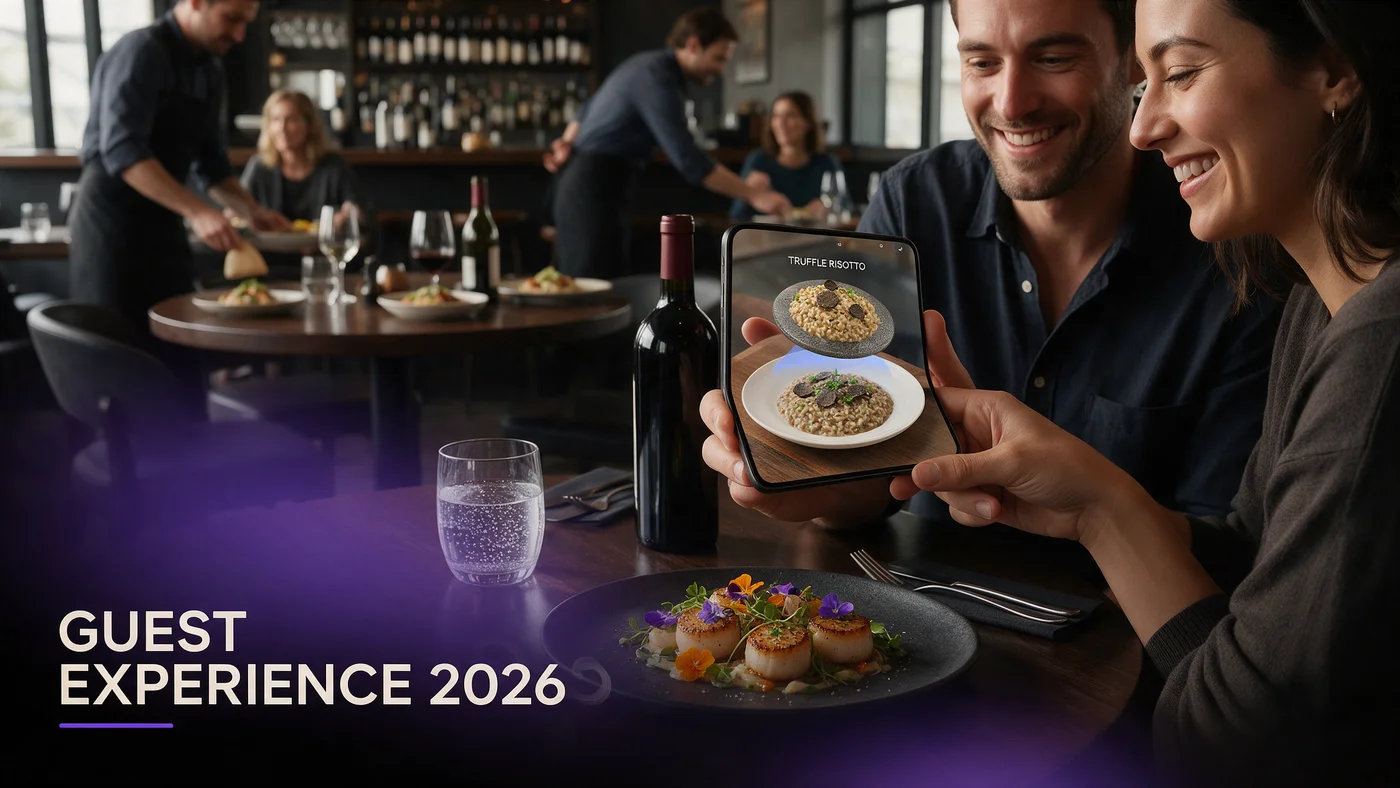
The single highest-impact guest experience upgrade for 2026 is a table QR code that opens a WebAR dish preview directly in the guest's phone browser. No app store, no install, no account. A guest scans, watches a real 3D model of the dish rotate, and decides.
Why an app download loses guests before they even see the menu
Every extra step between a guest sitting down and seeing a dish costs attention. An app store detour, a login screen, or a forced signup loses a meaningful share of guests before they ever see what you are trying to show them.
What a QR scan to WebAR preview actually looks like
A guest taps a QR code, the link opens in Safari or Chrome, and a 3D dish appears within a couple of seconds, ready to rotate with a finger swipe. They close the tab and keep browsing the rest of the menu.
Reliable guest WiFi is the unglamorous foundation
None of the above works well on weak WiFi. A WebAR preview that takes ten seconds to load during a Friday rush undoes the good impression it is supposed to create, and guests notice a slow page faster than they notice a great one.
Why WiFi matters more than any single feature
A restaurant can have the best 3D dish previews in the neighborhood and still lose the moment if the guest's phone sits on a spinning loading icon for ten seconds during a busy Saturday night.
A simple way to test your WiFi honestly
Stand at your worst table, the one farthest from the router, during your busiest hour, and load your own guest-facing page like a first-time visitor would. That test tells you more than any spec sheet from your internet provider.
Print QR codes still beat NFC tags and table tablets for most rooms
NFC tags need a guest who already knows to tap their phone against a sticker, which many still do not. A tablet bolted to a table costs real money per unit and needs maintenance when one inevitably breaks. A printed QR code, laminated once, does the same job at a fraction of the cost and the upkeep.
When NFC or tablets might make sense later
A high-volume, tech-forward concept with the budget for hardware upkeep might add NFC or tablets down the line. Most independents in 2026 do not need to start there, and can add it later if it proves worth the cost.
Choosing your first three hero dishes
Start with three dishes, not the whole menu. Picking the right three matters more than rushing to cover everything at once.
Picking dishes that benefit most from a 3D preview
A tall burger, a shareable platter, or a dish with distinctive plating benefits more from rotation than a simple bowl of soup, where a flat photo already tells most of the story.
A one-table test before a full rollout
Print one QR table tent, place it on a single table for a week, and watch how many guests actually scan it during a normal service before deciding whether to expand across the room.
What not to buy first, an honest list
Most guest experience tech pitches skip this part. Here is what to leave alone until you have proven the basics work.
Skip a full tablet-per-table rollout right away
Tablets add hardware cost, charging logistics, and a repair bill the first time one gets dropped. Prove the concept with QR and phones first, since guests already carry the device you need.
Skip a native app before guests ask for one
Building or buying a native app before guests show real repeat-visit demand for one is a common way independents spend a year of budget on something a small fraction of guests ever open twice.
A realistic 2026 rollout timeline for an independent
Week one: photograph three hero dishes and build the 3D previews. Week two: print and test one QR table tent on a single table. Week three: expand to the rest of the room if the test goes well. Month two: add more dishes only once the first three are getting consistent scans.
What this costs for an independent restaurant
Free starts at $0 for 3 AR dishes, enough to run the one-table test above. Starter is $20 a month for 15 dishes, which covers most independent menus comfortably. Growth is $200 a month for 50 dishes with analytics, useful once you want to compare performance across a larger menu or more than one location. See the full breakdown at beforetable.com/blog/beforetable-pricing-explained.
Start free with your first AR dishes today
Restaurant guest experience tech in 2026 does not require a rebuilt POS, a new app, or a bigger budget than last year. Photograph three hero dishes, print one QR table tent, and test it during a normal service before deciding how far to take it.
Start Free with 3 AR dishes at $0 and see how guests respond before committing to a paid plan. The FAQ below and beforetable.com/blog/how-to-create-an-ar-restaurant-menu cover setup details.
Frequently Asked Questions
What is restaurant guest experience tech in 2026?
It is the mix of tools guests actually interact with at a visit, most usefully a table QR code that opens a 3D dish preview in the phone browser plus reliable guest WiFi.
Do guests need to download an app to see an AR dish preview?
No. The preview opens directly in Safari on iPhone or Chrome on Android, with nothing to install and no account required.
What is the single highest-impact guest experience upgrade for 2026?
A table QR code linked to a WebAR dish preview, since it removes app friction and shows guests exactly what a dish looks like before they order.
How much does slow WiFi actually cost a restaurant?
A slow page load during a busy service undoes the good impression an AR menu is supposed to create, so weak WiFi quietly wastes whatever you spent on the menu itself.
Should I buy table tablets before anything else?
No. Tablets add hardware cost and repair bills. Prove the concept with QR codes and phones first, since guests already carry the device you need.
Is NFC better than QR codes for guest menus?
Not for most independents. NFC needs a guest who already knows to tap a tag, while a printed QR code works with a habit most guests already have.
How many dishes should I start with?
Start with three hero dishes that define your restaurant, then expand once you see how guests respond to the AR preview.
How do I test an AR menu before a full rollout?
Print one QR table tent, place it on a single table for a week, and watch how many guests scan it during a normal service.
What devices does a WebAR dish preview work on?
It works on iPhone in Safari and Android in Chrome, which covers the large majority of guest phones in the US and Canada.
Should I build a native app if guests ask for one?
Wait until guests show real repeat-visit demand for it. Building an app before that point is a common way to spend a year of budget on something few guests reopen.
What is the biggest mistake independents make with guest experience tech?
Buying a full stack of features at once instead of fixing the few things guests actually touch: the QR menu, the WiFi, and the table tent.
How much does this cost for a small restaurant?
Free is $0 for 3 AR dishes, Starter is $20 a month for 15 dishes, and Growth is $200 a month for 50 dishes with analytics.
Does BeforeTable replace my POS system?
No. BeforeTable is a WebAR menu and light order tool, not a replacement for a POS system.
How long does setup take for three hero dishes?
Uploading photos and building a 3D preview for one dish takes a short amount of time, so three hero dishes can be ready quickly.
What is the best way to test guest WiFi honestly?
Stand at your worst table during your busiest hour and load your own guest-facing page like a first-time visitor would.
Do guests need to create an account to see the menu?
No. Guests scan a QR code and the preview opens with nothing to sign up for and nothing to remember for next time.
Does the Growth plan analytics help decide what tech to add next?
Yes. Growth's analytics dashboard shows guest interaction with each dish, which is a better guide for what to add next than a vendor's feature list.
Where can I read more about pricing and setup?
See beforetable.com/blog/beforetable-pricing-explained for pricing details and beforetable.com/blog/how-to-create-an-ar-restaurant-menu for setup steps.