Trends · US & Canada
Spatial Dining on the Phone: WebAR Menus Guests Can Place on the Table
Spatial dining in 2026 means placing a 3D dish on your table through your phone's browser, not a headset. See how table QR WebAR menus work.
2026-09-20 · 8 min read · BeforeTable
What spatial dining actually means, in plain language
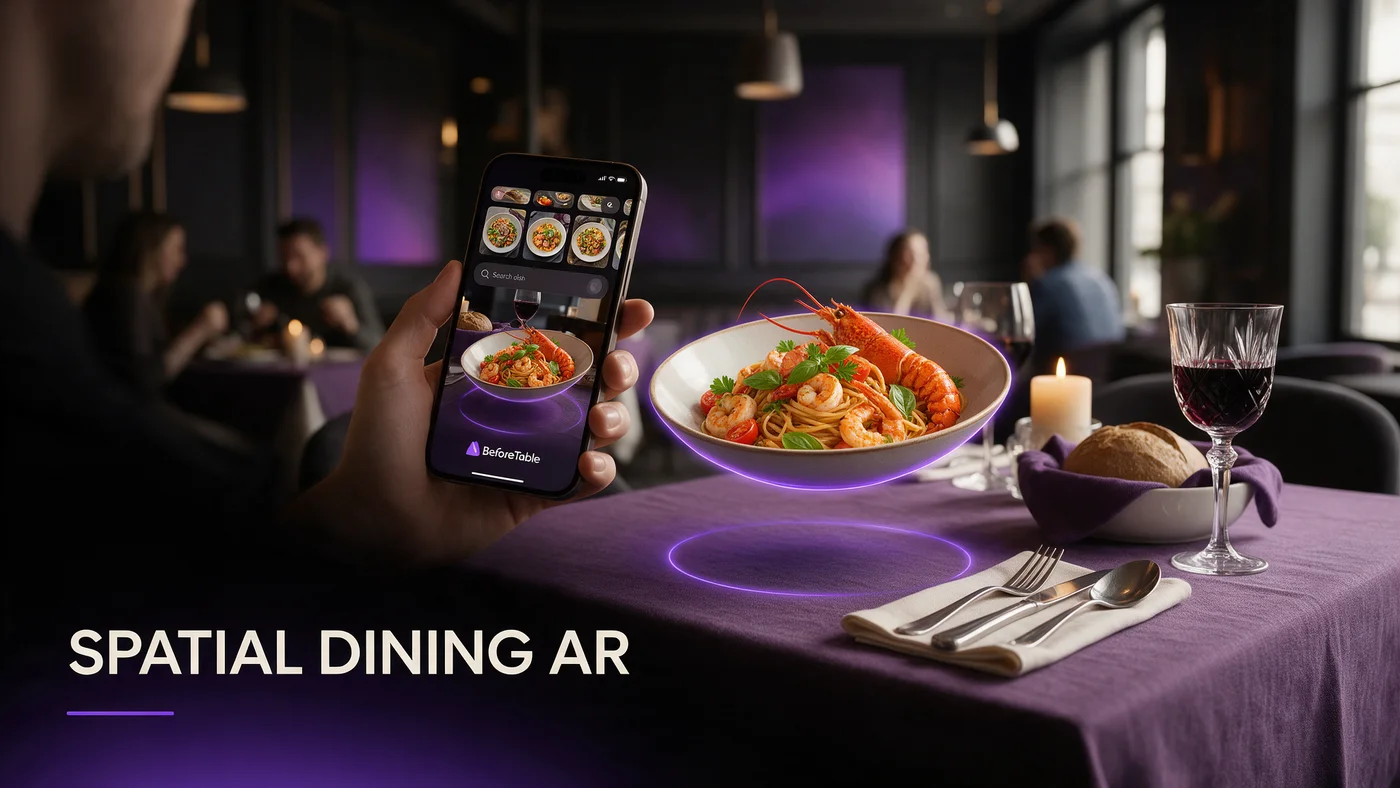
Spatial dining sounds like a headset term, but for most guests in 2026 it means something simpler: pointing a phone camera at the table and watching a 3D dish appear to sit right there, sized and placed like a real object instead of a flat picture on a screen.
No headset, no goggles, no app to download first. The phone a guest already has in their pocket is the only hardware involved.
It is not a headset, it is your phone's camera
When people hear spatial dining, they picture VR goggles at the table, which is not what is happening here. A phone's camera and browser do the work, the same way a guest already uses their phone for maps or a QR code menu.
The difference between a photo, a video, and a spatial preview
A photo shows one angle. A video shows a fixed path around a dish someone else chose. A spatial preview lets the guest walk their own phone around a dish sized to fit their actual table, deciding what to look at and from where.
How a phone places a 3D dish on your real table
The technology behind this has a few different names depending on the phone, but the guest experience is nearly identical everywhere: point the camera, see the dish appear on a flat surface, rotate and walk around it.
WebAR in the browser, no app required
On most phones, a guest opens a link from a QR code and the 3D dish loads directly inside Safari or Chrome. WebAR is the general term for AR that runs in a browser instead of a downloaded app.
What Quick Look does on iPhone
Apple's Quick Look is the iPhone-native version of this, launching straight from a link into the camera view with the dish already placed and ready to resize on the table.
What Scene Viewer does on Android
Scene Viewer is Google's equivalent for Android phones, handling the same camera-to-table placement through Chrome without a separate AR app installed beforehand.
Why this beats scrolling photos before you order
A menu photo is shot once, from one angle, often months before a guest ever sees it. A spatial preview shows the same dish at true scale, from whatever angle the guest chooses, right before they decide.
Portion size guessing ends
Guests placing a 3D model next to their own hand or their own table get an honest sense of size that a photo, however well lit, cannot fully convey.
Plating and garnish become obvious
Rotating a model shows how a sauce sits, how a garnish is arranged, and how a dish looks from the side, details a single overhead photo usually leaves out.
The guest flow from QR code to 3D dish on the table
The steps are short enough to explain in one sentence: scan, tap allow on the camera, watch the dish appear, rotate it, close the tab.
What guests actually do at the table
A guest scans a QR code, taps a button to view in AR, grants camera access if asked, and sees the dish appear on the table surface within a couple of seconds.
What happens if a guest's phone does not support AR
Older phones or unsupported browsers fall back to a regular 3D preview a guest can still rotate on screen, or a set of photos, so nobody is left with a broken page.
Spatial dining does not need a headset, and probably will not for years
Headset-based dining gets a lot of press coverage, but almost no restaurant guest is putting on a headset before ordering dinner in 2026. The phone-based version works today, on hardware every guest already owns.
Where headsets fit in the next decade
Smart glasses and lighter headsets may eventually add a layer on top of this, but the phone browser path is the realistic, working version for the vast majority of independent restaurants right now.
What restaurants need on their end to enable this
Setting this up does not require a developer, a special app, or new hardware bought for the dining room.
A phone, a few photos, and a QR code
Photograph a dish from a few angles, let the 3D model get built from those photos, then print a QR code linking to it. That is the entire technical setup for one dish.
WiFi as a backup, not a requirement
Guests should be able to load the spatial preview on their own cellular connection without joining restaurant WiFi first, so a weak network is not the reason a guest never sees the dish.
Choosing three hero dishes worth placing in AR first
Not every dish benefits equally from spatial placement. Start with the ones where seeing true scale changes a decision.
Dishes that benefit most from spatial placement
A tall dessert, a large shareable platter, or a dish where portion size drives the ordering decision benefits more from spatial placement than a simple side dish.
A one-table test before expanding
Put one QR code on one table for a week and watch how many guests actually try placing the dish before deciding whether to print codes for the whole room.
Common misconceptions about spatial dining
The term invites a few assumptions worth clearing up before an owner rules it out as too complicated or too futuristic for their restaurant.
No, it is not a metaverse restaurant
Nobody is eating a virtual meal or ordering through a virtual world. The dish placed on the table is a preview of the real plate arriving from the kitchen.
No, guests do not need to download anything
The entire experience runs inside the browser a guest already has open, with no app store visit and nothing left installed on their phone afterward.
What this costs to set up
Free covers 3 AR dishes at $0, enough to test spatial placement on one table. Starter is $20 a month for 15 dishes, which fits most independent menus. Growth is $200 a month for 50 dishes with analytics showing how often guests place a dish versus just viewing it flat. Full pricing is at beforetable.com/blog/beforetable-pricing-explained.
Start free and place your first dish today
Spatial dining on the phone is not a future feature. It works today in Safari and Chrome, on phones guests already carry, through a QR code you can print this week.
Start Free with 3 AR dishes at $0 and see how guests respond to placing a dish on their own table before committing to a paid plan. The FAQ below and beforetable.com/blog/how-to-create-an-ar-restaurant-menu cover setup details.
Frequently Asked Questions
What is spatial dining?
It is the practice of placing a 3D preview of a dish in real space through a phone's camera, so it appears sized and positioned on the actual table instead of on a flat screen.
Do I need a VR headset for spatial dining?
No. The phone browser version works today through WebAR, Quick Look on iPhone, or Scene Viewer on Android, with no headset involved.
What is WebAR?
WebAR is augmented reality that runs directly inside a phone's browser, like Safari or Chrome, instead of requiring a separate downloaded app.
What is the difference between Quick Look and Scene Viewer?
Quick Look is Apple's version for iPhone and Scene Viewer is Google's version for Android. Both place a 3D model on a real surface through the camera, just on different operating systems.
Does a guest need to download an app to try spatial dining?
No. The preview opens directly from a QR code link in the phone's browser, with nothing to install.
What happens if a guest's phone does not support AR placement?
The page falls back to a regular 3D preview the guest can still rotate on screen, or a set of dish photos, so the menu still works.
How does spatial dining help with portion size?
Placing a true-scale 3D model next to a guest's own table gives an honest sense of size that a photo cannot fully convey.
Do I need special hardware in my restaurant for this?
No. Guests use their own phones. The restaurant only needs dish photos, a 3D model, and a printed QR code.
Does restaurant WiFi need to be strong for spatial dining to work?
No. Guests should be able to load the preview on their own cellular connection without joining restaurant WiFi first.
How many dishes should I start with?
Start with three hero dishes where seeing true scale matters most, then expand once you see how guests respond.
Is spatial dining the same as a metaverse restaurant?
No. Nobody eats a virtual meal. The 3D model is simply a preview of the real dish that arrives from the kitchen.
Does BeforeTable replace my POS system?
No. BeforeTable is a WebAR menu and light order tool, not a replacement for a POS system.
How much does spatial dining cost to set up?
Free is $0 for 3 AR dishes, Starter is $20 a month for 15 dishes, and Growth is $200 a month for 50 dishes with analytics.
How long does it take to set up one dish?
Photographing a dish and building the 3D preview takes a short amount of time, so a first hero dish can be ready quickly.
Can I test spatial dining on one table before rolling it out?
Yes, and it is the recommended approach. Put one QR code on one table for a week, then decide whether to expand.
Do headsets play any role in spatial dining right now?
Not for most restaurants today. Smart glasses and lighter headsets may add a layer later, but the phone browser path is the working version now.
What devices work with spatial dining menus?
It works on iPhone through Safari and Quick Look, and on Android through Chrome and Scene Viewer, covering most guest phones.
Where can I learn more about pricing and setup?
See beforetable.com/blog/beforetable-pricing-explained for pricing and beforetable.com/blog/how-to-create-an-ar-restaurant-menu for setup steps.